10 CRO tools to enhance your funnel and boost revenue
Everything you should need to optimize the conversion of your marketing campaigns: best tips, strategies, and tools

Part 2
10 CRO tools to enhance your funnel and boost revenue

Conversion rate optimization tools help you find why visitors leave without converting and test fixes. They fall into four categories: behavior analytics (heatmaps, session recordings), A/B testing platforms, personalization engines, and conversation tools (live chat, AI agents).
This guide covers 11 CRO tools across those categories: what each one does, who it suits, and which offer free plans. This way, so you can build a CRO stack that fits your team size and budget.
What are CRO tools?
Conversion rate optimization or just CRO tools are instruments that help you increase the number of users performing a target action (i.e. leaving contact info, signing up, making a purchase, etc.)
Roughly speaking, we can divide these instruments into two groups:
- research tools that will help you analyze your funnel and user behavior, find bottlenecks, and start hypothesizing on conversion rate optimization;
- implementation tools that you’ll use to bring your CRO ideas to life: these tools offer chatbots, pop-ups, banners, and, of course, A/B testing to choose the best working option for conversion rate boost.
What to look for in a CRO tool
The number of platforms that provide CRO tools is endless. You’ll spend hours clicking links on Google, not to mention their testing.
Here are primary criteria to help you pick the perfect conversion rate optimization software.
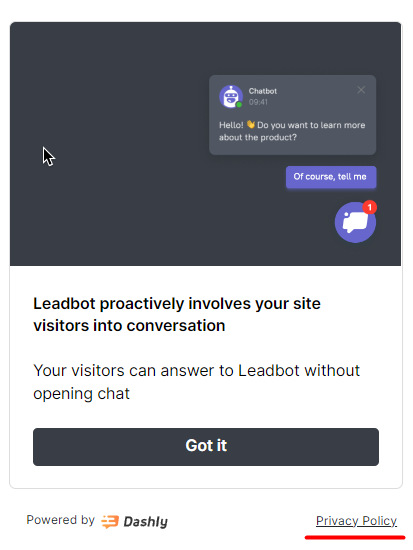
GDPR compliance. While browsing another CRO tool website, pay attention to their privacy policy. The time when you could use visitors’ data without their permission has gone. While picking CRO tools, make sure they respect your users’ confidentiality.
For example, do the pop-ups, forms, and chatbots they provide have a customer agreement link and checkbox?
Security. Again, you’re going to work with users’ data while enhancing your conversion rates. So the tools you use should guarantee the safety of that data like encryption or Content Security Policy (CSP) that helps prevent code injection attacks. One leak of private information can cost you the trust of your customers. No conversion growth is worth that.
Integrations. Conversion rate optimization is a complex process that requires all hands on deck. Or more like all tools. Everything your marketing, support, and sales actively use:
- CRM to store and transfer leads data;
- email, socials, and messengers to provide multichannel customer communication;
- analytics to track campaign performance, etc.
So check if your CRO tool can be integrated into your tech stack to ensure seamless and effective work.
❗ This top is unbiased — we made sure to choose the best CRO tools in their respective industries. And you’ll find Dashly on this list. Our team is proud of the product we develop since it helped over 5000+ companies boost conversions and sales on their websites. You can check out our cases with SaaS and EdTech companies.
11 conversion rate optimization tools compared
Not sure which tool to start with? This table maps each option to its category, best use case, free plan availability, and starting price so you can compare at a glance.
| Tool | Category | Best for | Free plan | Starting price |
|---|---|---|---|---|
| Dashly | Live chat + AI agents | Lead capture, qualification, 24/7 coverage | Yes (14-day trial) | From $39/mo |
| Hotjar | Behavior analytics | Heatmaps, session recordings | Yes (limited) | From $32/mo |
| Crazy Egg | Behavior analytics | Heatmaps, scrollmaps, click tracking | No | From $29/mo |
| FullStory | Session intelligence | DX data, enterprise session analysis | No | Custom pricing |
| Microsoft Clarity | Behavior analytics | Free heatmaps and recordings, any traffic volume | Yes (free) | Free |
| Google Analytics | Web analytics | Traffic, funnel analysis, goal tracking | Yes (free) | Free / GA360 |
| Mixpanel | Product analytics | Event tracking, retention analysis | Yes (limited) | From $20/mo |
| Heap | Auto-capture analytics | Retroactive analysis, no manual tagging | Yes (limited) | Custom pricing |
| Intercom | Messaging + AI agents | Onboarding sequences, re-engagement | No | From $74/mo |
| VWO | A/B testing | Multivariate testing, split URL tests | No (30-day trial) | From $200/mo |
| UsabilityHub | UX research | User testing, preference tests, surveys | Yes (limited) | From $79/mo |
Jump to any tool below for a full breakdown of features, pros, and cons.
Free conversion rate optimization tools
Five CRO tools offer genuinely useful free plans with no credit card required:
- Microsoft Clarity — free heatmaps and session recordings for unlimited traffic. No sampling, no seat limits. The best starting point if you have zero CRO budget.
- Google Analytics (GA4) — free funnel analysis, event tracking, and goal tracking. Pairs with any other tool on this list.
- Hotjar — free plan covers 35 daily sessions and basic heatmaps. Upgrade when you need more than a sample.
- Heap — free plan for up to 10,000 monthly sessions. Auto-captures all clicks and form submissions without manual tagging.
- Dashly — 14-day free trial with full access to live chat, AI agents, and triggered campaigns. No credit card.
Microsoft Clarity
Microsoft Clarity is a free behavior analytics tool that provides heatmaps and session recordings for unlimited traffic without sampling. Unlike Hotjar’s free tier (35 sessions/day), Clarity has no session cap or seat limit. It integrates with Google Analytics to combine quantitative funnel data with qualitative session data.
Pricing
Microsoft Clarity is completely free with no paid plans. There are no limits on traffic volume, sessions recorded, or team seats.
Microsoft Clarity pros and cons as a CRO tool
✔️ Completely free with no session or traffic limits.
✔️ Rage click and dead click detection built in.
✔️ Native integration with Google Analytics 4.
❌ No A/B testing, funnels, or survey features.
❌ Limited data export options compared to paid tools.
❌ Retention period capped at 30 days.
Research tools for funnel and user behavior analysis
First, gather as much data about your website as possible. The following CRO tools will help you gather analytics data on your funnel, marketing campaigns, and find bottlenecks in.
You’ll also look at your website from a user’s perspective: what pages they’re most interested in, what CTAs work the best, and where they stumble 👀
I also added a few tools for feedback collection, so you could use direct opinion of your customers for CRO.
Let’s go!
Dashly
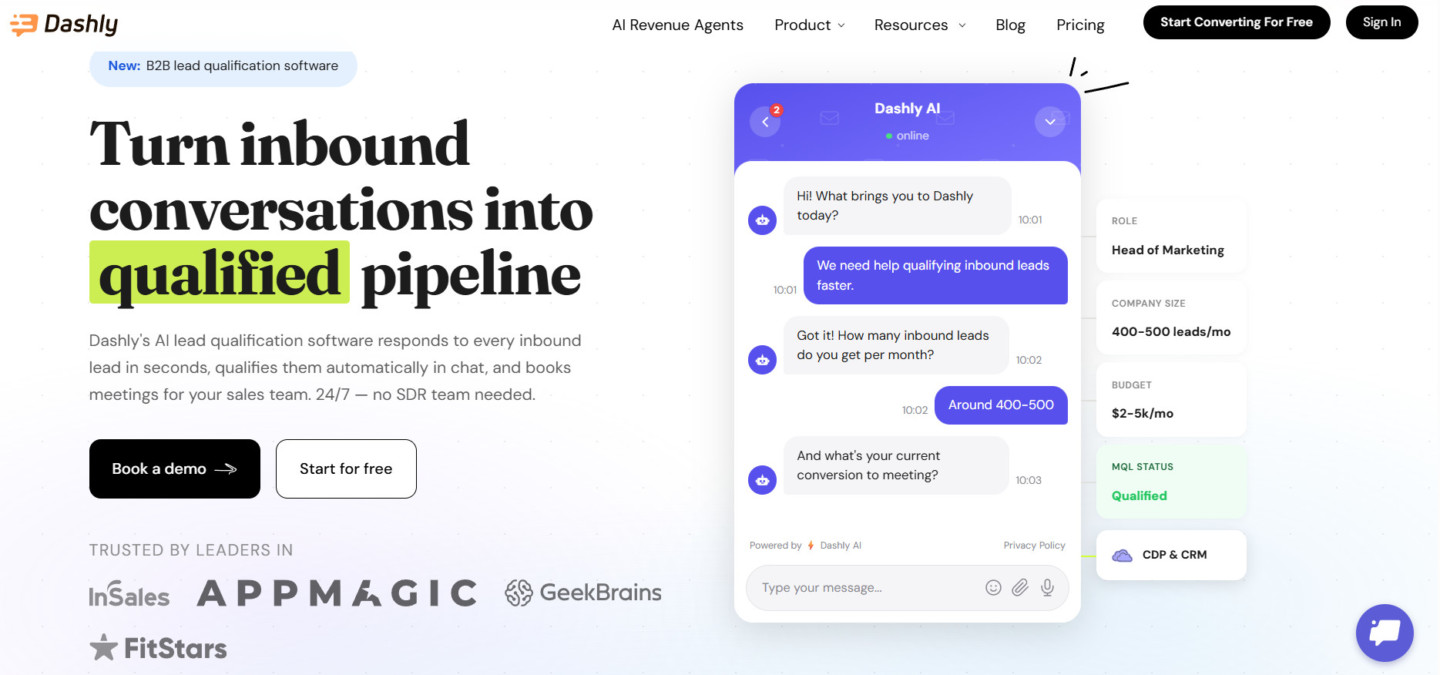
Dashly combines behavior tracking, funnel analytics, and AI agents in one platform. For CRO research, it captures every visitor interaction (pages viewed, time on site, clicks, and chat conversations) and saves them automatically to a lead card. When a visitor starts a conversation, the AI qualifier agent collects intent data (role, company size, pain point) alongside the behavioral data you already track. Together, they give you a richer picture of why visitors convert or leave.
- Visitor behavior tracking. Every page view, click, and session is logged automatically in a lead card. No manual tagging needed.
- AI qualifier agent. The AI qualifier agent captures intent signals through conversation: company, role, budget, and main pain point, structured data your analytics tools can’t collect from pageviews alone.
- Funnel analytics. See where visitors drop off at each stage so you can prioritize which part of the funnel to fix first.
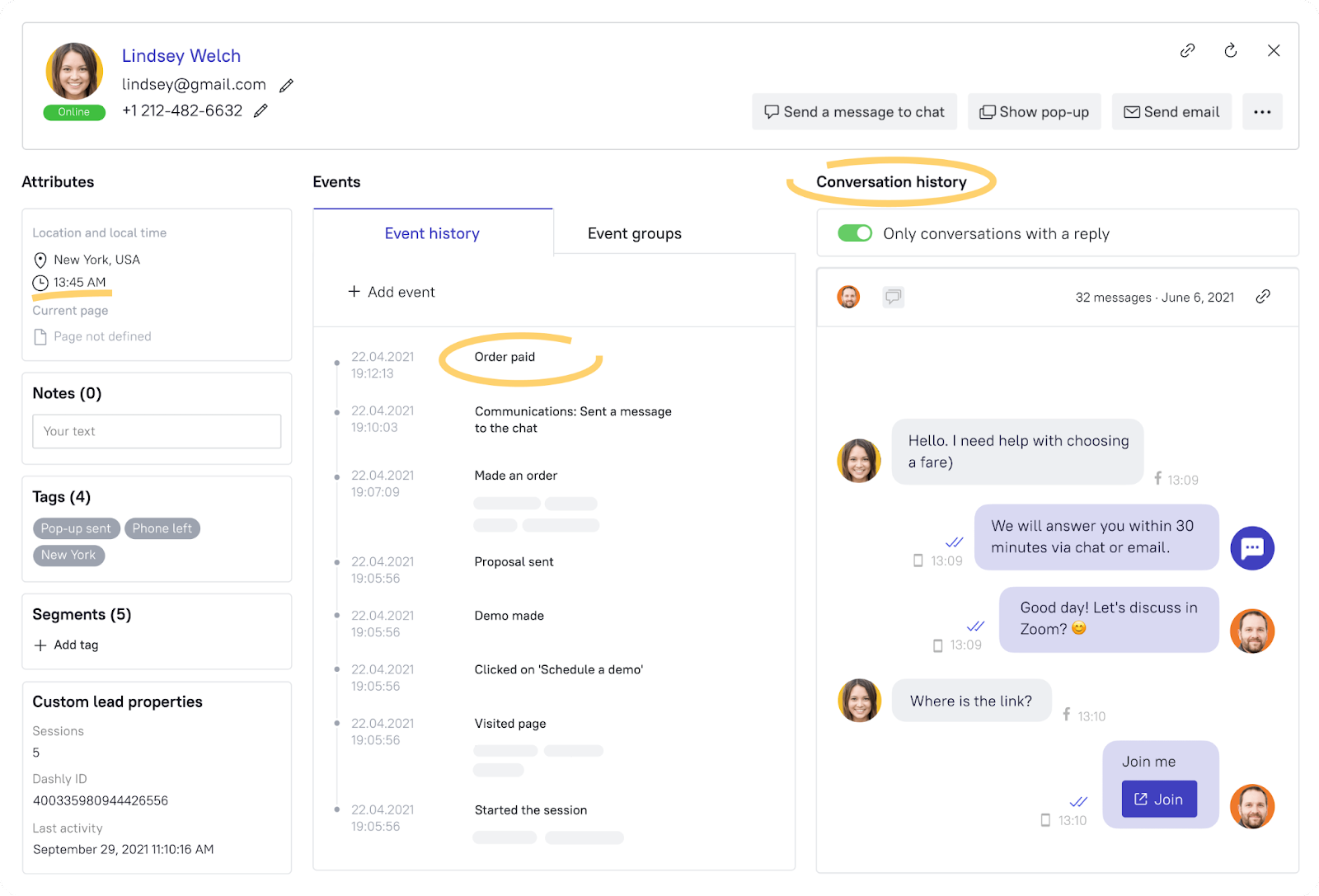
Find out the primary info that will help you with conversion rate optimization:
- — which pages a visitor stayed on the longest;
— which website sections they found the most interesting;
— where they decided to leave.
- Campaign performance reports. Track the results of triggered messages, pop-ups, and AI engagement campaigns in a visual dashboard — clicks, conversions, and revenue per campaign.
- Lead nurturing analytics. Lead nurturing sequences show which touchpoints move leads forward and which cause drop-off.
- Integrations. Push data to Mixpanel, Zapier, WooCommerce, and 30+ other tools. All behavioral and conversation data in your existing stack.
Need to segment visitors for a specific test? The AI engagement feature lets you set targeting rules (by page, traffic source, session behavior, or lead card data) and trigger conversations automatically with the right audience.
- Integration with your CRM and analytics tools. Transfer all the data Dashly collects to your analytics to see the entire picture. There are ready-made and API integrations you can implement in a few clicks i.e. Mixpanel, Zapier, WooCommerce, Prestashop, and social media, etc.
And if you have a hard time analyzing all the data you have, you can always turn to Dashly implementation team for help. They’ll give you valuable insights on your website CRO.
Maybe your conversion rates suffer from low engagement in the early stages? Or you lose a chance to capture leads before they leave your website?
Okay, I’m getting ahead of things… Too early for hypotheses. Back to business 👇
Pricing
Dashly has custom pricing. The price depends on your monthly website traffic and the features you choose to enable. Meanwhile, agent seats are unlimited — your whole team will get access to the tool and its CRO features.
Each plan offers website visitor behavior tracking. However, the more advanced the plan is, the richer your customer data will be.
Dashly’s pros and cons as a CRO tool
✔️ AI agents qualify leads and collect intent data through conversation automatically.
✔️ Behavior tracking + conversation data in one lead card — no stitching between tools.
✔️ Modern interface, intuitive setup, no developer needed for most use cases.
✔️ Unlimited agent seats on all paid plans.
✔️ 30+ integrations to fit into your existing analytics stack.
❌ No built-in A/B testing for page layouts (use VWO or Crazy Egg alongside).
❌ Some advanced automation flows may need developer help for custom events.
❌ Heatmap features are less detailed than Hotjar or Crazy Egg.

Hotjar
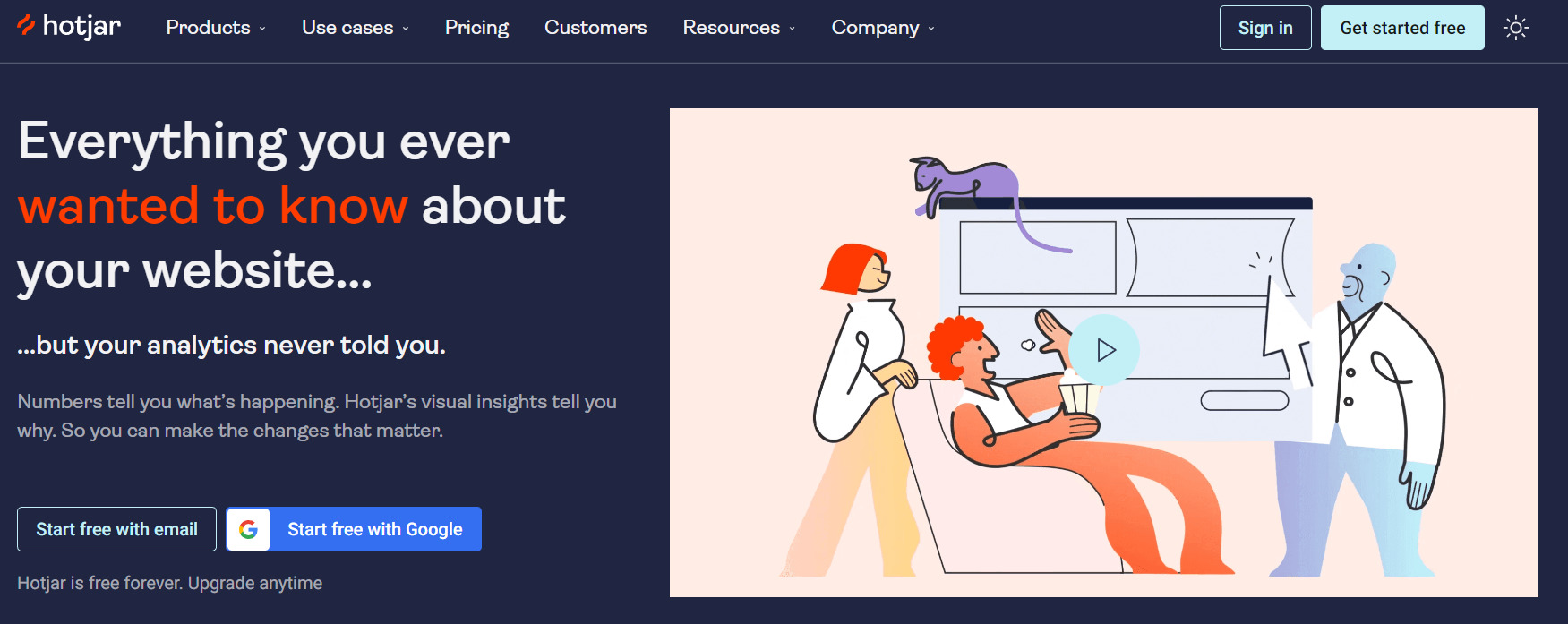
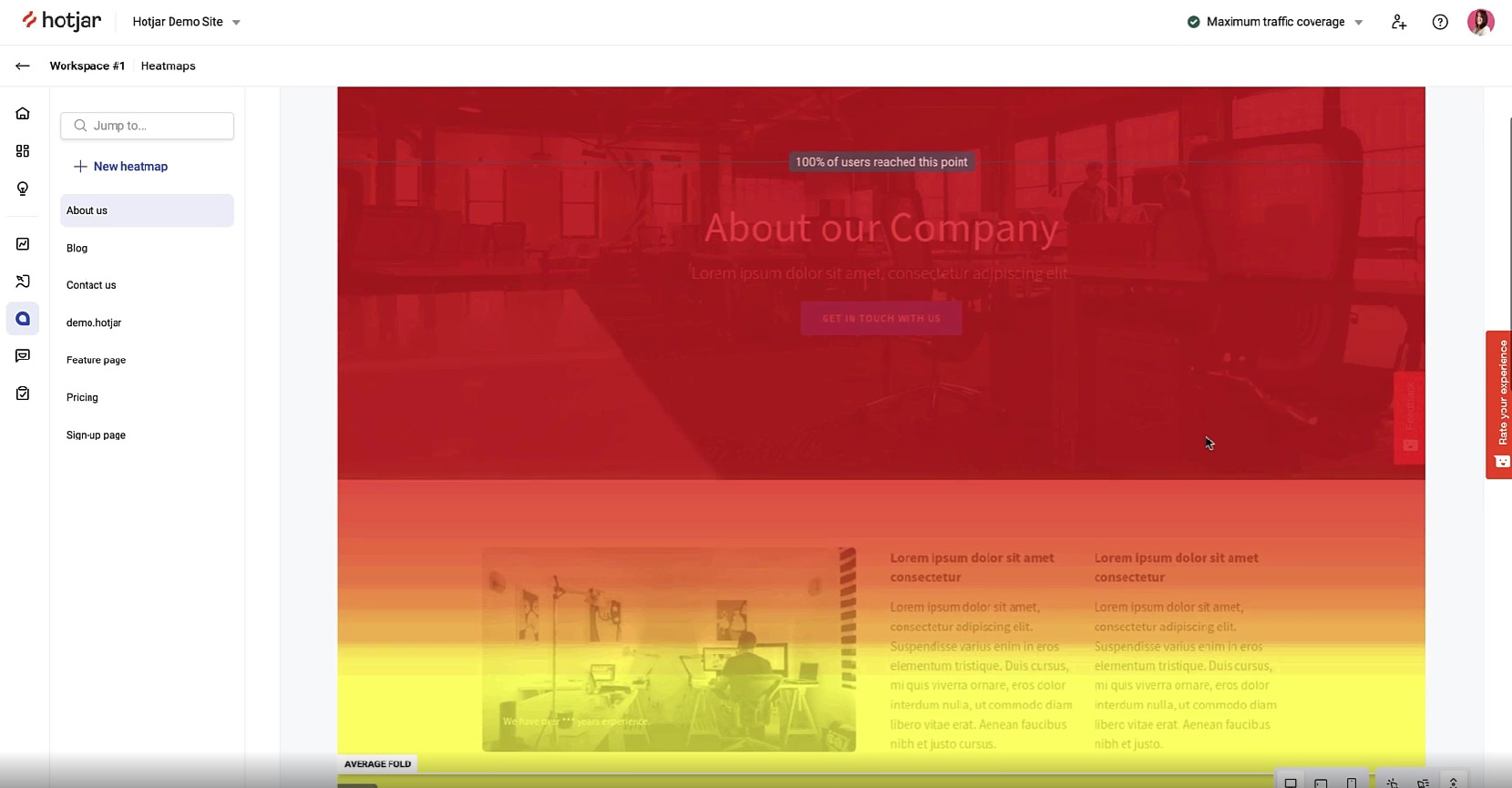
Walk in your visitors’ shoes with Hotjar. This CRO platform provides heatmaps and session recordings to check how engaging your content is and how many visitors actually scroll till the end of a page.
It’s an excellent opportunity to see your customer’s pain points: which pages they stumble on and try to understand why it happens. Later, you can fix it in your CRO process.
Besides, Hotjat provides forms for customer feedback, so you could get direct comments from your audience. Insights for more conversion optimization ideas are guaranteed 😉
Pricing
Pick one of three paid plans for this CRO tool. A free version is also available. The choice of the plan depends on the features you need and the number of sessions (the entire journey of one website visitor counts as one session.)
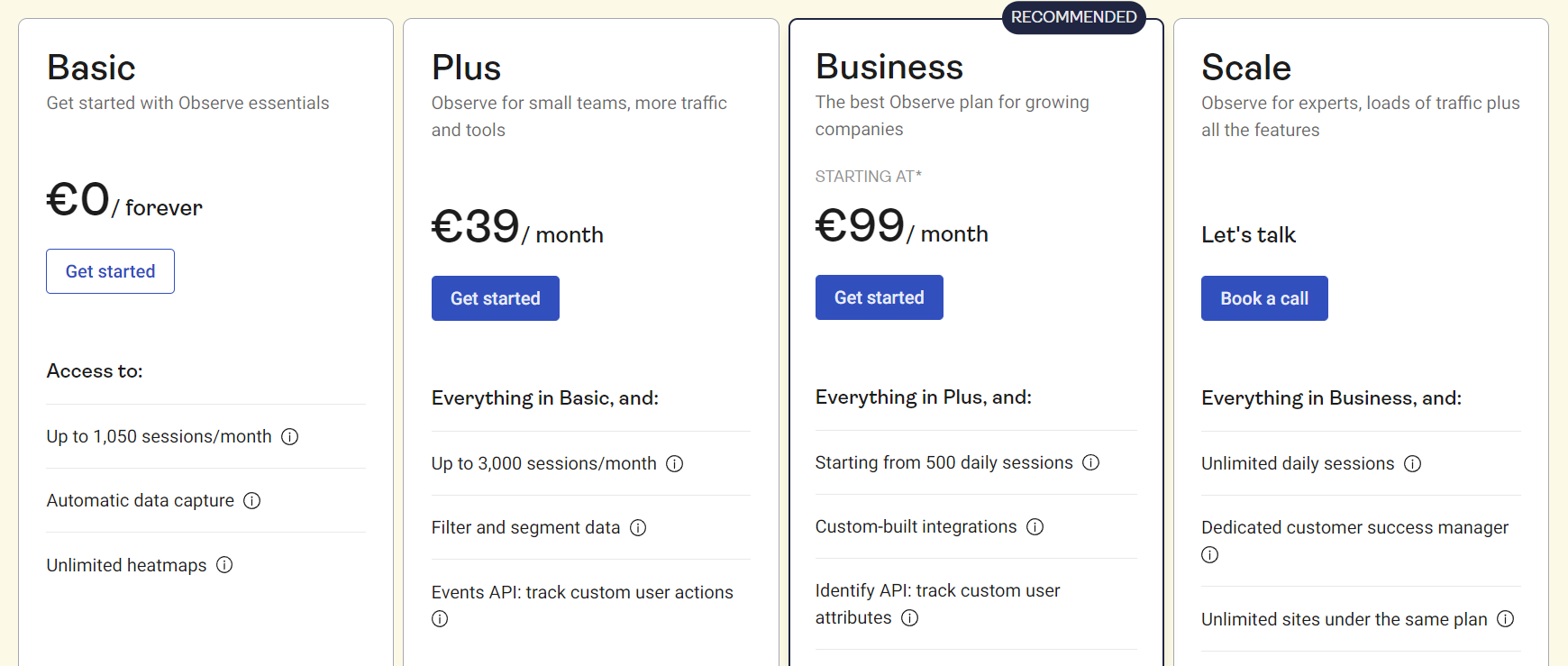
Hotjar offers 15 days of a free trial to test all its features for conversion rate optimization.
Hotjar’s pros and cons as a CRO tool
✔️ Easy to set up tool you can use on multiple websites of yours.
✔️ Provides a comprehensive view of your customer’s journey, which is essential for planning CRO.
✔️ Friendly customer service.
❌ The limit of the page size that can be captured.
❌ Might slow down your website.
❌ Lacks some integrations that could improve the tool’s functionality (like Google Analytics).
Crazy Egg
Crazy Egg has similar functionality to Hotjar. These two often go together on lists of the best conversion rate optimization tools. Just as the previous solution, Crazy Egg offers heatmaps and session recordings to track users’ activity on a website.
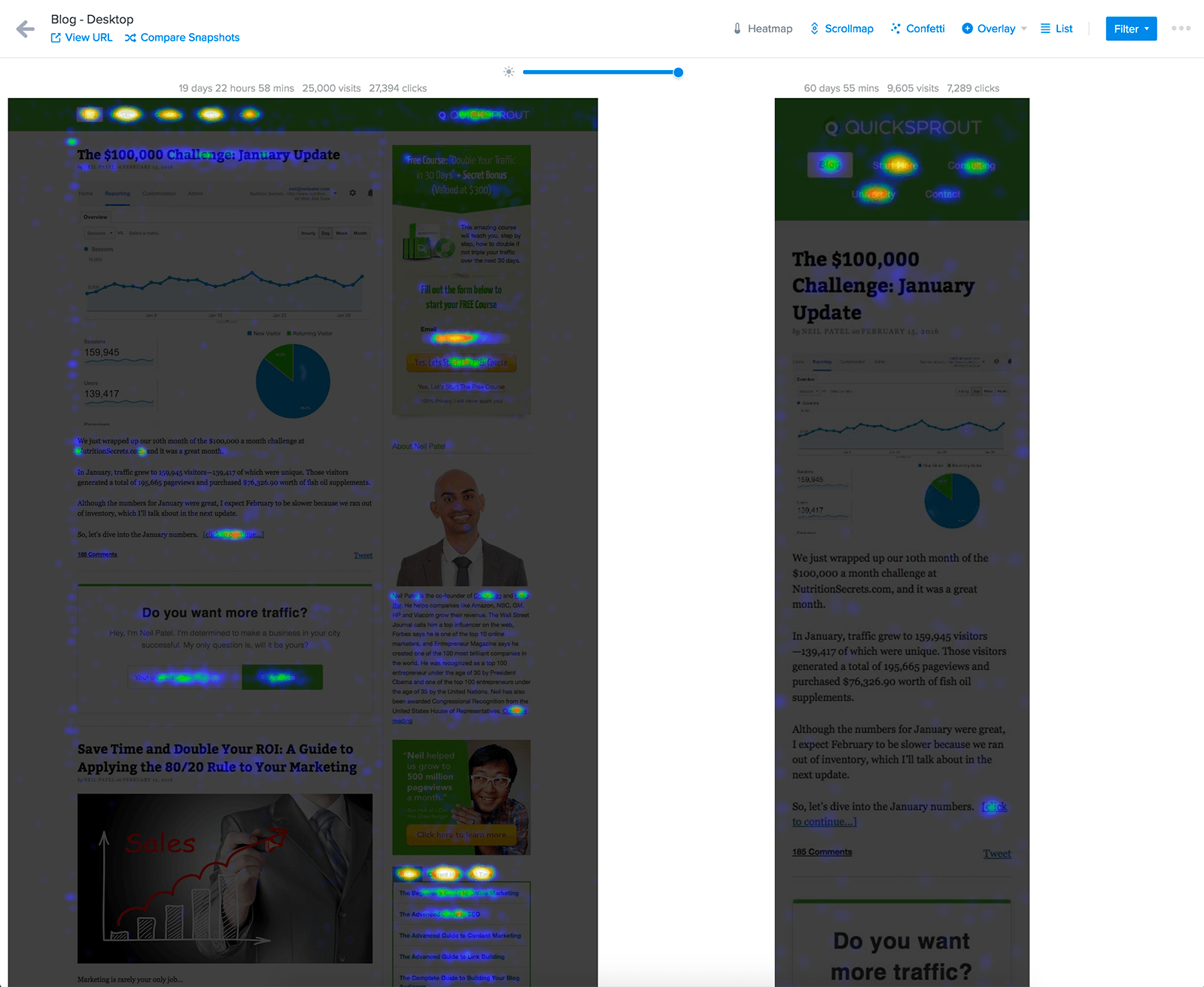
Get the full picture of whom, where, and how many clicks do on your website. Track the entire customer journey with session recordings for better optimization of your website conversions (but we’ll talk about testing CRO tools in detail later.)
Pricing
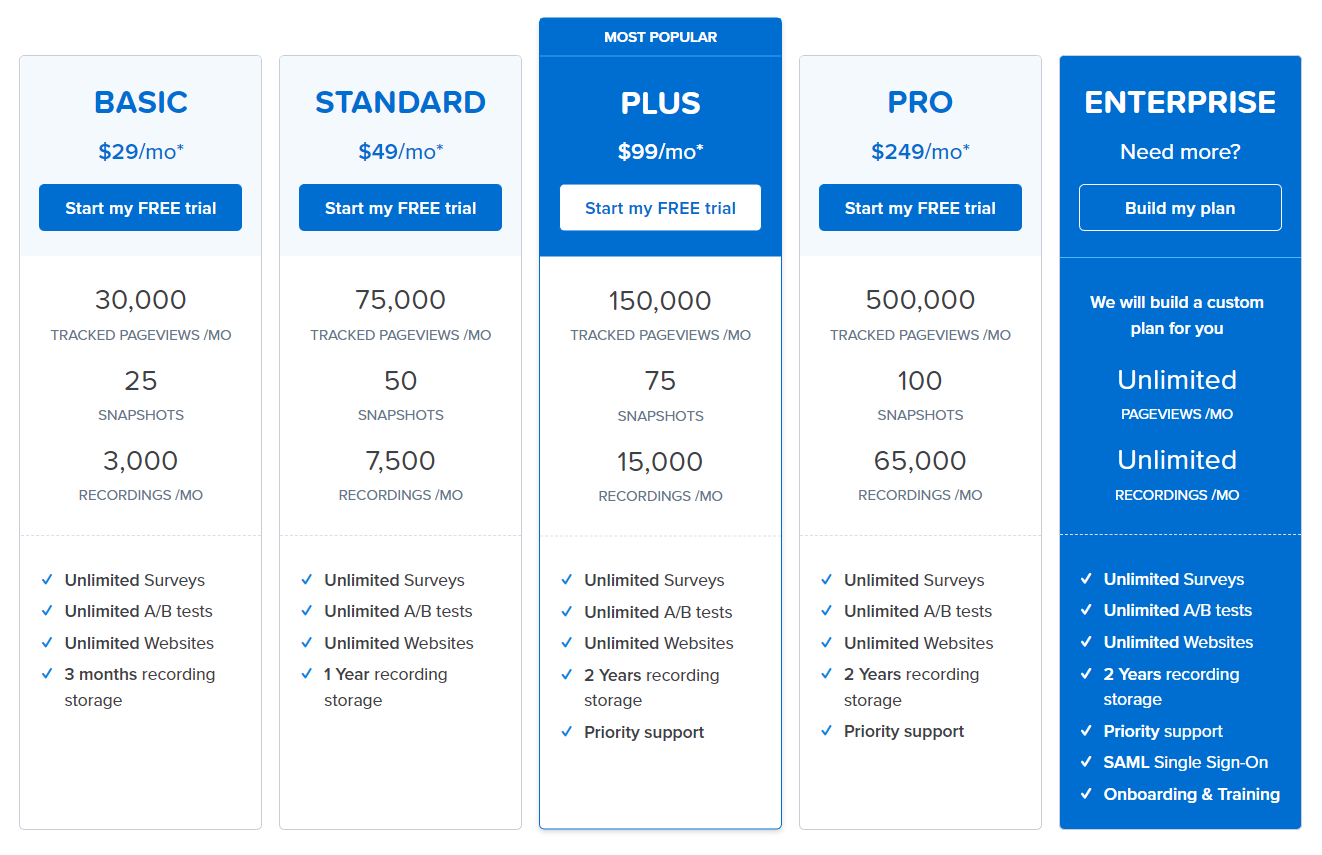
There are five paid plans for Crazy Egg CRO services. The cheapest one starts from $29/mo. Mind that all plans are billed annually. The choice depends on the number of tracked page views, snapshots (another name for heatmaps), and recordings you require.
The free trial lasts for 30 days — you have plenty of time to check this CRO tool’s functionality.
Crazy Egg’s pros and cons as a CRO tool
✔️ The tool provides you with valuable insights to make data-driven decisions for CRO.
✔️ Easy to integrate with third-party applications.
❌ Limited data visualization.
❌ Pricing might be not suitable for small and mid-sized companies (besides, Crazy Egg offers only annual plans, which can be inconvenient for some users.)
❌ Occasional bugs can interrupt effective work with the tool.

FullStory
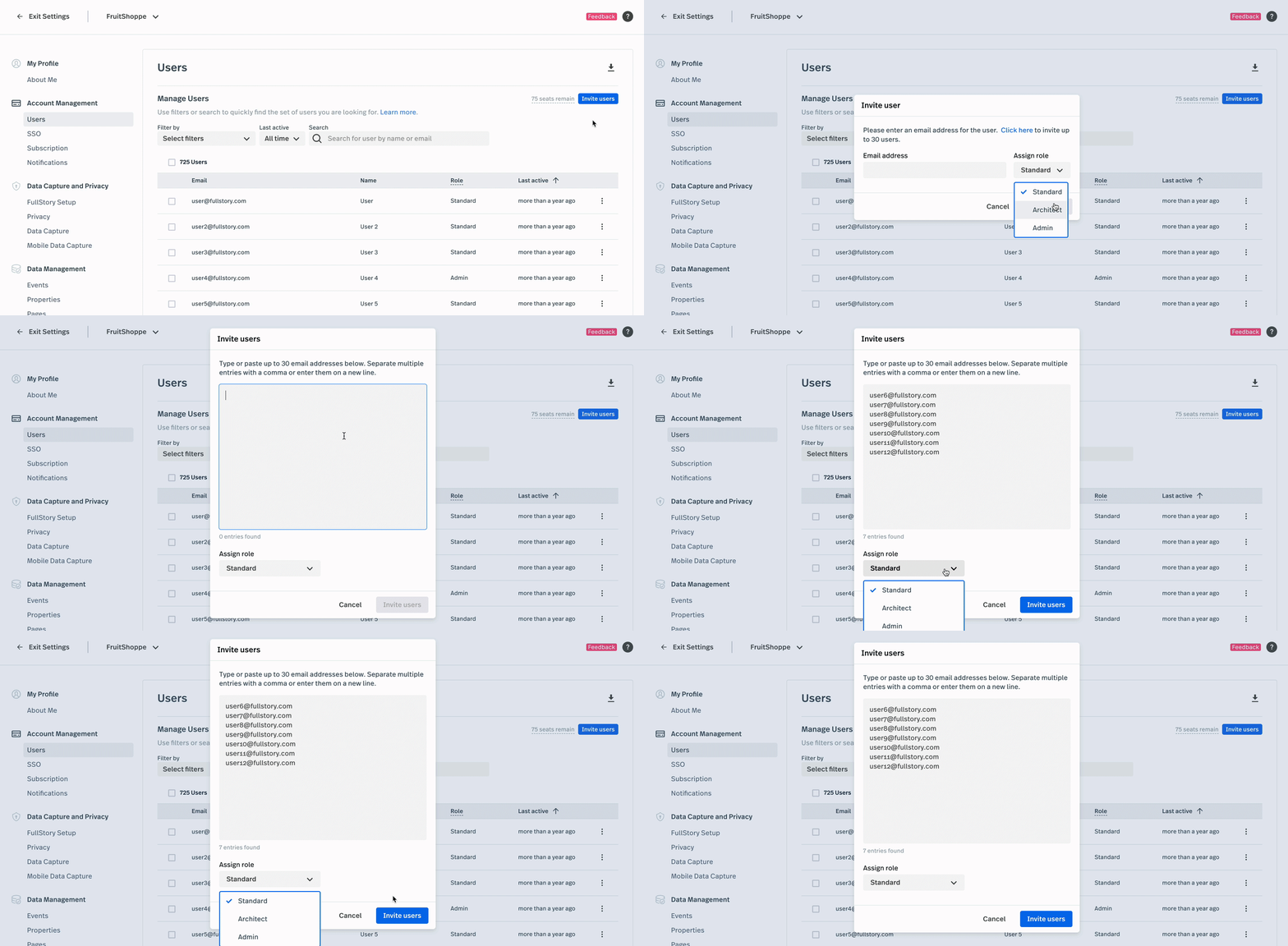
Here comes another tool for user behavior tracking — FullStory. With this CRO platform, you can record users’ clicks, page views, and form filling.
According to FullStory, perfect UX is a key to conversion rate optimization. Thus, their software combines qualitative and quantitative data on user’s actions, so you could improve the customer journey and, thus, boost conversion.
Additionally, FullStory will help you measure customer engagement and enhance UX based on session recordings and bug reports. You’ll be aware of any issue your prospects face.
Pricing
FullStory offers two paid plans for its users. The price for the CRO tool is custom and depends on the number of sessions, features you choose, and the needs of your business.
There’s also a 14-day free trial available to test the functionality of this conversion rate optimization platform.
FullStory’s pros and cons as a CRO tool
✔️ Great tool to get the full picture of users’ behavior, adapt to their needs, and enhance the overall customer experience.
✔️ Users claim that the session filter is “magical” and extremely easy to use.
❌ Some users complain about the system’s bugs and lags.
❌ Poor customer service.
❌ Very slow ROI for the price this conversion rate optimization tool demands.
Google Analytics
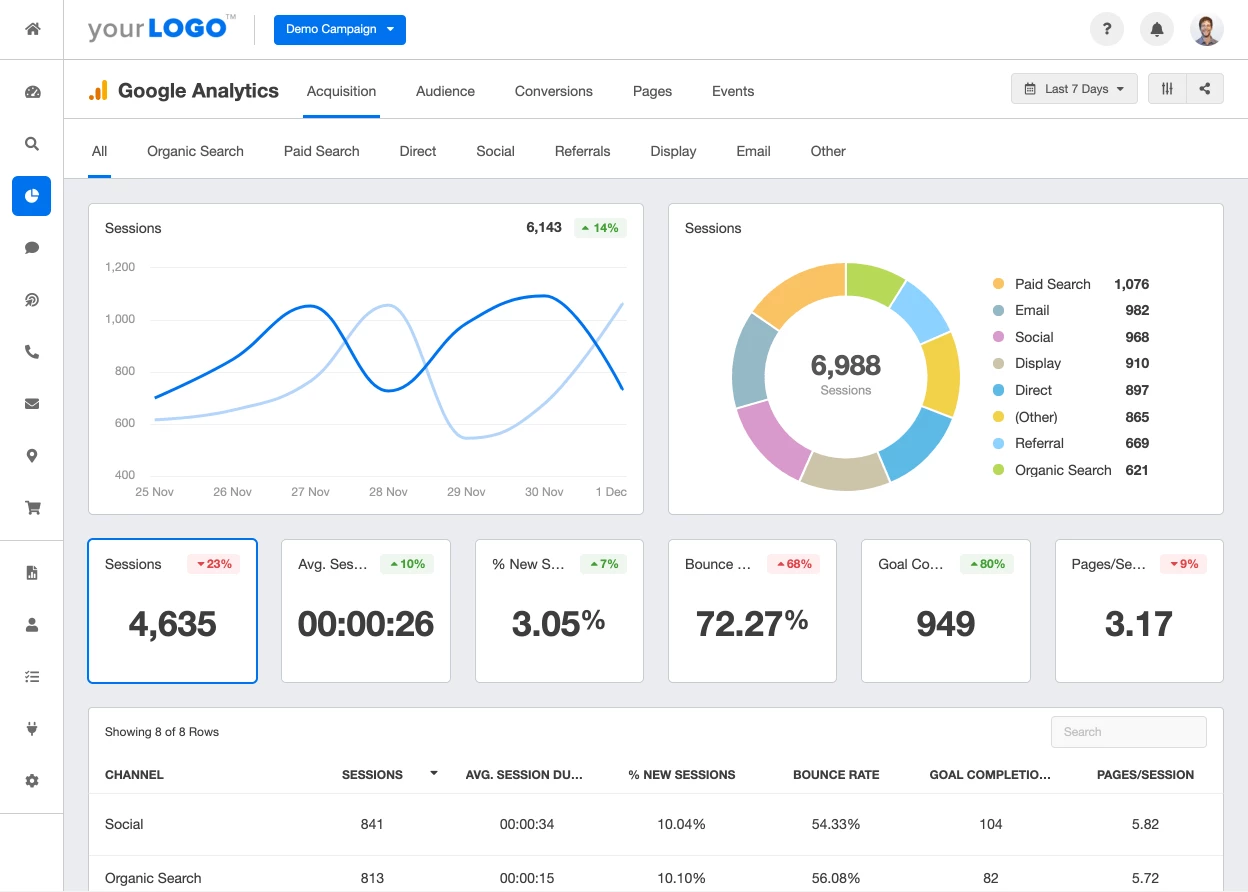
This list wouldn’t be complete without Google Analytics. It’s always on the top of the best and most popular tools for conversion rate optimization used by businesses of all sizes. With GA, you can keep track of the KPIs and user activity.
By adding UTM parameters, you can also analyze which marketing campaign works best for CRO and scale successful results.
Pricing
Apart from a wide range of features, GA has another great advantage. It’s free. That’s why this CRO tool is so popular among businesses of all sizes and industries!
However, if you’re an enterprise-level company and require in-depth conversion analytics, you can upgrade to Google Analytics 360. The pricing there starts from $12 500/mo.
Google Analytics’ pros and cons as a CRO tool
✔️ The tool is easy to install and set up.
✔️ You’ll get plenty of insights on enhancing your website content and user experience.
✔️ Offers a sufficient free version.
❌ Users complain about unresponsive support.
❌ Self-service opportunities are limited.
❌ The functionality of the paid version doesn’t offer unique features more affordable competitors don’t have.
💡 Useful hack
Integrate Google Analytics with Dashly. After a quick setup, both CRO tools will work in sync, so you’ll get a full picture of your funnel.
Mixpanel
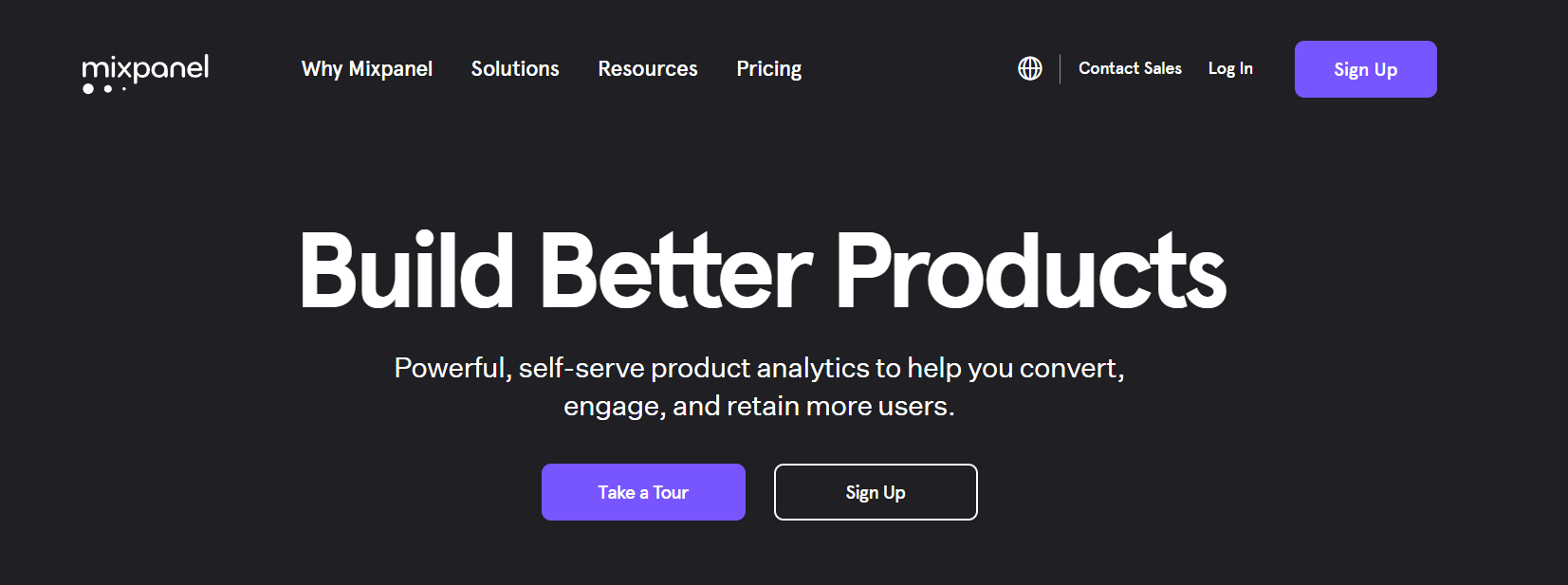
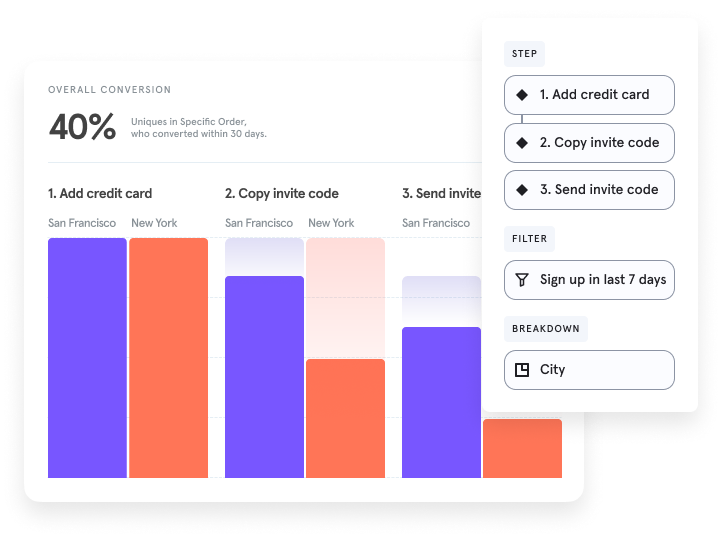
If you want to get the full picture of your funnel and customer journey, Mixpanel is a great solution.
With this CRO tool, you can analyze each step of your funnel by any user attribute and find out which prospects convert better. You’ll see how new releases affect your audience and keep track of the most important metrics like Churn or Retention Rate.
Pricing
This CRO tool offers three plans to its users, the paid one starts at $25/mo.
Even on a free plan, Mixpanel provides quite rich data, but if your conversion optimization strategy requires more advanced analytical tools, consider one of the paid plans.
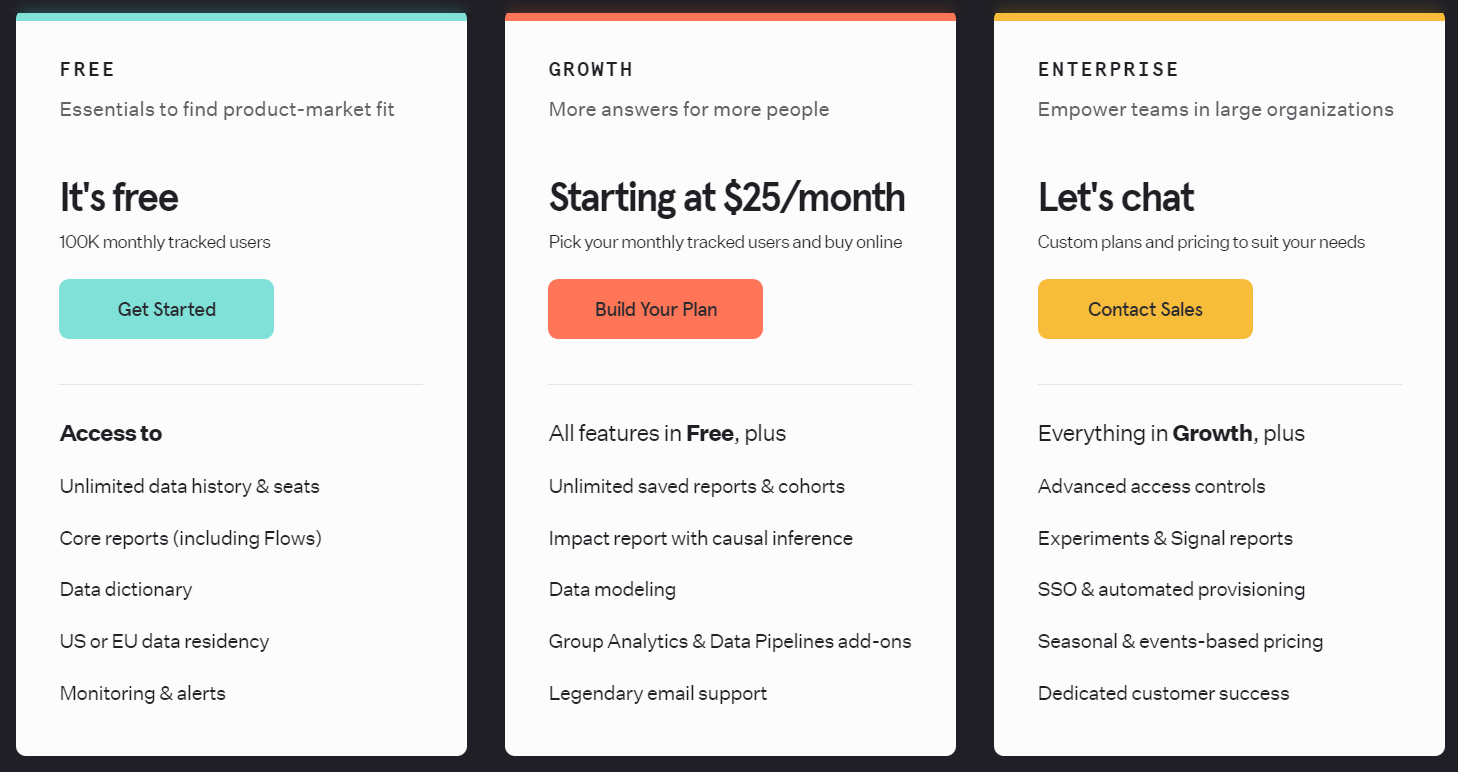
The price is custom and depends on the number of monthly tracked users and add-ons. There’s a calculator on the website, so you can determine how much CRO will cost you with this tool.
Mixpanel doesn’t have a free trial, but you’ll get access to all the main conversion rate optimization tools on a free plan.
Mixpanel’s pros and cons as a CRO tool
✔️ One of the best analytics tools for enterprise-level companies.
✔️ Reliable software with a wide range of features for CRO.
✔️ Easy-to-use platform with responsive support.
❌ Quite an expensive CRO tool for small and mid-sized businesses.
❌ Very limited data range for user flows (only 2 weeks).
❌ Some data may be missing from the reports.
💡 Useful hack
You can integrate Mixpanel with Dashly to enrich your data. Choose the events you’d like to have a deeper analysis of in Dashly and send them to Mixpanel in a few clicks.
Heap
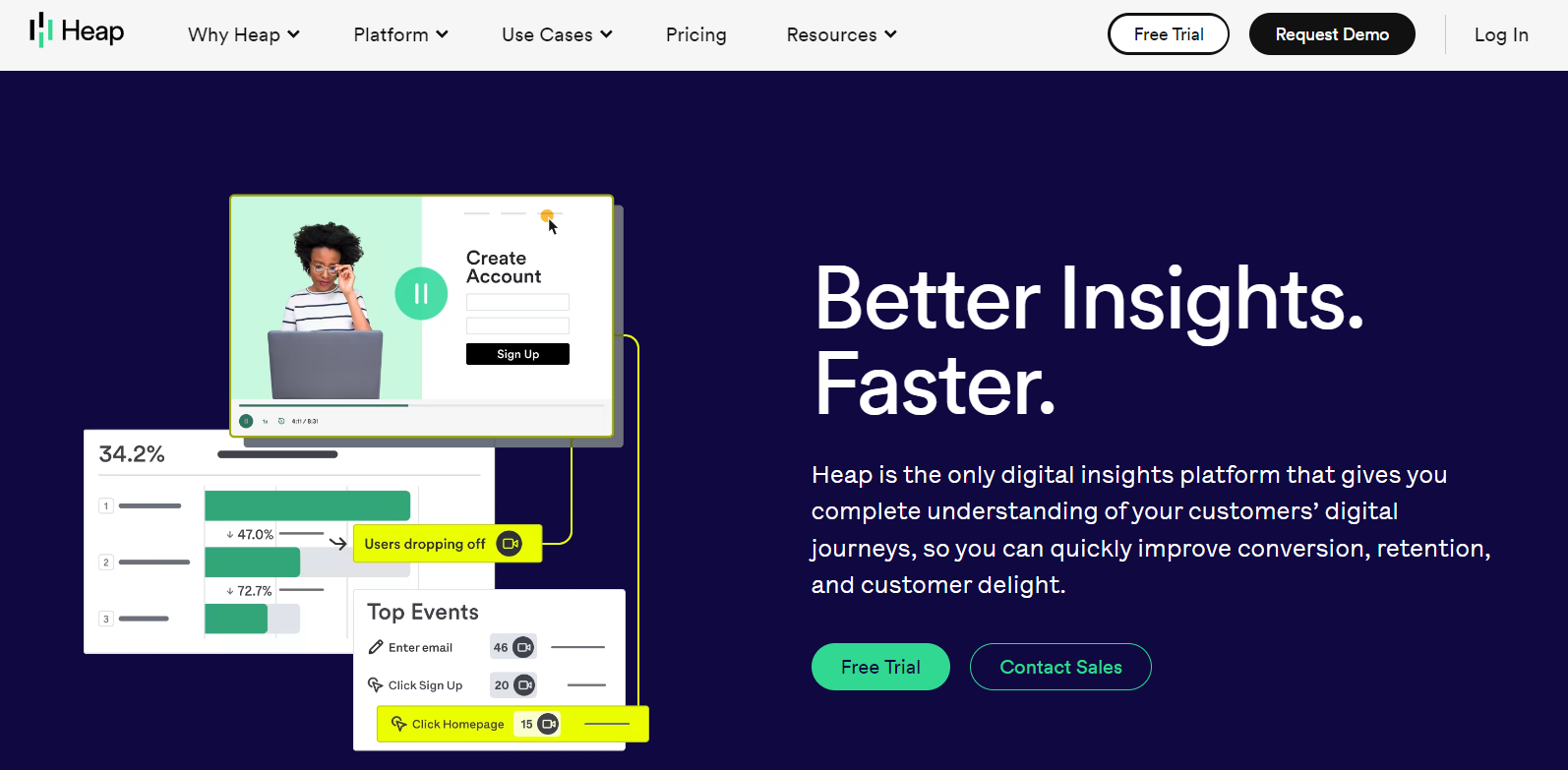
Heap gives you tools to keep track of all your website activity. It’s possible because of non-stop activity recording. This analytical CRO software provides detailed insights on your website traffic and its conversion rates throughout the funnel.
With Heap, you get tools that monitor the KPIs crucial for your conversion rate optimization strategy (such as Churn, Retention, Bounce Rates and so much more.)
Pricing
You have four plans to select from, including a free one. However, its functionality for CRO planning is quite limited, so you may want to consider the tool’s paid plans.
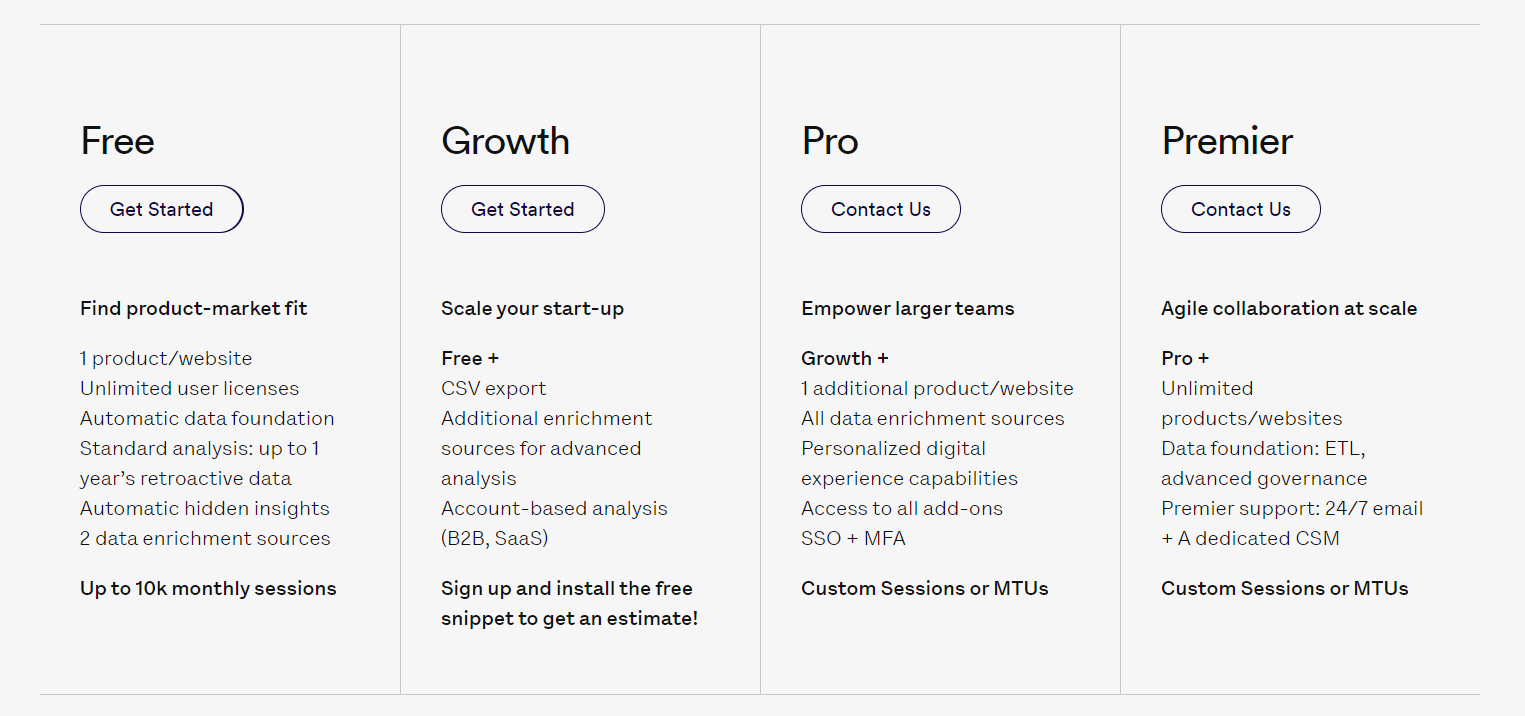
The price for Heap’s conversion optimization tools depends on the number of monthly tracked users or customer sessions (it’s a period of user activity on your website).
You have 14 days of a free trial to test if Heap suits for your conversion rate optimization tasks.
Heap’s pros and cons as a CRO tool
✔️ The platform provides tools for effective customer data collection and finding bugs on the customer’s journey.
✔️ Records all your website activity non-stop from the moment you install the tool — you won’t miss anything.
❌ Dashboards configuration and customization are quite limited.
❌ UI looks outdated.
❌ The initial setup might be complicated, so you have to turn to tutorials or the support team (however, some users mark the support as unresponsive.)
Tools to bring your CRO ideas to life
Finally, you have all the necessary data on your hands. Prepared some CRO hypotheses to test? Time to experiment 👩🔬
For this most exciting part, you can use chatbots, pop-up messages, banners, change the design, or CTA buttons. And of course, you’ll have to A/B test different options to find the most effective one and then measure the campaigns’ success.
So, let’s take a look at a few tools that will help you bring your CRO ideas to life and test their efficiency.
Dashly

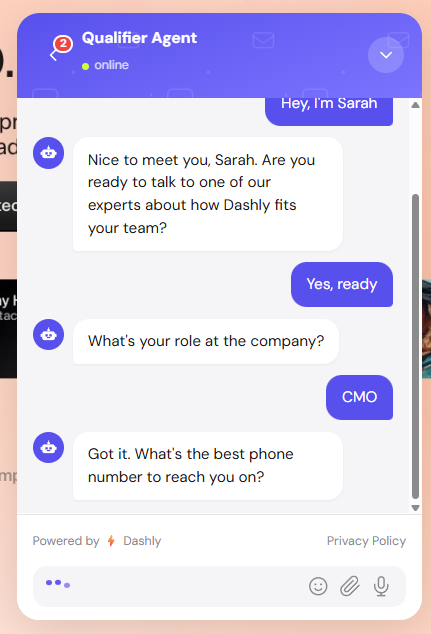
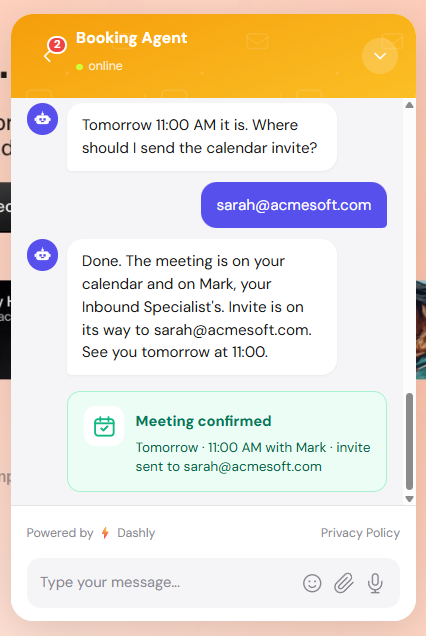
Dashly converts website traffic through AI agents and automated campaigns, without waiting for visitors to fill out forms. Instead of passive lead capture, Dashly’s AI agents proactively engage visitors, qualify them by role and intent, and route high-intent leads to sales. Everything runs 24/7, without adding headcount.
- AI qualifier agent — engages visitors automatically, asks qualification questions, and saves structured lead data (role, company, budget, intent) to the lead card. Runs 24/7 without a human in the loop.
- AI support agent — answers common questions, handles objections, and escalates complex conversations to a human agent when high intent is detected.
- AI engagement — proactive triggered messages that target specific visitor segments based on page behavior, traffic source, or lead card data. No developer needed.
- Lead nurturing — automated sequences across chat, email, and pop-ups that move leads through the funnel based on their actions and stage.
- Live chat — direct channel for human agents to step in when a lead is ready to buy or has a complex question. Full conversation history from AI agent handoff.
All agents and campaigns are set up without code using visual builders. If you need help with strategy, the Dashly implementation team offers a separate onboarding service — they have launched over 450 projects and will develop a communication strategy tailored to your funnel.

These guys launched over 450 successful projects, boosting conversion to payment/signup/subscription etc.
First, our experts will help you analyze the funnel. Then they’ll develop a customer communication strategy, so you could increase conversion rate at each stage of the funnel.
Pricing
Dashly offers custom pricing. .
You can also extend the number of available chatbots and other triggered messages with add-ons.
The price for this conversion rate optimization software will depend on your website traffic and the add-ons you choose to include in your package. The number of agent seats is unlimited — invite the whole team!
You get 14 days of a free trial with full access to all features, no credit card required.
Dashly’s pros and cons as a CRO tool
✔️ AI qualifier and support agents run 24/7 — no overnight lead loss.
✔️ Proactive engagement and lead nurturing sequences without a developer.
✔️ Full conversation history passed to human agent on handoff.
✔️ Visual campaign builders for non-technical teams.
✔️ Unlimited agent seats on all paid plans.
❌ No built-in A/B testing for page layouts (use VWO or Crazy Egg alongside).
❌ Some advanced automation flows may need developer help for custom events.
❌ Heatmap features are less detailed than Hotjar or Crazy Egg.

Intercom
Undoubtedly, Intercom is the industry leader when it comes to customer communication. This platform has a wide range of tools to check your hypotheses on conversion rate optimization.
Here are some of the features available:
- conversational chatbots;
- live chat with a common inbox;
- email campaigns;
- A/B testing;
- multiple integrations.
And advanced analytics will help you see the results of your CRO campaigns.
Pricing
Intercom offers three major plans to its users. For CRO purposes, pay special attention to the toolset offered on the “Convert” plan.
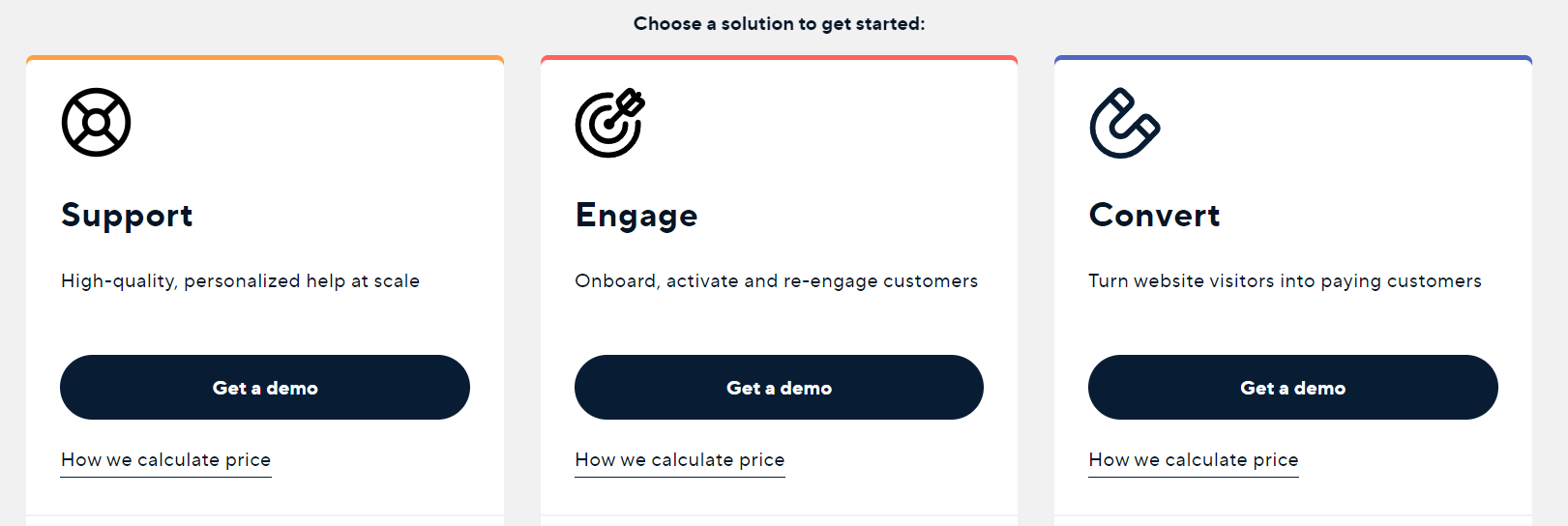
The prices on all plans are custom and depend on the agent seats you need and the number of unique visitors you reached via Intercom’s Outbound messaging. All in all, you’ll find out how much you’ll pay only after a conversation with the sales team.
There’s a 14-day free trial, but it requires your credit card details.
Intercom’s pros and cons as a CRO tool
✔️ Easy-to-install tool with a wide range of features.
✔️ The major features are easy to set up.
❌ Customer service can take days to reply.
❌ Lack of transparency in pricing — you won’t know how much you’ll pay till you talk to the sales reps (some users also complain about occasional overcharges.)
❌ Integration setup is complicated.
Check out the Intercom vs Dashly comparison. We’ll tell you what these two platforms have in common and how they’re different.
VWO testing
VWO is one of the easiest tools for CRO hypotheses testing. The software is developed for running A/B and multivariate tests and is aimed at helping you increase your conversion rates.
Mainly, this tool helps you test minor changes on your website like CTAs, page design, etc. However, you can create some widgets in easy-to-use visual builders.
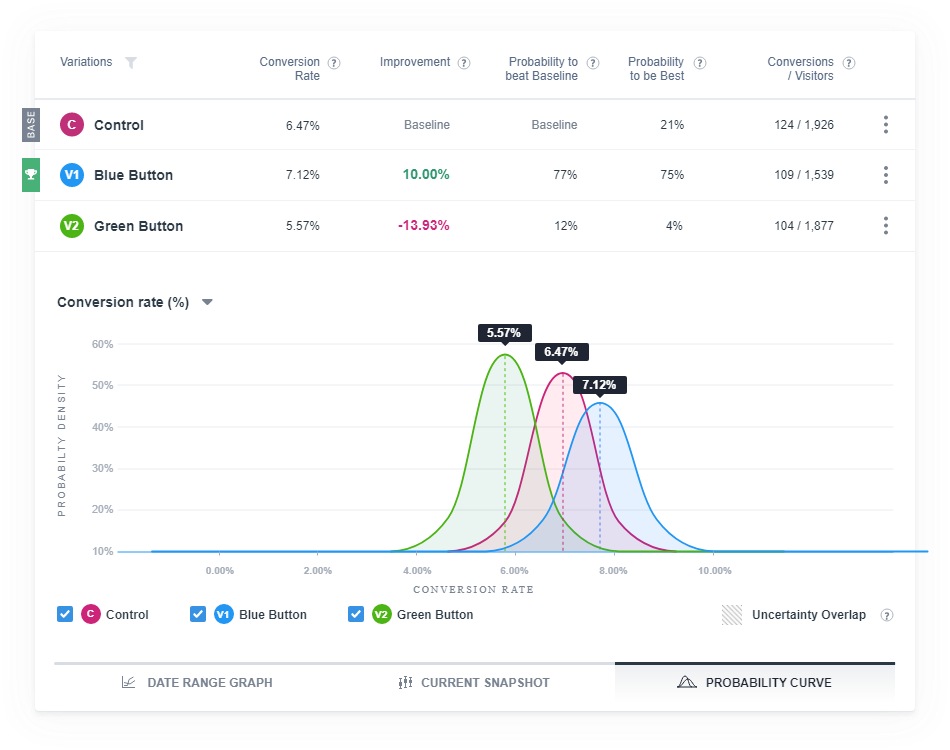
You can track the results of all your experiments in the admin panel of this CRO platform:
Pricing
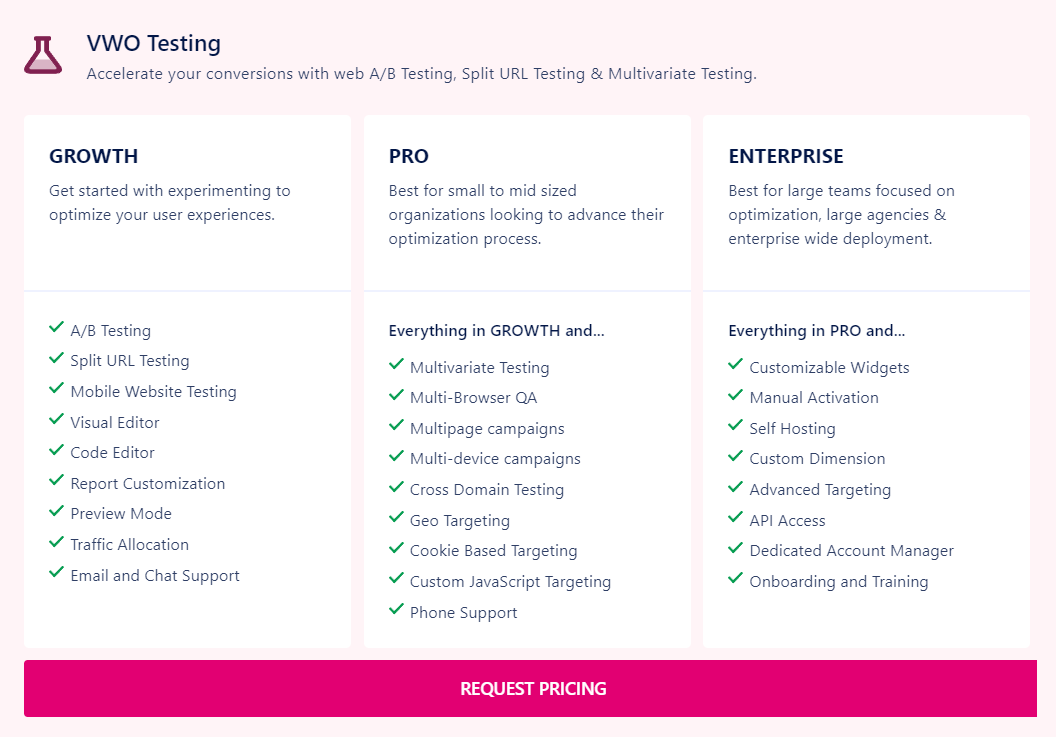
There are three paid plans offered for VWO testing CRO tool. However, the price for each of them is custom, you’ll get it only when you contact their sales department.
You can also enjoy VWO’s CRO tools for 14 days on a free trial.
VWO Testing’s pros and cons as a CRO tool
✔️ One of the easiest tools to run CRO tests that provides useful insight.
✔️ A lot of features included for a lower price than competitors’ (Optimizely or Adobe Target.)
✔️ Excellent customer service.
❌ Tracking is hard to set up without developers’ involvement.
❌ Occasional bugs break down the reporting system.
❌ Testing threshold for small and mid-sized businesses (your traffic might not be sufficient to launch CRO experiments.)
UsabilityHub
UsabiityHub is another powerful tool to test your conversation rate optimization hypotheses. It offers a wide range of features for it. Mind that it mainly focuses on communication design — how well your landing pages convey value.
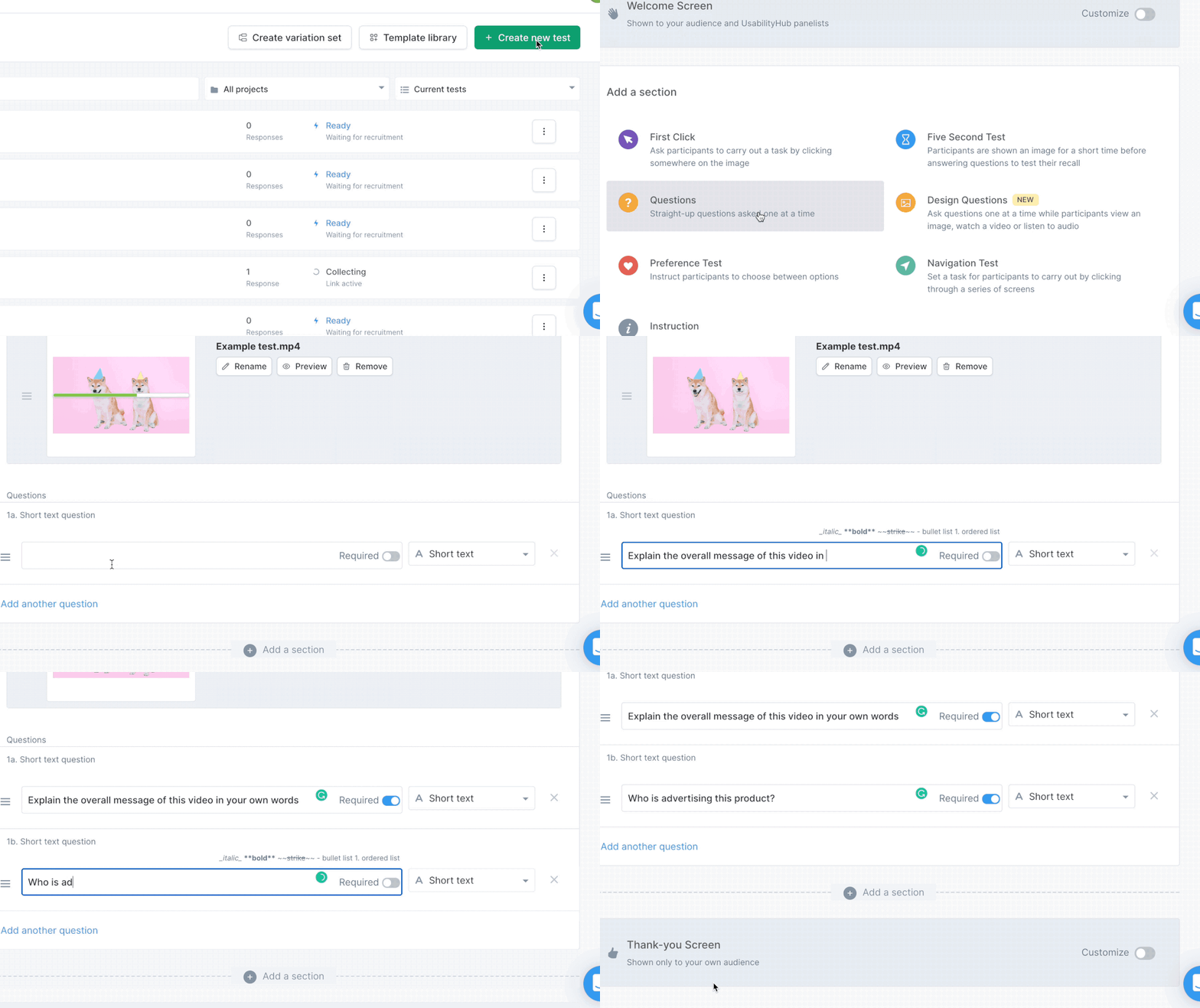
First, this CRO tool offers a prototype test, which means real customers evaluate your Figma templates. Then, you can launch preferences tests and first-click tests.
And the most curious feature is the five-second tests. A visitor who enters your website has five seconds to get the message of your landing page and answer a few questions. It’s one of the quickest ways to find out how you’re perceived by your own audience.
Pricing
UsabilityHub offers four plans, including a free one. However, only three people get access to the tool on a free plan, so it might be more suitable for small businesses.
Overall, the choice of the plan depends on the size of your team and the number of features you need for CRO testing.
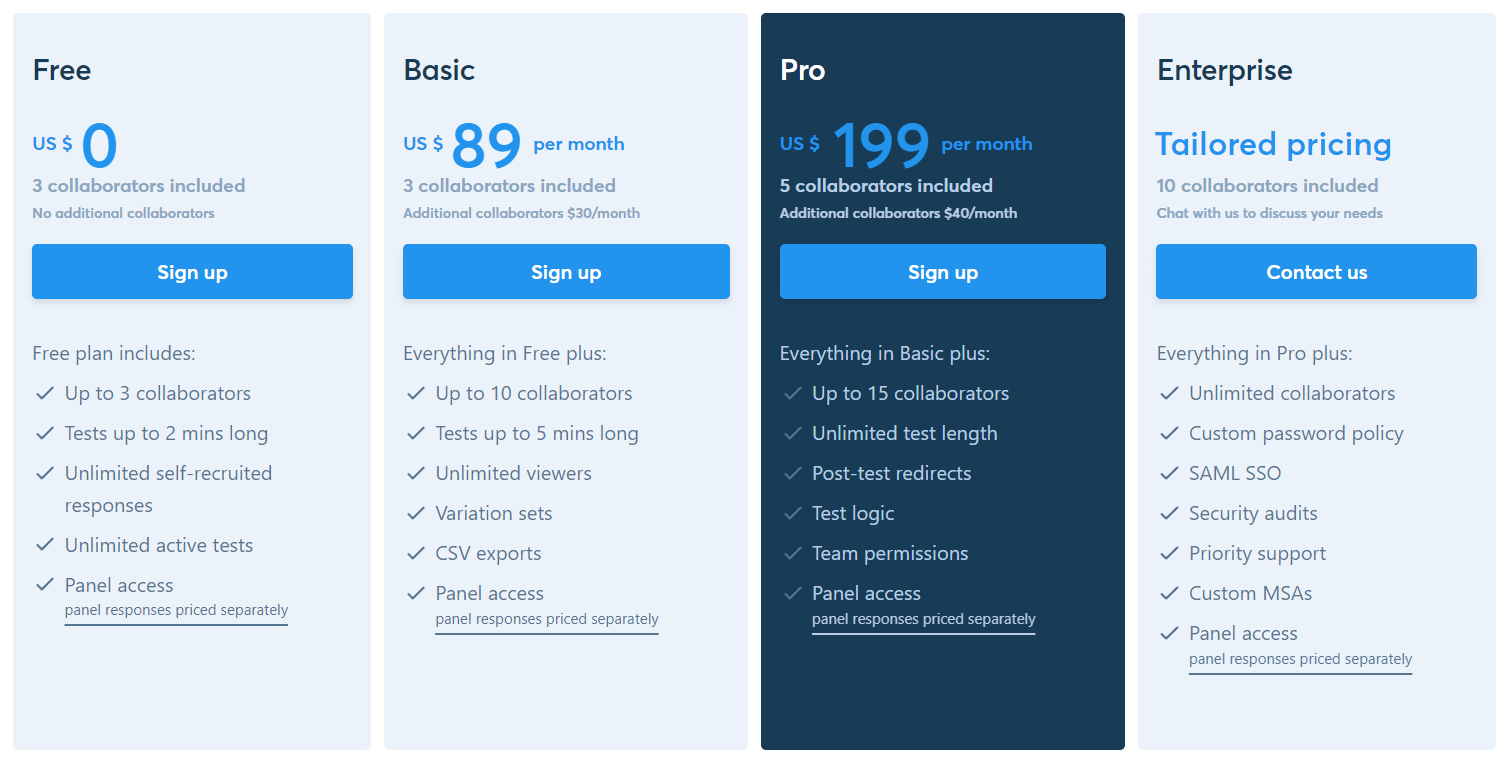
Unfortunately, there’s no free trial available, but you can test the tool’s limited functionality on a free plan.
UsabilityHub’s pros and cons as a CRO tool
✔️ The testing feature is easy and fun to use.
✔️ A great tool to collect feedback quickly and effectively.
❌ Inconvenient billing system — you have to pay for the subscription and per test.
❌ Lack of customizations in CRO tests.
❌ Some test instructions are unclear and confusing.
Wrapping up…
Conversion rate optimization is hard. So much to take into account: funnel analytics, user’s behavior, and feedback. It might take 10 hypotheses to find one that actually works. Non-stop process that takes a lot of your energy and nerves.
I really need to add some positivity here…
Well, with the right tool set, this work will be more effective. It can even get fun! We recommend testing a few tools from this top on a free trial to find the best conversion rate optimization software for your business.
You can start with Dashly. It offers tools for visitor behavior tracking (empowering it with integrations) and a wide range of features for testing your CRO hypotheses.
Dashly helped over 5000+ businesses boost their revenue and conversion. Now it’s time to write your success story 👇
Good luck with your experiments! Hope to see you very soon 😉
FAQ
What is CRO?
Conversion rate optimization or CRO is a process of increasing the number of website visitors that perform a target action. A target action could be leaving contacts, signing up, or making a purchase.
What are CRO tools?
CRO tools are analytical and testing instruments that will help you develop and implement hypotheses on the conversion rate optimization of your website.
They can be specialized like Hotjar, which focuses on website and user analytics. Or they could be versatile like Dashly and provide you with instruments for both analytics and implementation of your CRO ideas.
How to choose CRO tools?
There’s no universal CRO tool. Your choice depends on the price, the number of agent seats, and the CRO features your tool offers.
You can test a few tools on a free trial to pick one that suits your CRO needs the most.
What’s important to consider while looking for a CRO tool?
All CRO tools provide different services with different features. However, there are certain criteria you should pay special attention to:
- GDPR compliance;
- data protection;
- various integrations.
This allows you to ensure safe and secure work with data and synchronization with other tools you already use.
How to improve the website’s CRO?
To improve your website’s CRO, you have to analyze the data in the first place. Check customer’s way through your sales funnel and users’ behavior on your website.
Then, based on this data, you can start hypothesizing ways to improve your conversion rate. After that, you can pick tools for the implementation of your ideas.
To carry out all these tasks, you need to find a conversion optimization platform.
You can carry out experiments with CRO yourself. Or you can turn to experts for help. Dashly implementation team will work out and set up the best CRO scenarios for your website.
Read also:
Is CRO the same as SEO?
No. SEO brings visitors to your site. CRO turns those visitors into customers. SEO improves your position in search results through keywords, backlinks, and content. CRO improves what happens after someone arrives: reducing friction, testing copy and design, and personalizing the experience. The two work together — more traffic only helps if your pages convert it.
What are some CRO tools for small teams?
Small teams get the most from tools with free or low-cost plans and minimal setup. Microsoft Clarity (free heatmaps), Google Analytics (free funnel tracking), Hotjar (free basic plan), and Dashly (14-day trial with live chat and AI agents) cover the core needs: understanding where users drop off, capturing leads, and testing simple changes. Most small teams need behavior analytics plus one conversation tool, not a full enterprise stack.
- How to implement user tracking on website: guide, tactics, and tools
- Top 10 user activity monitoring tools: tracking features, price, cons and pros
- Acquisition funnel marketing: Grow customer conversions at each step of user journey
- The top 15 inbound marketing tools: harness digital power and elevate your business
- Top 12 lead qualification tools to deliver your sales hot leads only
- Top 20 best website tracking tools for effective work with visitors
- 10 best website personalization tools to deliver top-notch visitors experience
- 20 AI sales tools: Boost your sales strategy with revolutionary technologies
- 12 best AI marketing tools to automate everything [expert edition]
- Top 12 omnichannel marketing tools for your cross-channel campaigns
- 15 customer retention tools: find out the best software to return your customers
- Top 10 best product marketing tools for your tech stack [expert review]
- 15 best user behavior analytics tools [software features & pricing]
- 16 best CX customer experience tools: software features and pricing
- Top 13 follow up email software to elevate your email marketing strategy
- 10 best predictive lead scoring software to boost your sales funnel
- Guide to sales funnel optimization: best tips, tools, and common pitfalls
- 10 inspiring sales funnel examples to boost your business growth
- Mastering sales funnel analysis: step-by-step guide, tools, and examples



![21 proven tools for your 2025 marketing tech stack [Recommended by market experts]](https://www.dashly.io/blog/wp-content/uploads/2022/08/martech-stack-999-720x317.png)