Chatbot
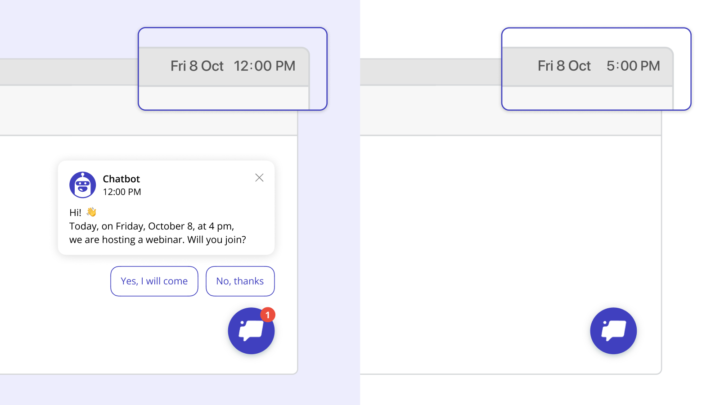
Now you don’t have to worry that the bot that you launched and then disabled will appear to users. Set up the date and time when the chatbot will be deleted for anyone who hasn’t answered: this works just the same as pop ups and messages in chat.
You can invite to a webinar, enroll users in an online course with a fixed date, or hold a limited-time promotion.
Read more about setting up chatbot removal in our Knowledge Base.
From now on, you can effortlessly save the answer option that the user chose when communicating with the Leadbot.
Read more inside…
We made an easier way to build leadbots and make them cover even more tasks. Happy to introduce the Leadbot Builder.
Read more inside
Your leadbot now has its own personality, and you can customize it for your website design. Find settings in the list of chatbots. Just add a picture and come up with a name — they will be the same for all the bots on your website.
People better interact with a chatbot when it doesn’t pretend to be human. So it’s better to set a name and an avatar that won’t imitate a person.
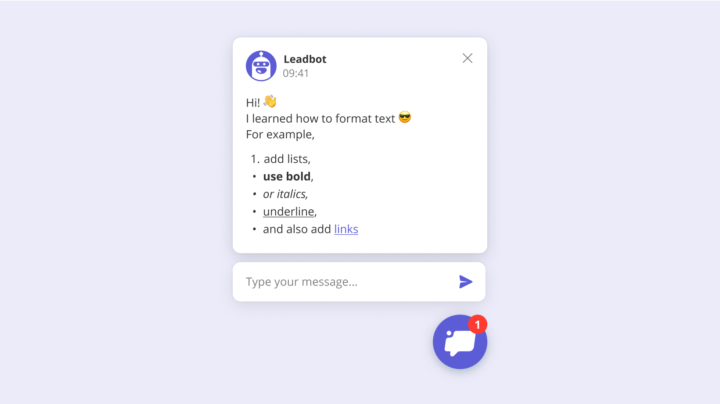
You can now format text in bot’s cues. Using html tags, you can add paragraphs, lists and links, make text italic or bold. Links will work if you wrap them in tags or simply add them as text.
Now your visitors can interrupt Leadbot. If they don’t want to answer its questions or have something urgent to say, they can send a message to the chat at any time. Then Leadbot will answer acoarding to the Interrupt branch (which you can change) and this dialog will go to the Inbox.
If you have reply imput fields in your bot (e.g. collecting emails or phones) there’ll be no second input: Dashly will collect answers right from the chat.
You can switch Interupt branch off, if you want your visitors answer all the Leadbot questions before they can write something to you.
We know how to spend less time collecting more qualified leads. New Leadbot proactively involves your visitors into conversation and collects data about them. Leadbot is an interactive, quick and fun way to collect not only emails or phone numbers, but any kind of information you need. Let your agents focus on high-value conversations that truly require a human touch — leadbot will deal with others.
Read more in our blog post or create your first leadbot right now!