Live Chat and Inbox
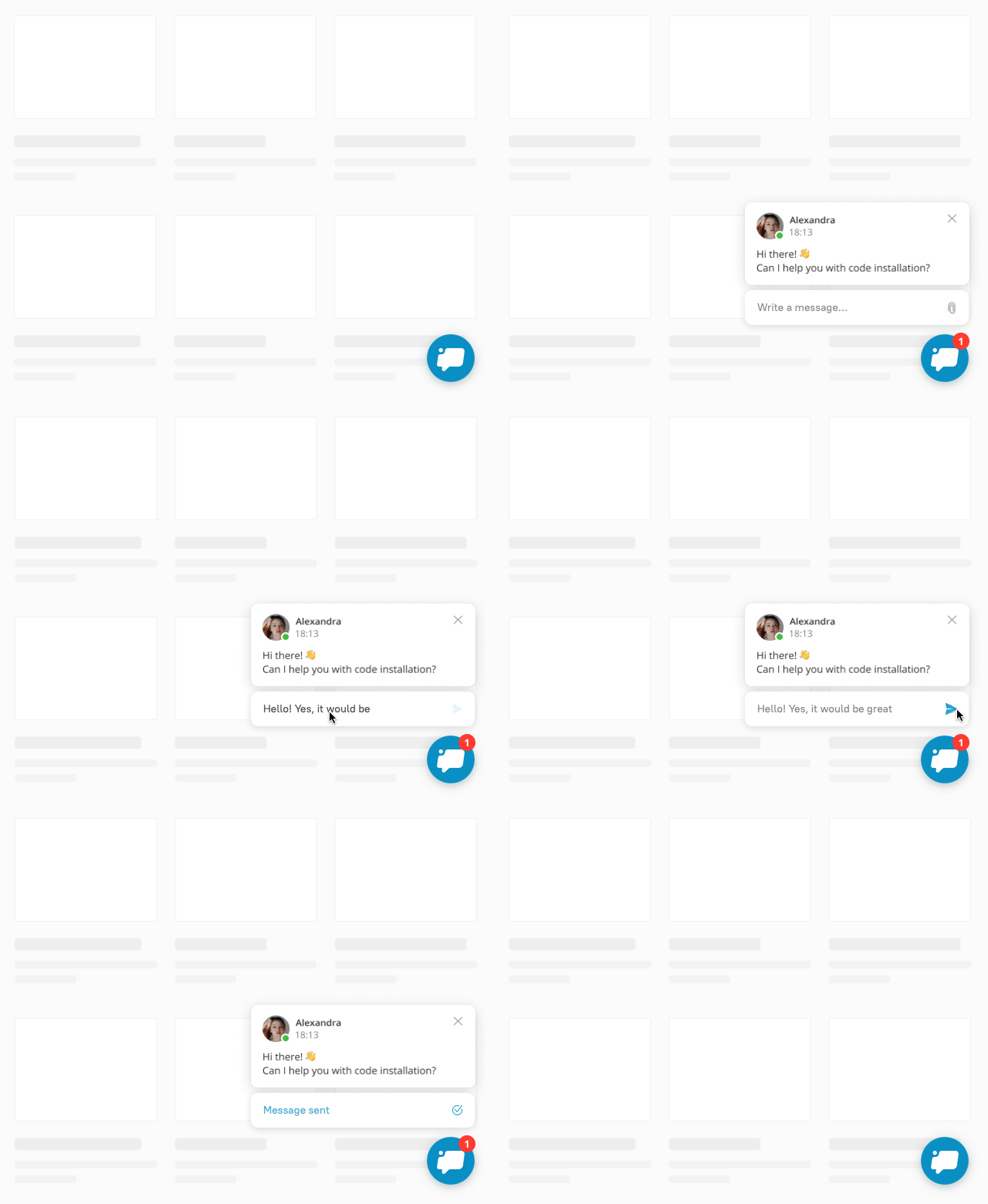
We’ve updated our chat widget! Now it’s bigger and includes operator’s avatar and name. It also has input field, so your users don’t need to open the chat to reply.
Now messages catch user’s eye and are easy to answer to, so you get more contacts (aka potential customers). Our research shows that these messages get 1.5 times more replies than the previous version. Enjoy your new chat 🙂
From now on it’s possible to paste screenshots to chat using Ctrl + V (Cmd + V).
Your support agents will have easier time figuring out the problem and helping customers when they see it on the image. Ask a customer to take a screenshot and paste it into chat without saving it. A couple of clicks and off your agents go.
We are introducing a long-awaited update: now you can edit and reorder saved replies. Just drag and drop all the most frequent responses to the top of the list and update them as soon as the information changes. You can add a title to your responses so you don’t have to read the entire text when looking for the needed one.
We’ve improved search so that you could find the necessary answer faster and easier. Now you can easily search for replies by text or title. You don’t have to type the word accurately — a couple of symbols will do the job. Don’t forget you that you can add saved replies by clicking the corresponding icon in the conversation. You can find and update your saved answers in Settings, and read more in the blog article.