B2B personalization: strategies, tactics, and examples for B2B website personalization
 15 minutes
 18.02.2026
In Salesforce’s State of the AI Connected Customer research, 73% of customers say companies treat them like an individual rather than a number (compared to 39% in 2023), which makes personalization a new standard for B2B communication. Yet, 71% say they feel increasingly protective of their personal information.
So how to keep this balance between personalized and private? And how to make personalization work for you? Let’s figure it out!
What is B2B personalization (and what it is not)
B2B personalization is the practice of using customer data to tailor your marketing, sales, and product touchpoints to a specific account and its key buyers.
Definition of b2b personalization in SaaS marketing
In SaaS, that usually means your website, lifecycle emails, in-app messages, and SDR follow-ups adapt to:
- The buyer’s role and job-to-be-done
- The company’s industry, size, and stage
- The customer journey signals (pages viewed, intent, feature usage)
The goal is simple: create personalized experiences that reduce decision friction and move revenue faster.
How B2B personalization differs from B2C personalization (buying committee, longer cycle)
B2C personalization often optimizes for an individual and a quick purchase. B2B personalization is different because:
- Decisions involve a buying committee, not one person.
- The sales cycle is longer, with more content and proof needed.
- “Personalized” must be role-aware. A CMO needs outcomes, while a RevOps lead needs process and data.
What B2B personalization is not:
- Just adding a first name to an email.
- Showing random “recommended” blocks without context.
- Forcing 1:1 experiences for every visitor before you have reliable data.
Done right, it’s relevance at scale.
Why personalization matters in B2B marketing and sales today
Personalization makes your marketing and sales efforts feel relevant across channels, without creeping buyers out or wasting time on the wrong experience.
Higher relevance across a longer customer journey
In B2B, the customer journey is rarely linear. A single deal can involve multiple stakeholders, weeks of research, and a lot of “silent” browsing.
That’s why personalization matters. It helps you match the right message to the right person at the right moment, so every touchpoint feels like a coherent experience.
In practice, this can look like:
- Role-specific pages for buyers (CMO vs. RevOps)
- Industry proof points woven into marketing pages
- Content recommendations based on intent signals
Pipeline impact: faster qualification and shorter sales cycles
When your website and follow-ups stay generic, sales teams end up talking to the wrong people.
B2B personalization fixes this by changing the conversation based on real customer data and intent signals.
Here’s what that looks like:
- Questions: If a visitor explored pricing or integrations, ask qualification questions that match that context (timeline, CRM, team size), instead of starting from scratch.
- CTAs: If intent is high, show “Book a demo.” If intent is low, show “See examples” or “Get the checklist.”
- Proof: Show the most relevant proof points for that buyer (role-based outcomes) and that account (industry/company size).
An example of a personalized engagement message that is personalized with user context:
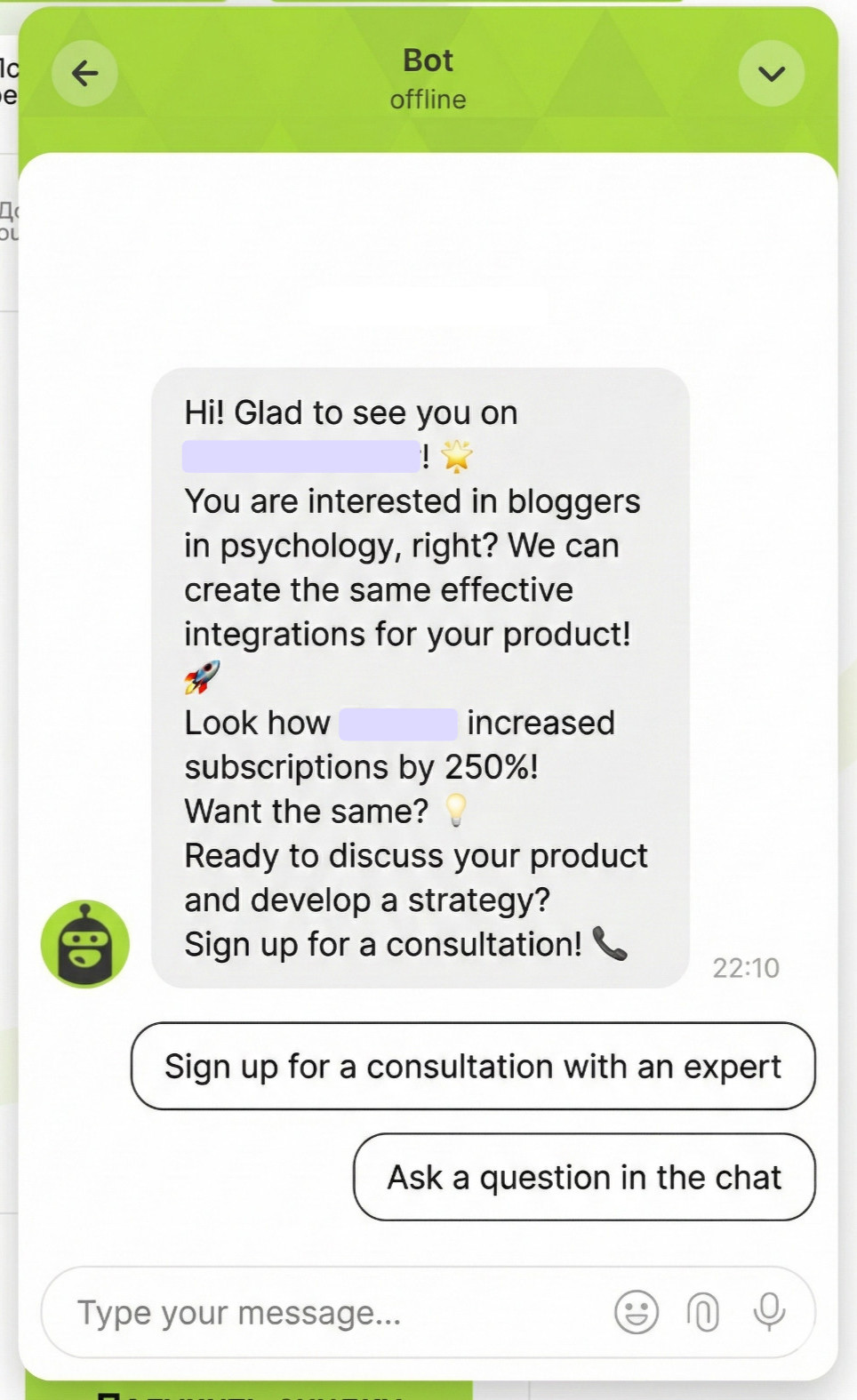
The result is a tighter loop between marketing and sales:
- higher conversion from visit to conversation
- clearer fit signals earlier in the funnel
- fewer back-and-forth cycles before a demo or proposal
That is how better experiences translate into pipeline velocity for businesses.
The foundations: customer data, segmentation, and a unified view
Good B2B personalization starts with one thing: clean customer data tied to a real customer journey. Without it, your targeting is just guesswork and your communication feels inconsistent.
What data to collect
To build a usable foundation, prioritize data you can actually activate:
- Firmographic: industry, company size, region
- Behavioral: pages viewed, pricing visits, content downloads
- Product: activation events, feature usage, trial milestones
- CRM: lifecycle stage, deal size, use case, objections
This will be a solid foundation for your personalization strategy.
How to build segments that actually convert
High-performing segments usually combine three layers:
- Role: CMO vs. RevOps vs. Sales leader
- Industry: where proof points and language differ
- Intent: what the account is doing right now (pricing, integrations, demo)
Keep segments small enough to personalize, but large enough to scale. That’s the balance that turns personalized experiences into revenue.
Personalization strategies across the customer journey (before, during, after the demo)
The most effective personalization strategies map to the customer journey. You keep one consistent message (“who this is for” and “what outcome you drive”), then tailor the next step for each of your clients based on role, industry, and intent.
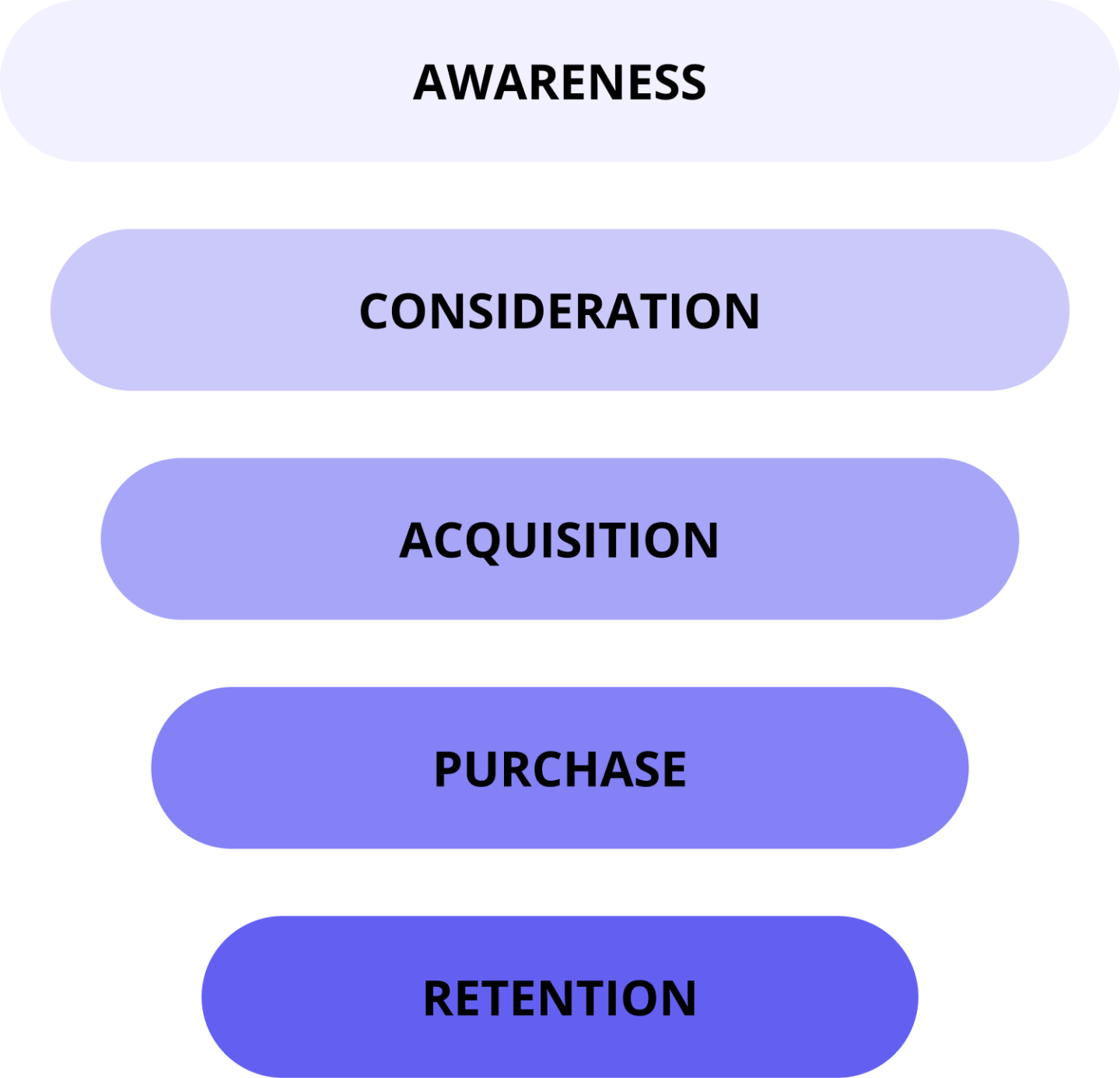
Awareness stage: educate without overwhelming
At this stage, most visitors are not ready to talk to sales. Personalization should reduce cognitive load:
- Show a role-based “Start here” path (CMO gets outcomes and case studies, RevOps gets workflows and integrations).
- Recommend 1–2 pieces of personalized content based on pages viewed (e.g., after a “use case” page → an industry playbook).
- Personalize the CTA to “See examples” or “Get the checklist,” not “Book a demo.”
Consideration stage: remove friction and answer objections
Now buyers compare vendors. Use personalized experiences to remove the “I need to figure this out” work:
- Swap proof blocks by industry and company size (logos, metrics, implementation time).
- Surface intent-matched FAQs: pricing questions on pricing pages, security proof (SOC2, data handling) on security pages, integration details on integration pages.
- Highlight the most relevant use case flow (e.g., inbound qualification vs. support automation).
Acquisition stage: prove ROI and de-risk the purchase
Decision-makers need confidence. Make personalization about validation:
- Show ROI benchmarks or calculators aligned to the account model (traffic, conversion rate, team size).
- Add risk reducers that match their concerns: security docs, implementation plan, stakeholder checklist.
Purchase (post-demo stage): personalized follow-ups that move the deal forward
After the demo, personalization is recap + momentum:
- Send a recap tailored to their roles: what was agreed, who owns what, and the next step.
- Share one best-fit case study and one technical resource (integration/security) based on objections.
Onboarding and retention stage: keep the experience relevant after “yes”
This is where personalization protects time-to-value:
- Trigger milestone nudges (first value, activation, expansion) using product and usage data.
- Deliver role-based onboarding: admins get setup steps, end users get “how to win with it” guides.
- Keep support proactive: surface help content when behavior signals confusion or drop-off.
B2B website personalization: high-impact areas to start with
If you want quick wins, start with B2B website personalization in the places that shape first impressions and decision speed. The rule is simple: use real data to help visitors get value faster, without changing your entire site.
Hero and headline personalization
Your hero should signal instant relevance. With personalization, you can adapt the headline by industry, role, or intent, so different B2B buyers see the most meaningful outcome first.
For example, a RevOps visitor can land on “clean qualification and routing,” while a marketing leader sees “more pipeline from inbound.”
CTA personalization (by segment and intent)
CTA personalization is about matching the ask to readiness. High-intent visitors (pricing, integrations, demo page) should see a direct CTA like “Book a demo,” while low-intent readers should get softer next steps that still move them forward, such as a guide or case study.
Personalized site search, related content, and “next best page” logic
Search and recommendations are where personalized content compounds. When results and “related content” reflect intent, visitors self-educate faster, ask better questions, and enter sales conversations with clearer requirements.
Personalized content that scales
Scaling personalized content is not about creating endless pages. It is about building a flexible system where the same core product story adapts to different audiences with small, high-impact changes.
Modular content blocks and dynamic proof points
Start by turning your key sections into modules: problem, solution, use cases, proof, and CTA. Then decide which modules can change based on personalization inputs like industry, role, or intent.
This is where recommendations matter. Instead of showing everything, you recommend the single most relevant use case, metric, or integration so marketing stays focused and the reader does not get overwhelmed.
Personalizing by industry vs. by role (what scales better in B2B)
In B2B, role-based personalization usually scales further because “CMO,” “RevOps,” and “Sales leader” patterns repeat across industries. Industry personalization is still powerful, but it is harder to maintain and easier to break when you lack proof points.
A practical approach is role-first for value props, then industry for proof.
Smart reuse: case studies, use cases, and pricing context
Reuse wins when it stays contextual. Pair one case study with one matching use case, then add a short pricing context line that fits the segment’s reality, such as “mid-market teams” versus “enterprise rollouts.” That is how personalization stays credible without writing 100 versions.

Personalization tactics for conversion: offers, forms, and social proof
The fastest way to turn personalization into revenue is to focus on conversion moments, when customers decide whether to trust you, whether to share data, and whether to take the next step.
These personalization tactics work best when they feel helpful, not creepy, and when you clearly explain why you ask for information 👇
Personalize social proof (logos, testimonials, metrics) by segment
Social proof converts when it matches the visitor’s context. Use personalized proof to show “people like you” results, such as logos from the same industry, a testimonial from a similar company size, or a metric tied to that role’s KPI.
This creates stronger experiences than a generic logo wall.
Form and field personalization (progressive profiling)
Progressive profiling means asking less now, and learning more later.
Start with the minimum fields needed to help the lead, then personalize the next form based on what you already know. This reduces friction, protects trust, and improves personalization quality because every new question has a clear purpose.
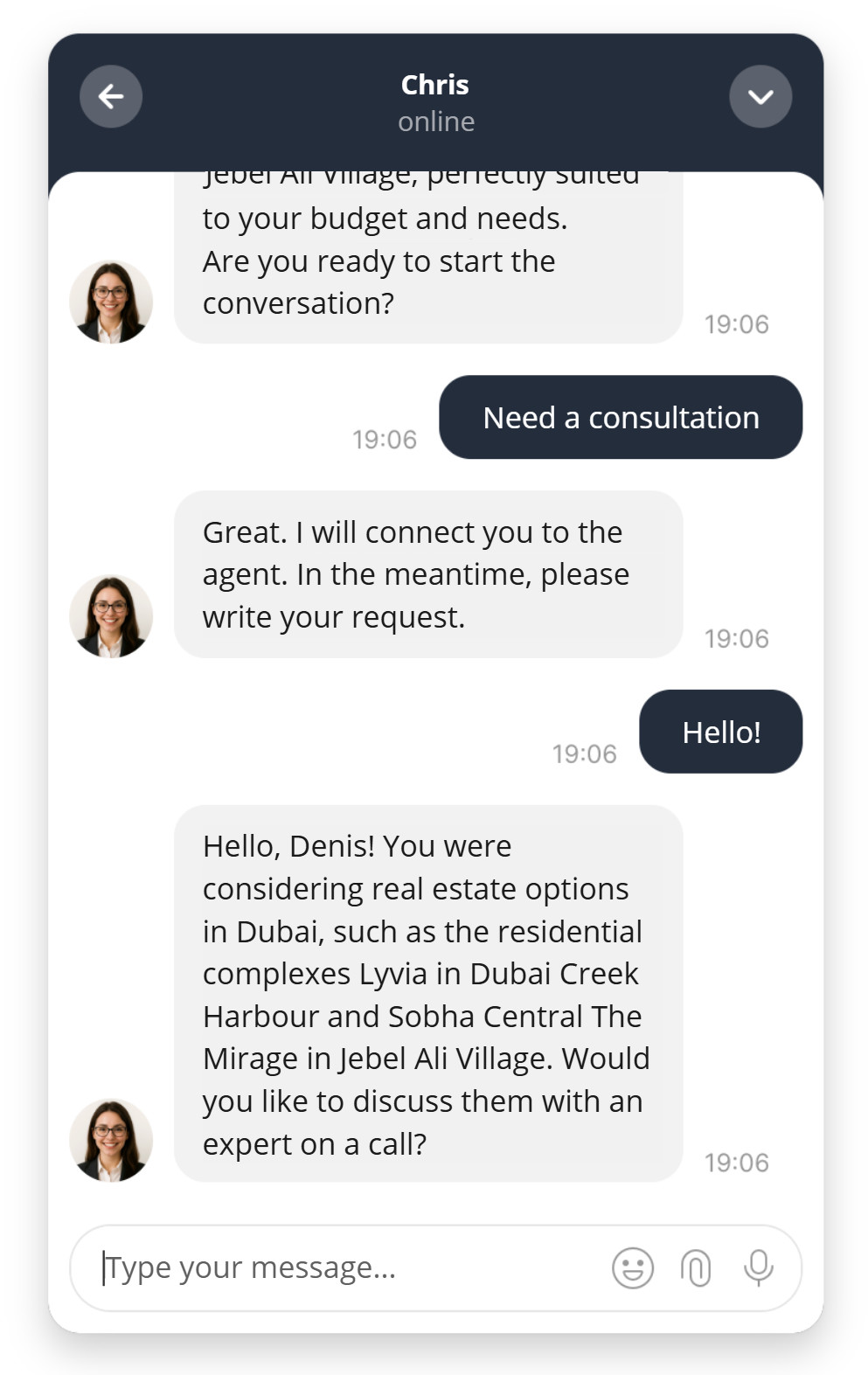
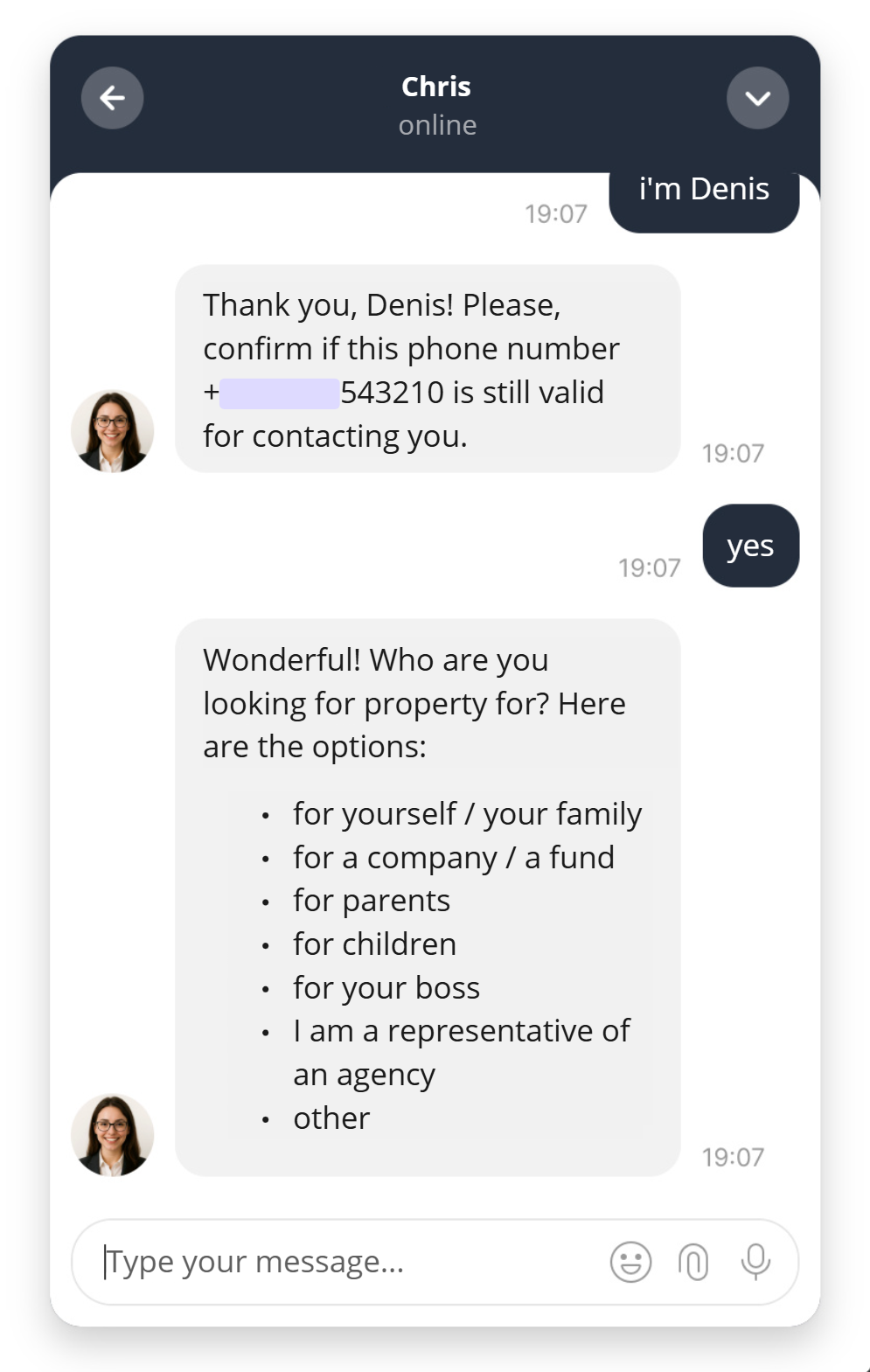
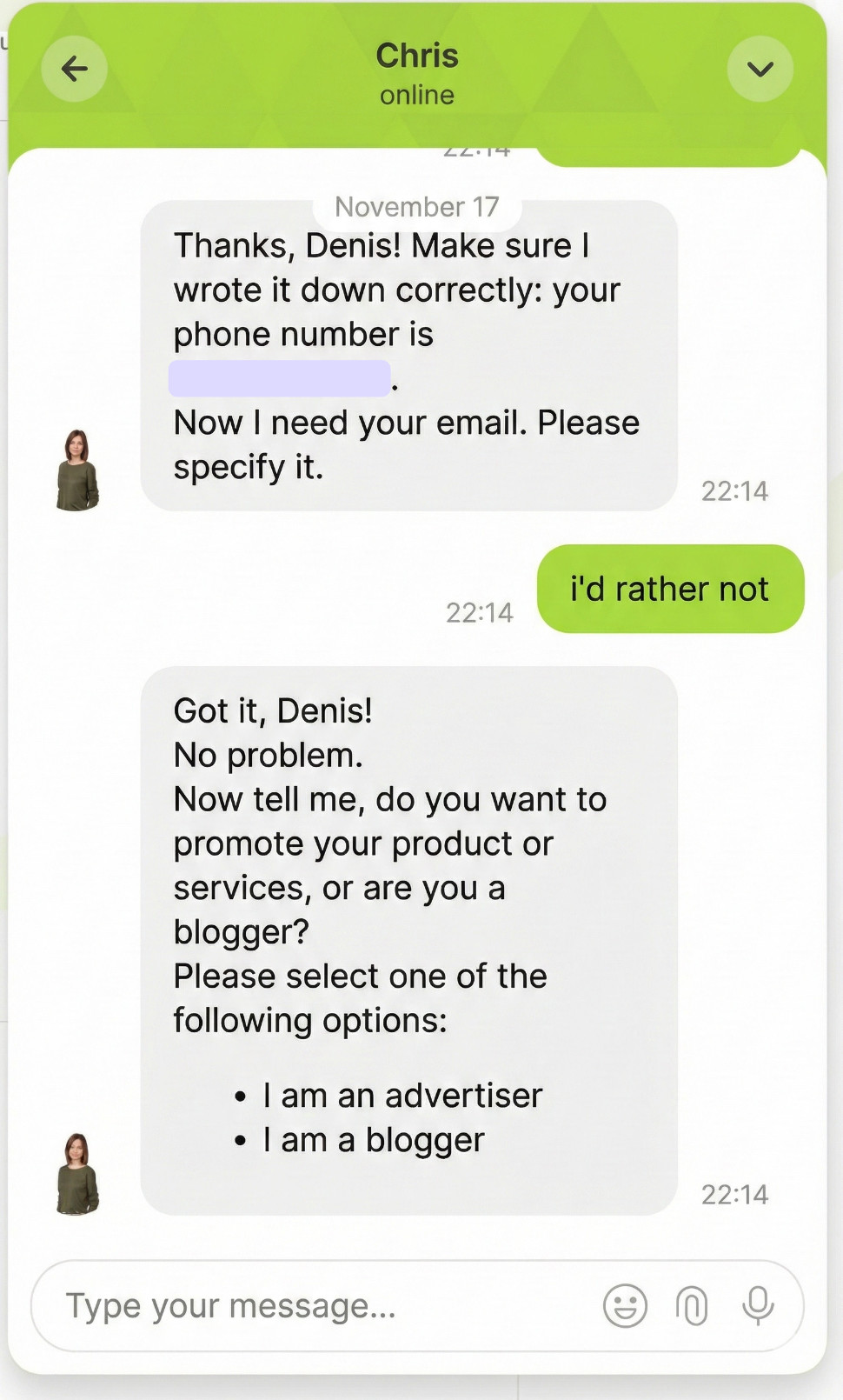
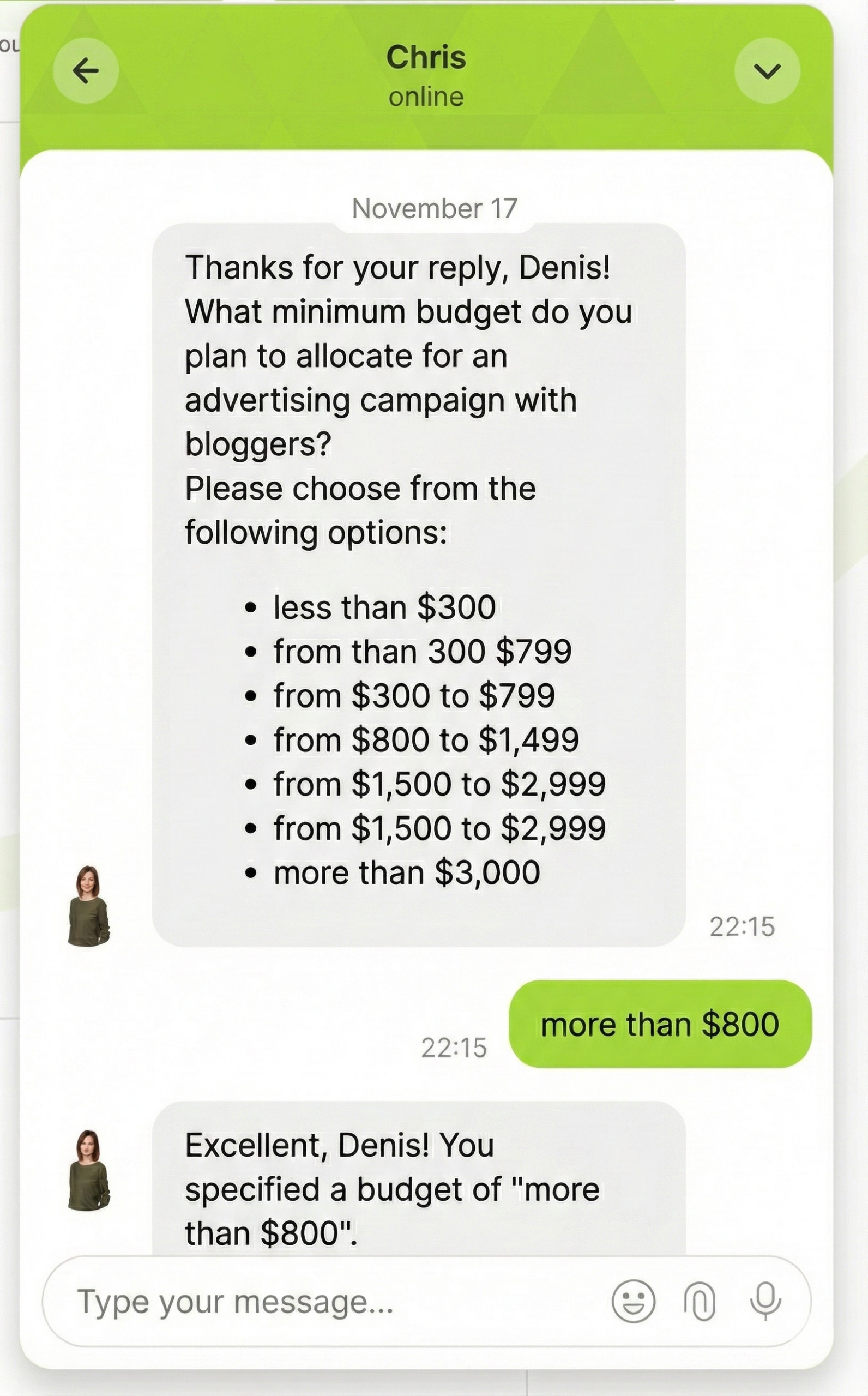
👇 Here’s how Dashly’s AI agent leverages user data in qualification. It reduces the friction in the qualification process to make a user’s journey smoother.
Offers and pricing experiments (what to personalize, what to keep static)
Personalize the offer and framing.
You can tailor the primary CTA, the use case examples, or the “recommended plan” guidance by segment, while keeping core pricing rules consistent.
That balance keeps customers confident, while your team still learns what messaging and packaging convert best.
Personalized product experiences in SaaS (in-app and onboarding)
A personalized product experience is what turns a signup into long-term adoption. In SaaS, personalization should show users the fastest path to value inside the product, based on role, goals, and behavior.
Role-based onboarding and contextual nudges
Role-based onboarding means different users see different setup steps, tips, and success milestones. A marketer needs templates and campaign launches. A RevOps lead needs data, routing, and reporting. The best experience feels like the app understands the job-to-be-done, not just the login.
Using intent signals to trigger the right in-app guidance
Intent signals can be simple and still powerful:
- which pages a user visits,
- which features they click,
- where they get stuck.
Use those signals to trigger the next best nudge. If a user explores integrations, guide them to connect the CRM. If they revisit a key feature twice, surface a short walkthrough and a relevant template.
Quick example for a SaaS website
Use personalization to guide each user to their first win.
Example: “You’re 2 steps away from your first qualified lead. Since you connected HubSpot, let’s set up lead qualification rules (company size + role) and publish your first AI chat playbook. Estimated time: 7 minutes.”
Personalized recommendations: features, templates, integrations
Good recommendations are specific. Recommend the one feature, template, or integration that matches the user’s context, then explain why it matters for their outcome.
Account based personalization: when 1:1 is worth it
Account based personalization makes sense when the deal is high value, the buying committee is large, and generic messaging creates real risk in the funnel.
Instead of trying to make every visit personalized, you pick a short list of target accounts and align your website, messaging, and sales motion around what those buyers need to see to move forward.
What “account based” personalization looks like on the website
On-site, account based personalization often starts with recognition. If the visitor comes from a known account, you can adapt the hero, proof points, and CTAs to match their industry, tech stack, or use case.
Keep it specific: one clear promise, one relevant example, and one next step.
Sales enablement: tailored decks, demos, and follow-ups
Website personalization works best when it feeds the sales process. Use the same segmentation to create a tailored deck, a demo flow that mirrors their workflow, and follow-ups that recap outcomes in their language.
Done well, personalized enablement reduces re-explaining, speeds consensus, and helps buyers justify the decision internally.
Tech stack for personalization: what you need (and what you don’t)
The right platform is the one that turns data into action for both marketing and product teams. In practice, your stack should answer two questions: “Who is this visitor?” and “What should we show or do next?” That is the core of scalable personalization.
Minimum viable stack: CRM + analytics + website targeting
For most B2B teams, a minimum viable stack is simple:
- Your CRM is the source of truth for accounts, pipeline, and lifecycle stage.
- Analytics tells you what people do on the site and where they drop off.
- Website targeting (rules or segments) connects the two so you can personalize headlines, CTAs, and proof without rebuilding every page.
When you need a CDP and event-level tracking
You need a CDP when you have multiple products or data sources, and identity becomes messy.
If you want event-level tracking across web, product, and messaging, a CDP helps unify profiles, keep segments consistent, and activate the same personalization logic everywhere. It is also worth it when you need stricter governance, consent, and reliability at scale.
Dashly: data-driven AI agents for inbound b2b personalization at scale
Dashly is a data-driven AI agent platform for B2B SaaS that automates the inbound funnel with agents that make decisions based on real data, not generic scripts.
That is why Dashly is a practical way to scale B2B personalization without turning every touchpoint into a manual project.
How Dashly enables personalized experiences across chat, email, and messaging
Dashly connects conversations to context.
Instead of treating chat, email, and messaging as separate channels, Dashly uses one customer profile to drive consistent personalization. A visitor can start in web chat, continue in email, and get a reminder in WhatsApp or Telegram, while the message stays aligned to intent, role, and funnel stage.
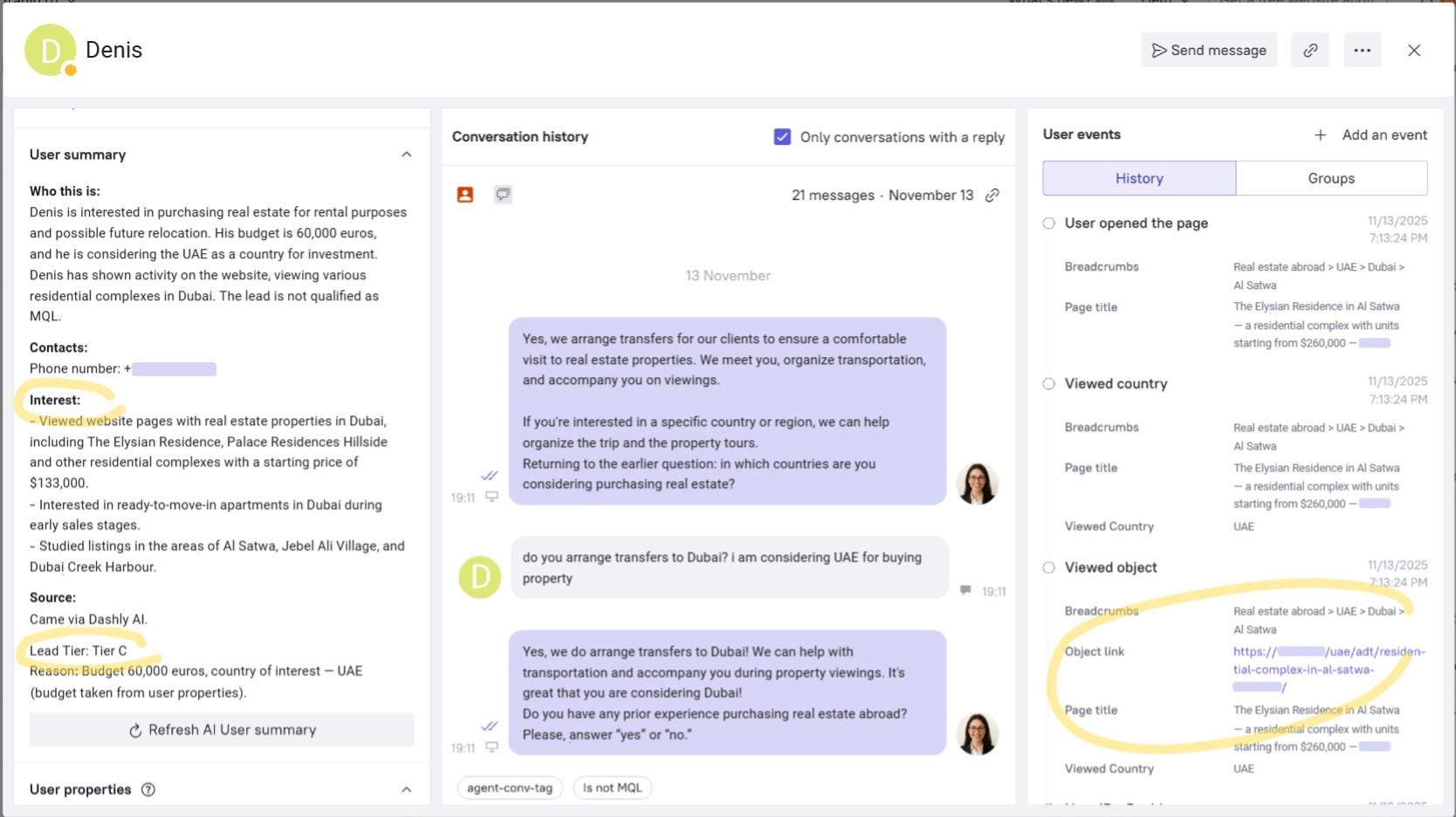
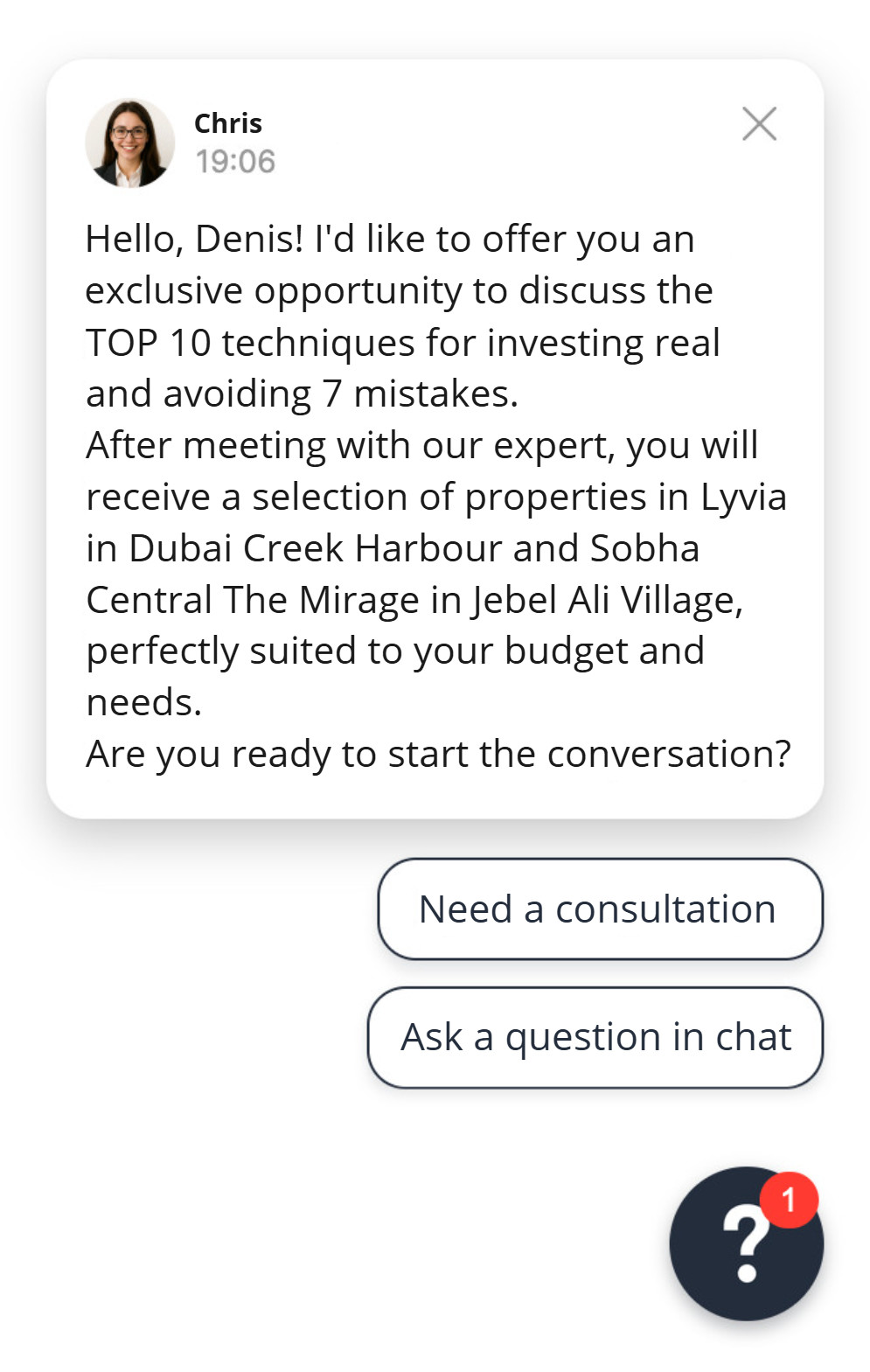
This makes the handoff between automation and sales feel natural, and keeps service and support interactions equally contextual.
What makes Dashly different: data-driven decisions from CDP, CRM, and product signals
Dashly’s AI agents can use CDP events, CRM history, and product signals to choose the right next action. For example, they can prioritize high-intent leads to book a demo with them and avoid repeating what the visitor already shared.
Where Dashly fits in your funnel (engagement → qualification → booking → nurturing)
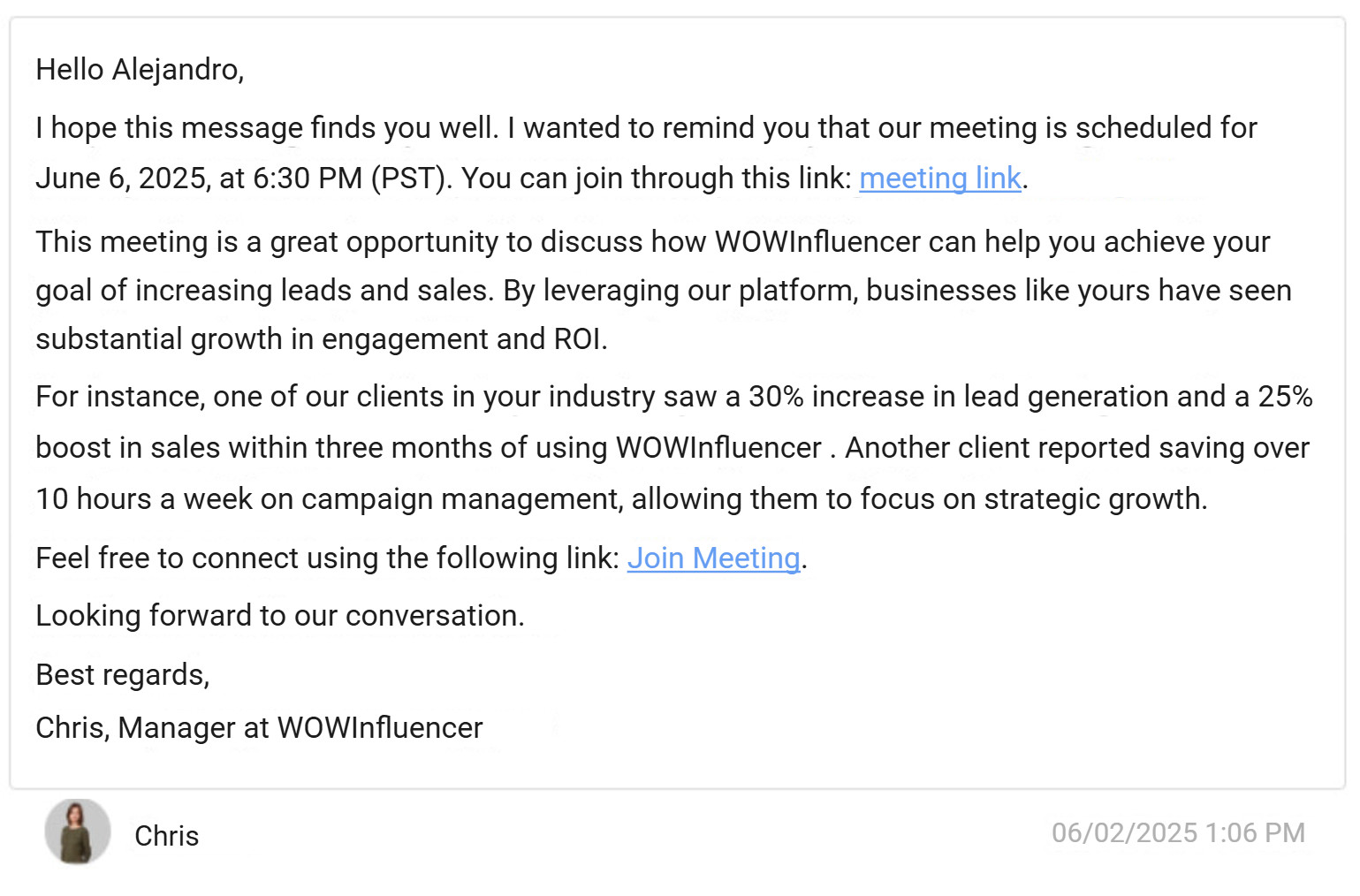
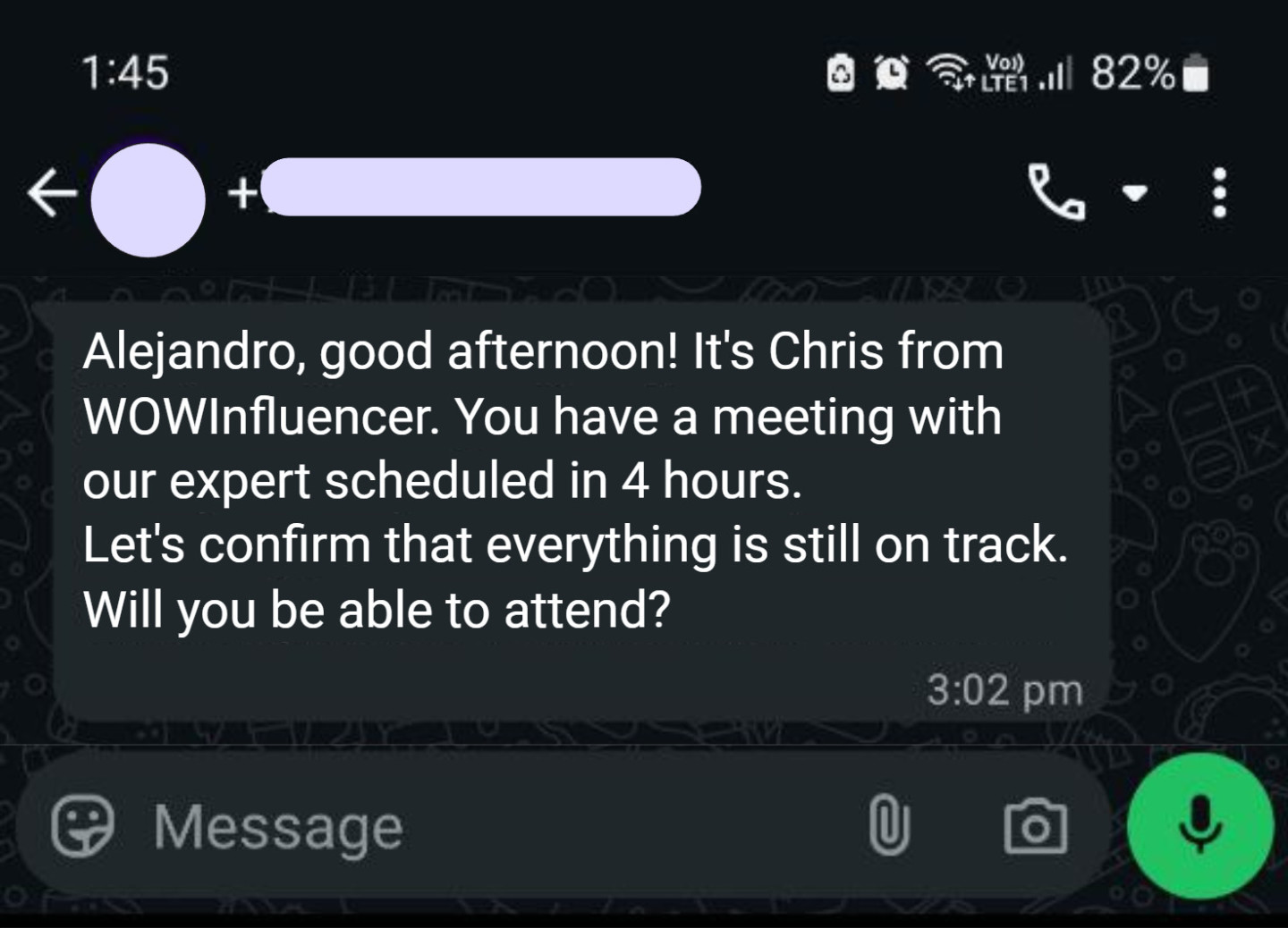
Dashly covers the full path: engaging the right visitors, qualifying fit, booking meetings, and nurturing to reduce no-shows.
Here’s an example of a nurturing cross-channel sequence:
Practical rollout: first 2–4 weeks to launch and iterate
Most teams can launch in 2–4 weeks by connecting the CRM and tracking key events, then iterating on segments, questions, and messages based on performance.
Conclusion: how to get started with B2B personalization
B2B personalization is the fastest way to make long buying journeys feel clear and relevant. Start with clean customer data, segment by role and intent, and personalize one high-impact touchpoint at a time.
Done right, personalization increases trust, speeds decisions, and improves pipeline quality without adding headcount.
FAQ
B2B personalization is tailoring messages and journeys to an account and its buyers using customer data like role, industry, and intent.
A simple model is: producers (make goods), resellers (sell goods), governments (public sector buyers), and institutions (schools, hospitals, nonprofits).
The “rule of 7” says prospects often need about seven meaningful touches before they act. In B2B, personalization makes those touches feel relevant, so you build trust faster and reduce drop-off.