Best AI customer support tools for 2026: AI tools for customer support teams that actually work
 31 minutes
 28.01.2026
Customer expectations evolve faster than support teams could scale. According to the Freshworks study, 54% of consumers prioritize fast responses while choosing a brand, and 55% say they’ll stop doing business with a company if wait times are too long on any channel. The cost of falling short is steep: the Oxford Global Resources research shows that 3 in 4 consumers will spend more at businesses that provide good experiences.
Traditional support models weren’t built for this. But AI tools for customer support teams can handle what humans simply can’t scale without replacing the expertise your team brings. Let me show you what actually works.
Why AI tools for customer support teams matter in 2026
The shift from traditional support software to AI isn’t just another tech trend. It’s a response to a fundamental mismatch between what customers expect and what human teams can deliver at scale. Let’s break down why 2026 marks the turning point where AI tools moved from nice-to-have to essential for customer service teams.
From classic support software to AI-powered customer service
Remember when customer support meant manual ticket routing and endless email threads? Classic support software helped organize the chaos, but it couldn’t solve the core problem: customers waiting.
Today’s AI customer service tools flip that script. They don’t just manage support, they deliver it. AI-powered chat responds in seconds, not hours. It routes complex queries to the right agents instantly. It learns from every customer interaction, getting smarter with each conversation.
The evolution from traditional support software to AI tools isn’t just about speed. It’s about scale without sacrifice.
What AI customer service can and cannot replace in your support team
Let’s be honest: AI customer service won’t replace your entire support team. And it shouldn’t!
AI agents excel at repetitive customer queries, instant answers from your knowledge base, 24/7 availability, and qualifying issues before human handoff. They handle the volume that buries customer service teams.
But complex problem-solving, emotional situations requiring empathy, strategic account management, and building long-term customer relationships? That’s where human agents shine.
The sweet spot isn’t AI versus humans. It’s AI handling tier-1 customer interactions while your team focuses on high-value support that requires human judgment.
When it’s time to upgrade to the best AI customer support tools
You know it’s time when response times exceed customer expectations, your support team is overwhelmed with repetitive customer queries, automation exists but doesn’t actually solve problems, or you’re scaling but can’t hire fast enough.
The best AI customer support tools don’t just automate, they intelligently triage, respond, and escalate. If your current support tools can’t do that, you’re leaving customer satisfaction (and revenue) on the table.
How to choose the best AI customer support tools for your company
Not all AI support tools are created equal. The right choice depends on your customer service model, channels, and budget. Here’s how to match the right tools to your team’s needs.
Matching AI support tools to your support model and channels
Your customer support strategy determines which AI tools will actually work for you.
If you run high-volume support across multiple channels (email, chat, social media) you need a platform that handles omnichannel customer interactions seamlessly. AI that can maintain context across channels prevents customers from repeating themselves.
For B2B SaaS teams focused on customer service through in-app messaging and email, look for tools that integrate directly with your product. Context matters. AI that knows what page a customer is on or which features they’ve used delivers better support.
Small teams handling straightforward customer interactions? A lightweight AI chatbot might be enough. Enterprise teams with complex queries? You need AI that can handle escalations and route intelligently to human agents.
Key features to look for in AI customer service software
The best AI customer service software shares a few non-negotiable features:
- Smart routing and escalation. AI should know when to hand off to humans. Look for software that can detect frustration, complexity, or intent signals that require human support.
- Knowledge base integration. Your AI is only as good as the information it can access. The best support software pulls from your existing docs, FAQs, and help center without manual training.
- Integrations features that matter. Your AI customer support tools should connect to your CRM, ticketing system, and customer service platform. Data silos kill efficiency.
- Analytics and reporting. You need visibility into what the AI is saying, which customer queries it’s handling, and where it’s falling short. Without this, you’re flying blind.
Free vs paid: comparing pricing plans for AI support tools
When evaluating the best AI customer support tools, pricing models vary widely.
Free tiers exist, but they come with limits. Many best AI customer support tools free options cap conversation volume, restrict integrations features, or lack advanced analytics. They work for testing or very small teams but rarely scale.
Paid tools typically charge per seat, per conversation, or based on customer volume. Per-seat pricing can get expensive fast if your support team is large. Per-conversation models work better for teams with unpredictable volume.
The real cost isn’t the software, it’s the time saved and revenue protected. If AI tools reduce response times and keep more customers happy, the ROI justifies the investment. Compare pricing plans against your ticket volume and team size, not just features.
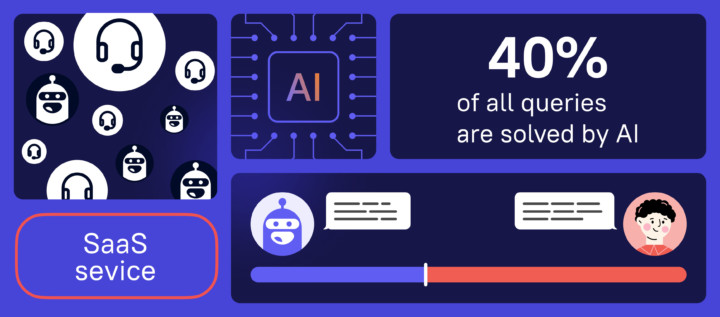
Learn how AI support agent stepped up into the process and saved costs for 2 more human agents:
Implementation guide: how to automate support at scale with AI (and make your knowledge base work)
You’ve picked your AI customer support tools. Now comes the hard part: making them actually work. The difference between AI that delights customers and AI that frustrates them comes down to implementation. Here’s how to automate support at scale without breaking the customer experience you’ve worked so hard to build.
A step-by-step plan to automate support at scale without breaking CX
Automating support at scale doesn’t mean replacing humans overnight. It means strategically layering AI customer support on top of your existing customer service without disrupting what already works.
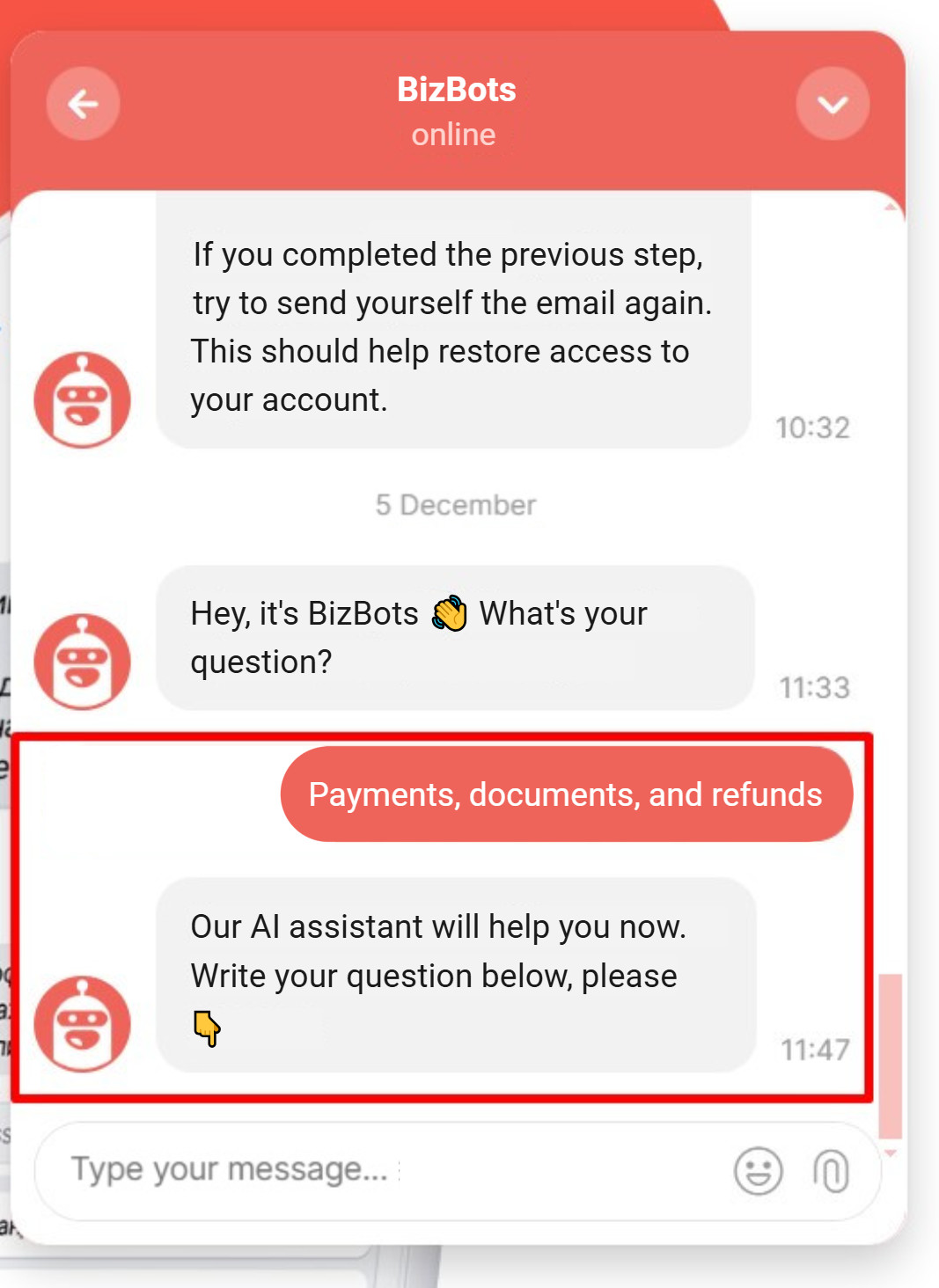
Start with tier-1 customer queries. These are the repetitive questions that eat up 60-70% of your team’s bandwidth: password resets, account questions, basic product how-tos. Let AI handle these first. Your support team will thank you.
At the beginning of work, one of Dashly clients let AI handle only one type of questions. Here’s how it looked:
Next, set clear escalation rules. AI should know when to hand off to humans. Customer frustration, complex technical issues, or emotional situations require human agents. Define these triggers before you launch.
Then roll out gradually. Pick one channel (email or chat), automate the simple stuff, measure the impact, and iterate. Once you’ve proven it works, expand to other channels and more complex customer interactions.
The goal isn’t to automate everything. It’s to automate the right things so your team can focus on high-value customer support that requires human judgment.
Connecting AI tools to your customer support platform, channels, and CRM
Your AI tools are only as good as the data they can access. Integration is where most teams stumble.
Start with your customer support platform. Whether you’re using Zendesk, Intercom, or Freshdesk, your AI needs to read tickets, update statuses, and route conversations. Look for native integrations features that don’t require dev work.
Connect your CRM next. HubSpot, Salesforce, Zoho, whatever you use to track customer data should feed your AI. When AI knows a customer’s purchase history, plan tier, or past issues, it delivers better support.
Don’t forget your communication channels: email, chat, WhatsApp, social media. Omnichannel customer support requires AI that can maintain context across all of them. Many tools offer pre-built channel integrations.
There are AI tools that come with built-in CRM and behavior tracking (such as Dashly — but we’ll talk about it in detail later), which makes AI work more efficient and seamless. The setup is easier too, since everything’s already connected.
Finally, test the data flow before going live. Make sure customer information syncs correctly, escalations trigger properly, and your features actually work in production.
Why your knowledge base is the foundation for every AI customer support tool
AI customer service is only as smart as your knowledge base.
Your knowledge base is where AI customer support tools pull answers. If your KB is outdated, incomplete, or poorly organized, your AI will give wrong or useless responses. Customers will get frustrated. Your team will have to clean up the mess.
Before you launch any AI customer service solution, audit your knowledge base. Is it comprehensive? Does it cover the questions customers actually ask? Is it written in language customers understand, not internal jargon?
Many teams discover their KB is built for internal use, not customer self-service. That’s a problem. AI needs content that’s structured, searchable, and written for the people using it.
Invest in your knowledge base first. It’s not glamorous, but it’s the single most important factor in whether your AI customer support actually works.
Structuring and updating content so AI chatbots and agents find answers fast
Even a comprehensive knowledge base won’t help if AI can’t find the right answer quickly. Structure matters.
Organize content by customer intent, not internal categories. When a customer asks “How do I cancel my subscription?”, your AI chatbot should land on a clear, step-by-step cancellation guide, not a generic billing FAQ.
Use clear headings and concise answers. AI searches work best when content follows a predictable format: question as heading, direct answer in the first sentence, details below. This helps AI customer service tools extract the right information.
Tag content by topic and customer journey stage. Your chatbot should know which articles are for new users, which are for troubleshooting, and which are for advanced use cases. Tags make this possible.
Update your knowledge base regularly. As you review customer queries and customer interactions, you’ll spot gaps. Add new articles, update outdated ones, and retire content that’s no longer relevant. Stale content = wrong answers.
Training your team to work with AI chatbots, human agents, and the knowledge base together
Your support team isn’t being replaced by AI chatbots. They’re being augmented. But that requires a mindset shift.
Start by showing your agents what AI handles and what it doesn’t. Let them see the chatbot in action, review transcripts, and understand when escalations happen. Transparency builds trust.
Train your team to use AI as a copilot. Many AI chatbots offer agent assist features:
- Suggesting responses,
- Surfacing knowledge base articles,
- Summarizing customer history.
Your live chat agents should know how to use these features.
Create a feedback loop. When agents notice the chatbot giving wrong answers or missing common customer queries, they should have an easy way to flag it. This helps you improve your knowledge base and AI training.
Finally, redefine success metrics. Your team’s job is no longer just about ticket volume. It’s about handling complex customer interactions that require empathy, problem-solving, and relationship building. Celebrate those wins.
Dashly: AI chat and support tools for data-driven SaaS customer service
Dashly is a data-driven AI agent platform for B2B SaaS companies. While it’s designed to automate the entire inbound funnel, its AI customer support capabilities stand out because they work alongside qualification and engagement agents.
What Dashly offers for AI customer support and live chat
Here’s what Dashly offers for customer service:
- AI Support Agent handles common customer questions 24/7. It pulls answers directly from your knowledge base and past conversations. When a customer asks about pricing, features, or account issues, the AI responds instantly with accurate information.
- Live chat with human handoff. The AI chatbot knows when to escalate. Complex issues, frustrated customers, or high-value accounts get routed to human agents automatically. Your team sees the full conversation history and customer profile before they jump in.
- Omnichannel support. Dashly’s chat works across your website, WhatsApp, Telegram, and email. Customer context follows them across every channel. No repeated questions, no starting over.
Here’s a few examples how Dashly’s AI agent uses product data it was trained on:
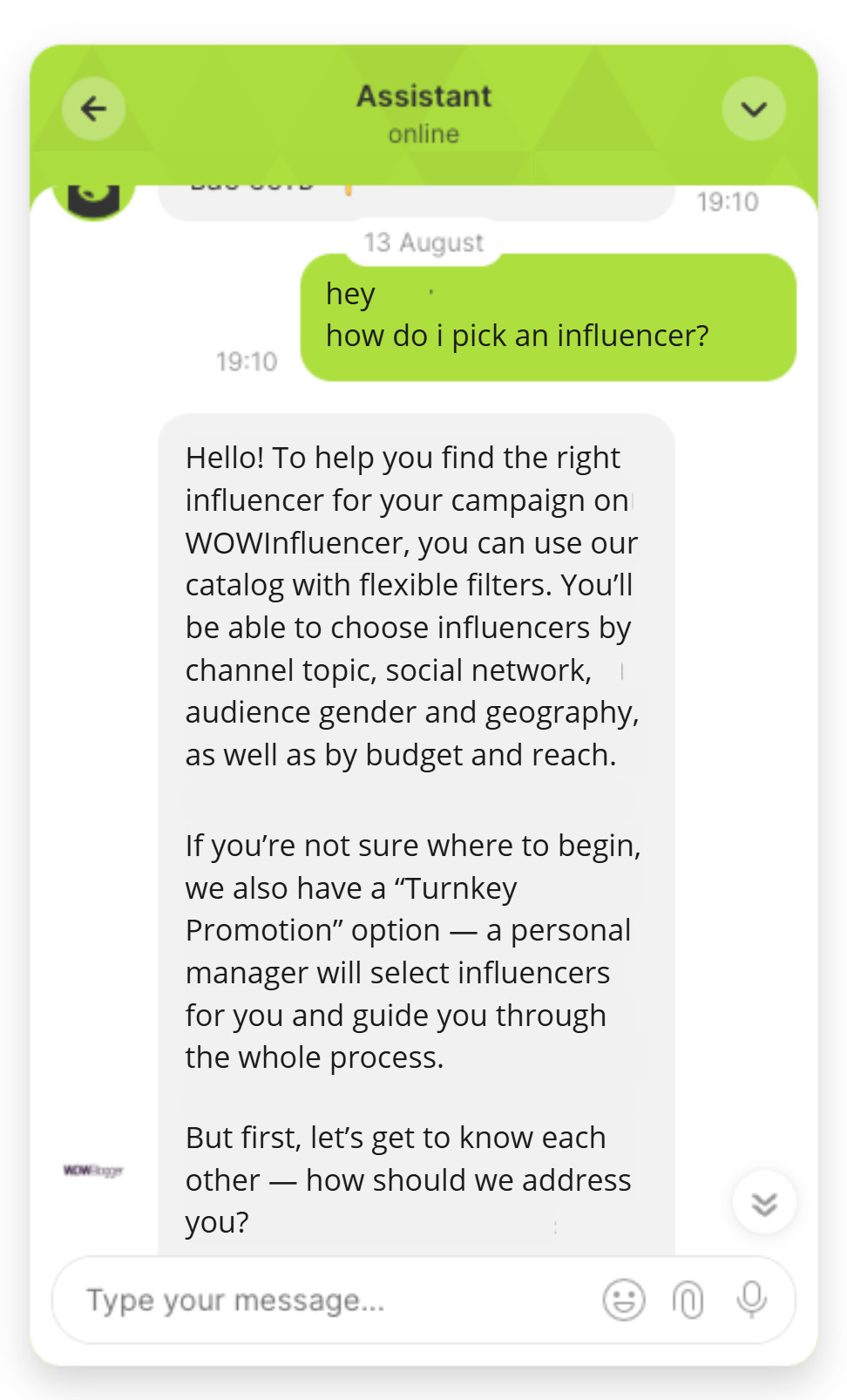
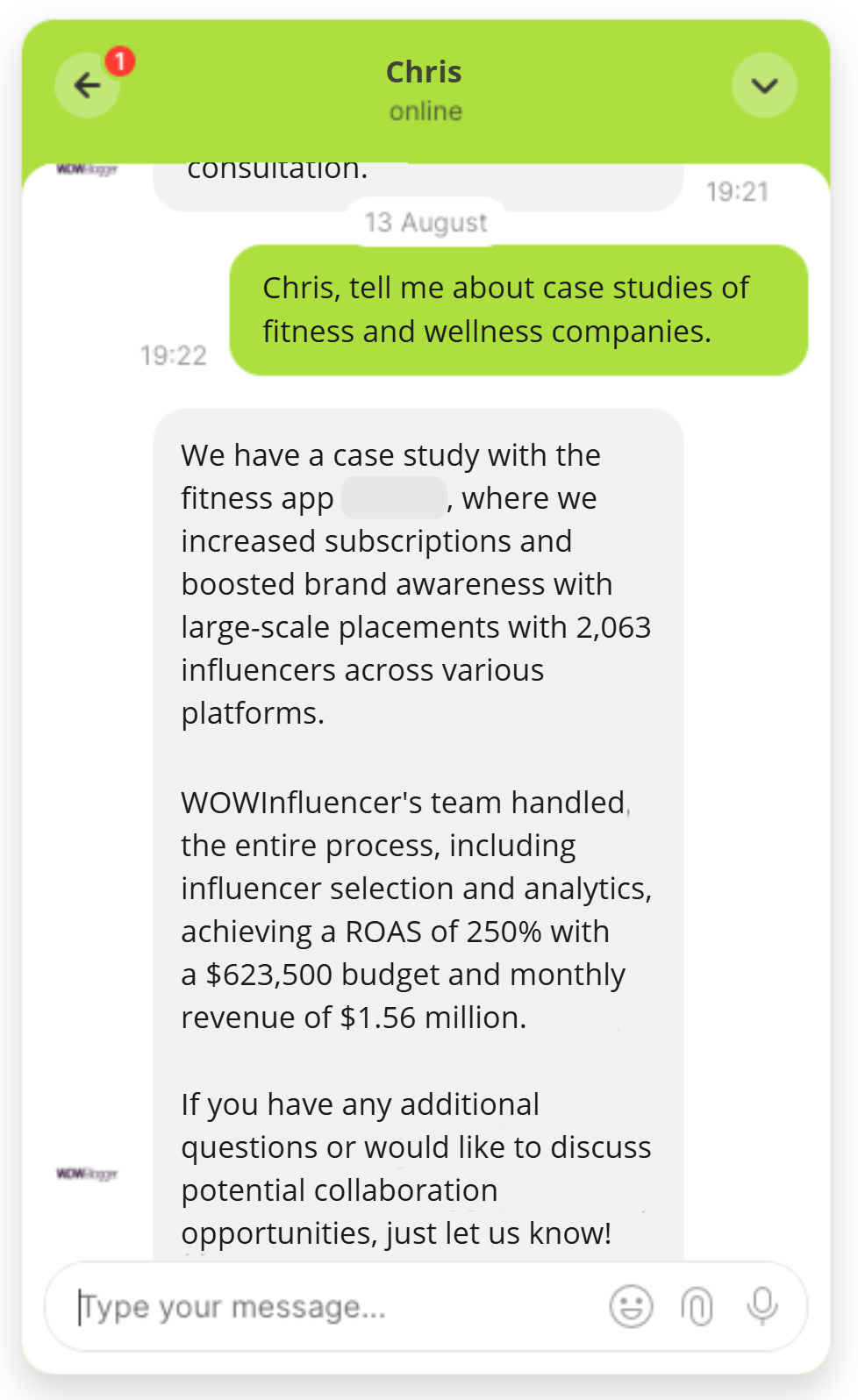
Dashly also offers built-in CRM and behavioral tracking. This is what differs Dashly’s AI agent from standalone support tools. Every customer interaction includes:
- Full browsing history and page views
- CRM data (deal stage, past purchases, account tier)
- Product usage data
- Previous conversations across all channels
Dashly features and integrations for customer service teams
Dashly’s customer service platform includes features that most support software requires multiple tools to deliver.
Core features:
- Smart routing and escalation. AI detects frustration, complexity, or VIP status and hands off to the right team member. You set the rules, AI executes them.
- Knowledge base integration. Train your AI customer support agent on your help docs, past tickets, and FAQs. The AI learns from every conversation and gets better over time.
- Unified inbox. All customer conversations land in one place. Your team manages live chat, email, WhatsApp, and Telegram from a single interface. AI and human agents collaborate seamlessly.
- Analytics and reporting. Track resolution times, customer satisfaction, AI coverage rate, and handoff frequency. See which customer queries AI handles and where humans add value.
Integrations features:
Dashly connects to your existing stack:
- CRM: HubSpot, Salesforce, Pipedrive
- Calendars: Google Calendar, Calendly (for booking calls)
- Messengers: WhatsApp, Telegram
- Analytics: Google Analytics, Amplitude
The integrations features mean your support software doesn’t operate in a silo. Customer data flows in, support outcomes flow out to your CRM and analytics tools.
When Dashly is the right AI tool for your support team
Dashly works best for B2B SaaS teams where customer support overlaps with sales and success.
Choose Dashly as your AI tools for customer support teams when:
- You need support and sales in one platform. If your support team also qualifies leads, books demos, or handles pre-sales questions, Dashly unifies the workflow. One AI agent can answer product questions, qualify interest, and book meetings.
- Context matters for your customers. If knowing a customer’s account tier, feature usage, or deal stage changes how you respond, Dashly’s built-in CDP delivers that context automatically.
- You want 24/7 coverage without hiring. B2B SaaS customers expect instant answers. Dashly’s AI handles tier-1 support around the clock while your team focuses on complex issues.
- You run support across multiple channels. Email, chat, WhatsApp, Telegram — Dashly maintains customer context across all of them. No channel silos, no repeated information.
- You’re scaling fast. As traffic and customer volume grow, Dashly scales without adding headcount. The AI learns from your team’s responses and automates more over time.
Dashly customer service examples and results
Real results from companies using Dashly for AI-powered customer support:
B2B SaaS company automated 40% of all chat inquiries using Dashly’s AI Support Agent. That’s equivalent to replacing 2 full-time customer service agents with AI. The team redirected those resources to high-touch accounts.
Zendesk: enterprise AI customer service and omnichannel support software
Zendesk is the enterprise standard for customer support platform solutions. Built for scale, compliance, and proven reliability.
Zendesk as a customer support platform with AI agents and Answer Bot
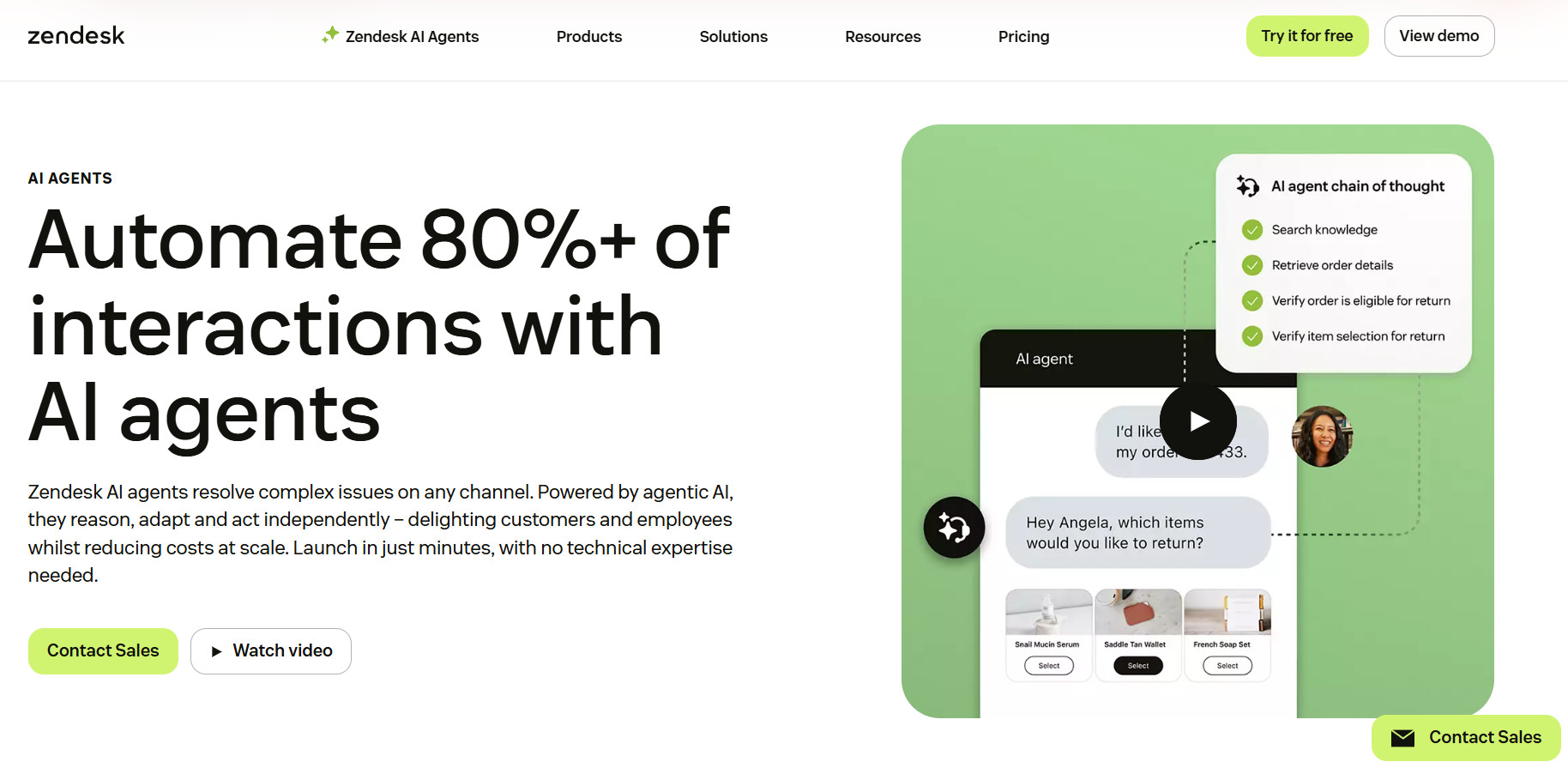
Zendesk’s AI customer service centers around AI agents. The customer support platform automates customer interactions across email, chat, messaging, and web forms, designed to automate 80%+ of interactions.
The support software uses agentic AI. The chatbot reasons across problems and adapts. When a customer asks a question, the AI agent pulls from your knowledge base, past tickets, and help center to deliver answers in seconds. It automatically escalates to humans when complexity or frustration requires human support.
Zendesk AI features: knowledge base, automation, analytics
Zendesk’s AI customer support includes enterprise-grade features:
- Knowledge base integration is core. AI agents suggest articles and generate new knowledge base content using generative AI. The system learns which articles resolve customer interactions most effectively.
- Automation features include automatic ticket routing, AI-powered quality assurance, agent copilot suggestions during live chat, and workflow automation for escalations.
- Analytics track resolution rates, customer satisfaction, escalation frequency, and AI customer service use case performance. 2026 updates add enhanced reporting dashboards.
Who should pick Zendesk among the best AI customer support tools
Zendesk ranks among the best AI customer support tools for specific use cases.
Choose Zendesk when you handle 10,000+ tickets monthly across global teams, need omnichannel coverage (email, chat, social media, phone, SMS) in one customer support platform, operate in regulated industries requiring security certifications, or want nearly two decades of proven customer service reliability.
Don’t choose Zendesk if you’re a small team with under 5,000 tickets monthly. Mid-market B2B SaaS teams often find per-seat costs prohibitive.
HubSpot Service Hub: CRM-native AI customer service and support
When your support tools live inside the same platform as your sales and marketing data, HubSpot Service Hub delivers AI customer service already connected to everything your team needs about each customer.
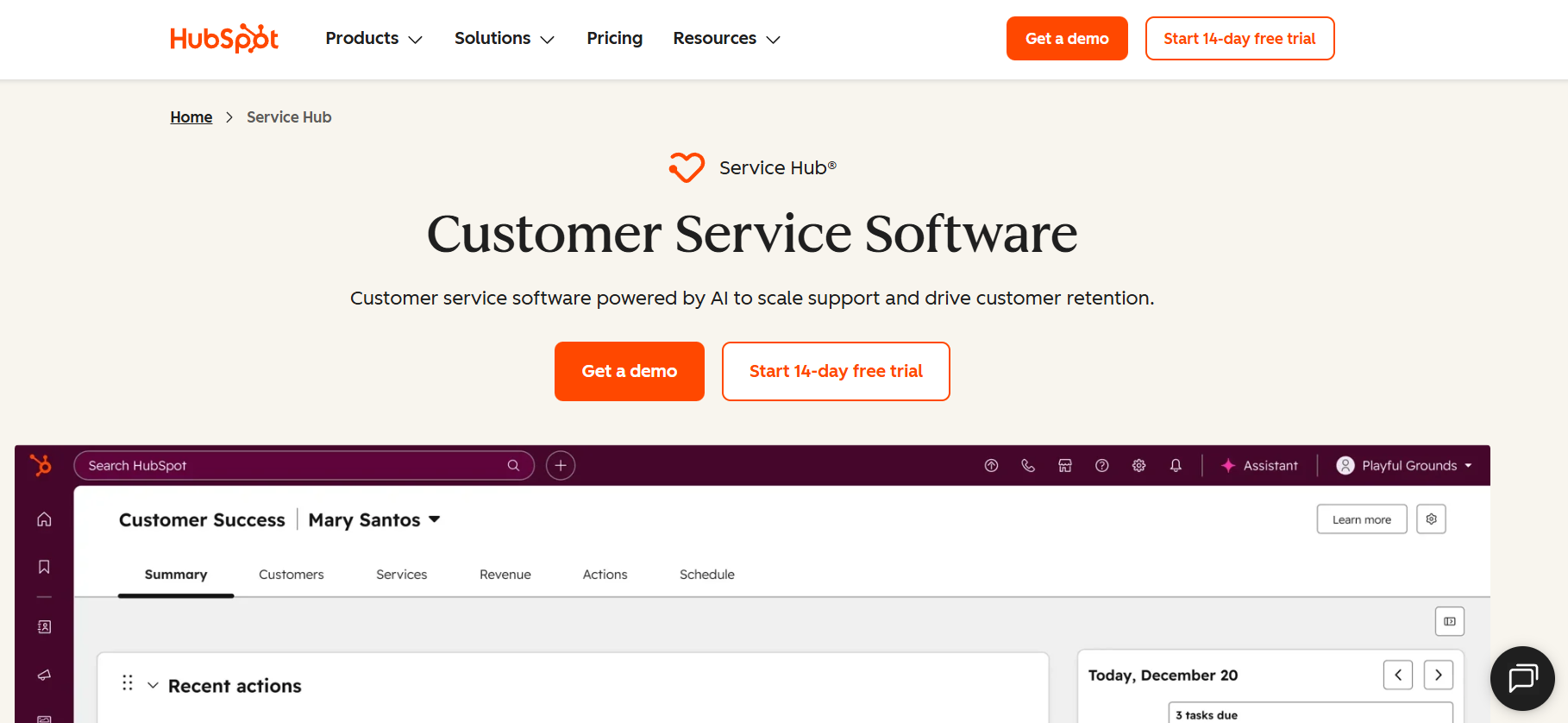
HubSpot as an all‑in‑one CRM and customer service platform
HubSpot Service Hub isn’t a bolt-on customer support tool. It’s part of HubSpot’s unified customer platform, which means your customer service team sees the same customer data as sales and marketing.
When a customer reaches out, your team instantly sees purchase history, past tickets, marketing emails, and which sales rep closed the deal. This context makes customer support faster and more personal.
The platform includes help desk, shared inbox, live chat, customer feedback surveys, and knowledge base. Everything connects to HubSpot’s Smart CRM without custom integrations. For teams already using HubSpot for sales or marketing, adding Service Hub means zero data migration.
19. AI customer service features in HubSpot
HubSpot’s Breeze AI powers several AI customer service features similar to Salesforce Einstein:
Breeze Customer Agent resolves over 50% of inquiries without human intervention. It answers questions using your knowledge base, updates CRM data, and escalates complex issues. The automation works across chat, email, and calling channels.
Ticket summarization extracts context from long threads. Smart routing directs tickets based on issue type and customer value. Agent assist suggests responses during conversations.
These features are native to HubSpot’s ecosystem with no separate AI add-on for basic automation.
When to choose CRM‑native AI over standalone support software
Asking which CRM has the best AI misses the point. The question is whether CRM-native AI customer support beats standalone support software.
Choose HubSpot when your customer support overlaps with sales, your team needs full customer lifecycle visibility, you already use HubSpot for other functions, or you want to avoid integration headaches. Standalone support software makes sense when customer support is separate from sales.
Intercom Fin: AI customer service chatbot inside the Intercom ecosystem
If you’re already using Intercom for messaging or sales, adding Fin turns your existing platform into a complete AI customer service solution. Intercom positions itself as the AI customer service company, and Fin is their flagship AI customer agent.
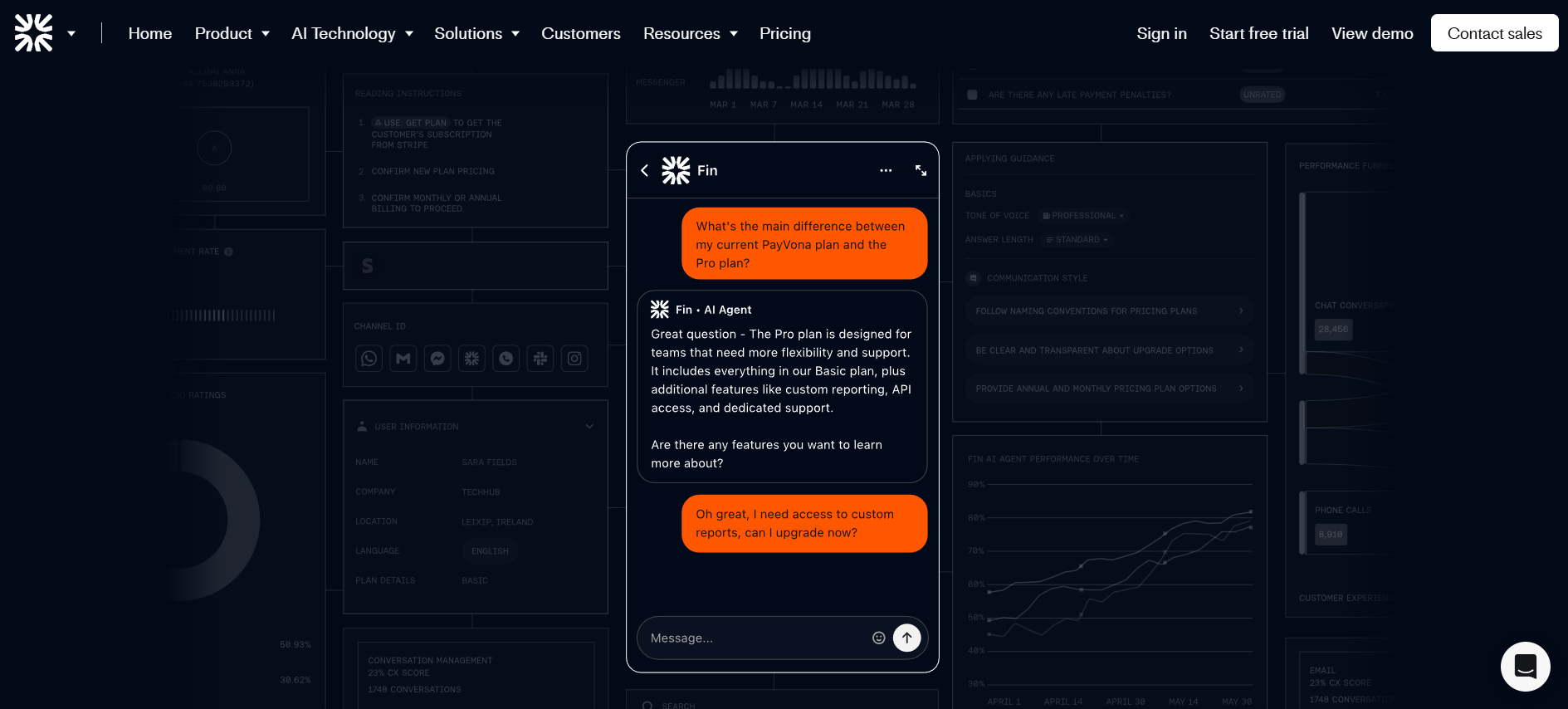
Intercom as an AI customer support platform with Fin, bots, and live chat
Intercom’s customer support platform combines three layers: Fin AI Agent, custom chatbots, and live chat with human agents.
Fin AI Agent resolves 62% of support volume automatically by answering customer questions using your knowledge base, past tickets, and help docs. Unlike rule-based chatbots, Fin uses agentic AI customer service, it reasons through complex queries and adapts responses.
When Fin can’t resolve an issue, it escalates to live chat agents who see full conversation history. Intercom’s help desk handles tickets, email, chat, phone, WhatsApp, Instagram, and Facebook Messenger from one inbox. The platform works with any help desk, Zendesk, Salesforce, or your custom solution.
Intercom’s features for automation, in‑app messaging, and agent assist
Intercom’s features extend beyond basic chat support tools:
- Automation workflows route tickets, trigger proactive messages, and automate repetitive tasks.
- In-app messaging lets you reach customers inside your product with targeted messages based on behavior. Critical for SaaS retention.
- Agent assist provides AI-powered tools: conversation summarization, suggested responses, and knowledge base recommendations.
Intercom’s Copilot helps support teams draft replies during live chat. These chatbots and tools speed up every customer interaction.
When Intercom is the best AI customer support tool for your stack
Intercom ranks among the best AI customer support tools when you need AI customer service integrated with product messaging.
Choose Intercom when you already use Intercom for sales or marketing, run customer support for a SaaS product requiring in-app messaging, need omnichannel support (email, chat, social, phone), or want a modern AI customer service platform. Don’t choose Intercom if you’re a small team with simple support needs.
Ada: no‑code AI chatbot for scalable customer service
Ada is built for enterprise teams that need to automate customer service at scale without writing code. It’s a platform that goes beyond basic chatbots to deliver what Ada calls “agentic AI” — intelligent agents that reason through customer problems rather than follow scripts.
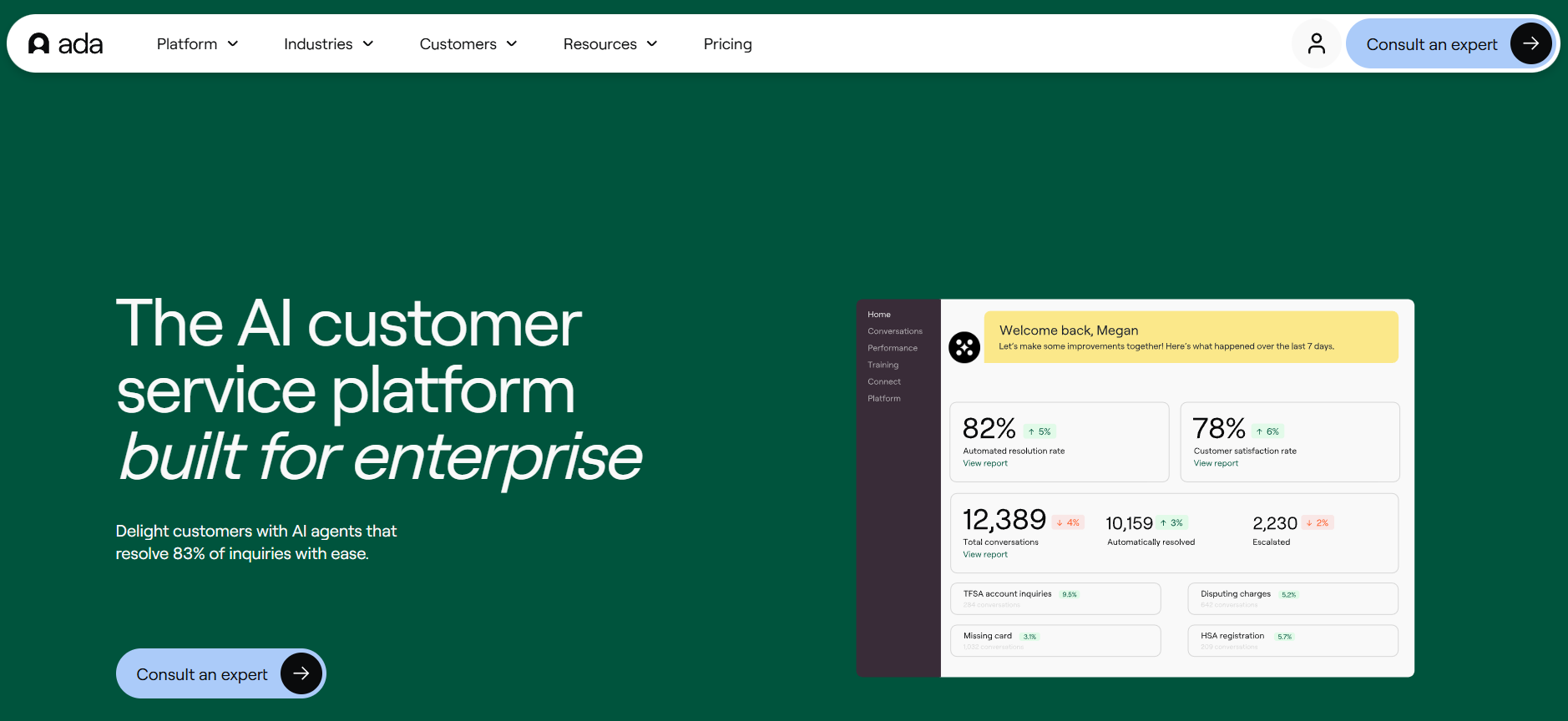
What Ada does as an AI customer service chatbot
Ada positions itself as an AI customer service company that transforms how enterprises deliver customer experiences. The platform’s core is an AI customer service chatbot that handles customer inquiries across channels: web chat, mobile app, email, SMS, and social media.
Unlike rule-based service chatbot tools, Ada’s chatbot uses generative AI to understand multi-intent messages, maintain context across conversation turns, and take action. It doesn’t just answer questions; it can update accounts, process requests, and escalate intelligently to humans when needed.
Ada features for automation and chatbot integration with support tools
Ada’s features center on no-code automation and enterprise-grade chatbot integration:
- No-code agent builder lets non-technical teams build and manage AI chatbots.
- Automation workflows handle routing, escalation, and actions across your support tools.
- Omnichannel deployment maintains customer context across every channel.
Chatbot integration features connect Ada to your existing stack: Zendesk, Salesforce Service Cloud, Kustomer, and other help desk platforms. Ada also integrates with CRMs, knowledge base systems, and commerce platforms. The goal is plug-and-play automation without custom dev work.
When Ada is a good fit for your customer support strategy
Ada works best for enterprise customer support teams handling high volume across multiple channels.
Choose Ada when you’re an enterprise with 50,000+ monthly customer interactions, need AI customer service that scales without code, operate globally with multilingual support requirements, or want chatbot automation that integrates with existing support tools.
Smaller teams may find Ada’s enterprise focus and pricing better suited to larger-scale customer support operations.
Zoho Desk and Zia: AI tools for customer support teams on a budget
If you’re evaluating AI tools for customer support teams but enterprise pricing feels out of reach, Zoho Desk with Zia delivers serious AI customer service capabilities without the enterprise price tag.
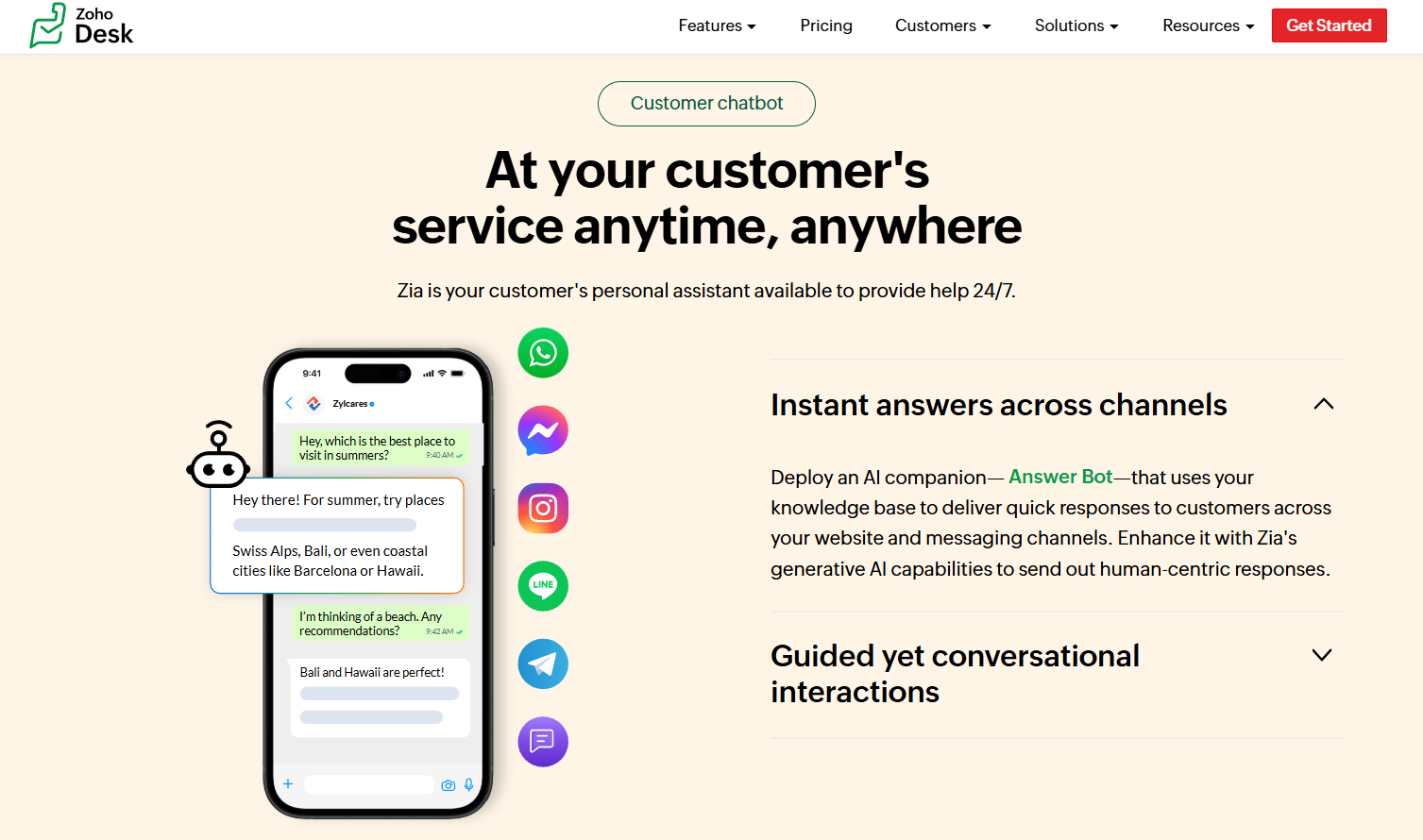
Zoho Desk as customer service software with built‑in AI assistant
Zoho Desk is customer service helpdesk software with Zia, Zoho’s built-in AI assistant, baked directly into the platform. Unlike standalone AI tools, Zia is integrated into every layer of Zoho Desk, from customer-facing support to agent workflows to supervisor analytics.
The support software handles tickets, email, chat, phone, and social channels. Zia sits on top, automating repetitive tasks and augmenting human agents. For teams already using Zoho CRM, the integration is seamless. Customer data flows between sales and support without custom work.
Zia: AI for customer queries, routing, and knowledge base search
Zia is Zoho Desk’s AI designed to simplify customer service across three areas:
- Answer Bot handles customer queries 24/7 by pulling answers from your knowledge base.
- Zia’s AI customer service delivers instant, accurate responses to common questions.
- Sentiment analysis tracks customer emotion across customer interactions, flagging negative sentiment for priority escalation.
Auto-routing and tagging predict ticket fields and route customer queries to the right team. Agent assist features suggest responses, summarize tickets, and surface relevant articles during conversations.
When Zoho’s AI support tools are the right option
Zoho Desk ranks among the best AI customer support tools for budget-conscious teams.
Choose Zoho when you need affordable AI customer support, already use Zoho CRM or other Zoho tools, want software that scales from small teams to mid-market, or need multilingual customer support without premium pricing.
Zoho offers a free tier. One of the few best AI customer support tools free options with real AI features.
Kustomer: AI-powered customer service platform with unified customer view
Kustomer takes a different approach to customer service: instead of treating every issue as an isolated ticket, it organizes everything around the customer. Every customer interaction (email, chat, phone, social) lives in a unified timeline that gives your team complete context.
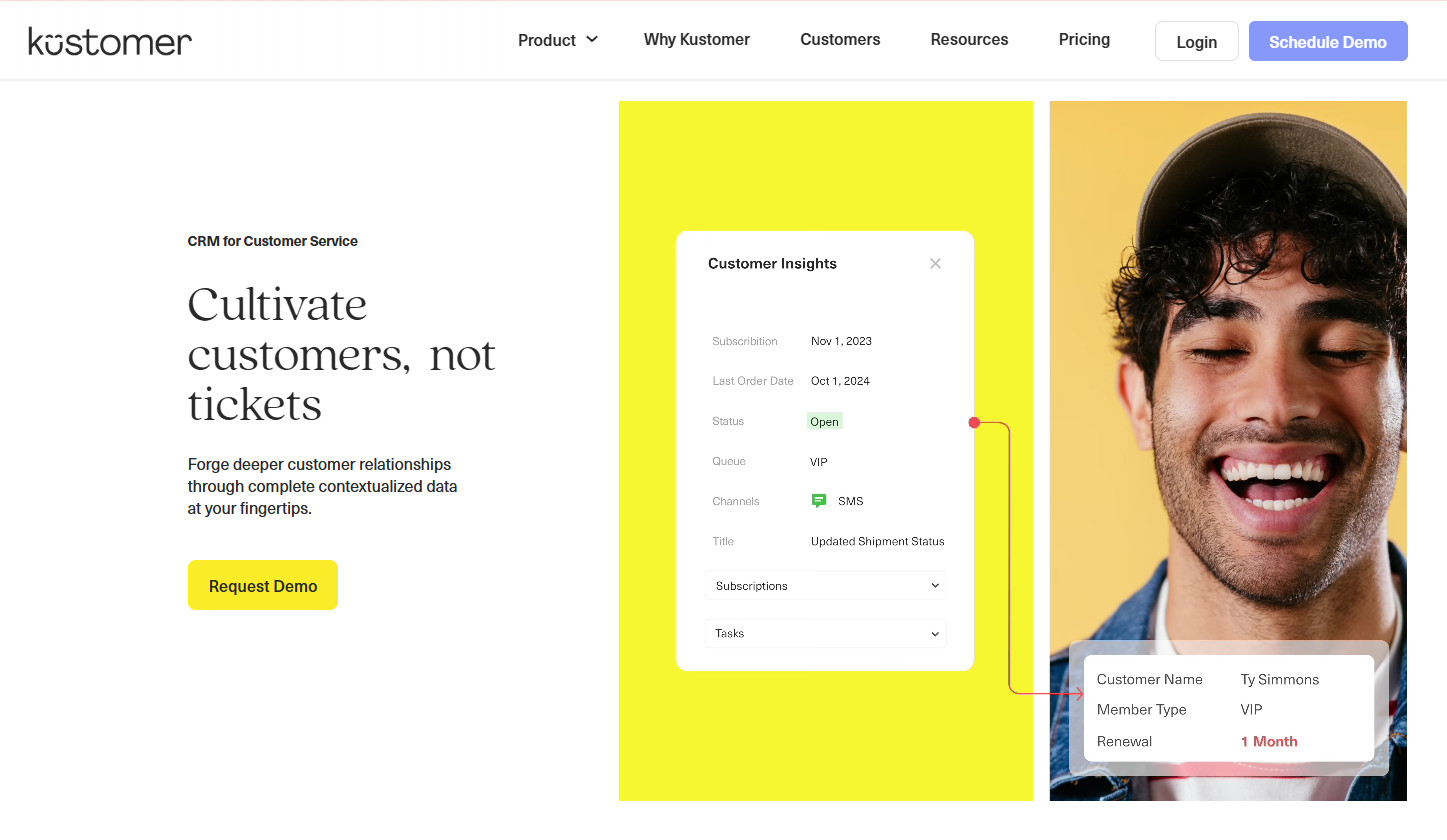
Kustomer as a CRM‑style customer service platform
Kustomer is a customer service CRM that unifies customer data, conversation history, and actions in one view. Unlike traditional ticketing systems, Kustomer organizes support around customers, not tickets.
When an agent opens a conversation, they see the complete customer timeline: past purchases, previous customer interactions, preferences, and ongoing issues across every channel. This context makes customer service faster and more personal.
AI and automation features in Kustomer for chat and messaging
Kustomer AI combines automation with context. The platform offers two AI products:
- AI Agents for Customers handle chat and messaging across channels using your knowledge base and customer data.
- AI Agents for Reps provide agent assist features: instant insights, response suggestions, and customer context during support conversations.
Automation features include intelligent routing, workflow orchestration, and conversation safeguards. Unlike basic chatbots, Kustomer AI maintains context across every customer touchpoint.
Who should consider Kustomer among the best AI customer support tools
Kustomer ranks among the best AI customer support tools for teams that need customer-centric service.
Choose Kustomer as your AI tools for customer support teams when you handle high-volume customer support across multiple channels, need a unified customer view that includes purchase history and preferences, want CRM-style customer service without switching platforms, or operate in ecommerce or retail where customer context drives loyalty.
Kustomer works best for mid-market to enterprise teams prioritizing customer experience over ticket volume.
Tidio (Lyro): AI customer service chatbot with live chat and ticketing
For small to mid-sized teams looking for an all-in-one customer support platform, Tidio combines live chat, AI chatbots, and help desk ticketing in one package.
Tidio as a hybrid of live chat, chatbot, and support tools
Tidio isn’t just a chatbot or just live chat, it’s a complete customer service platform. The live chat widget works across your website and messaging channels. When customers reach out, Lyro AI chatbots handle initial inquiries automatically. If the chatbot can’t resolve an issue, it hands off to your team for live chat with full conversation context.
The help desk component organizes all customer support conversations (from chat, email, or social media) into a unified inbox with ticketing. This hybrid approach means you’re not juggling separate tools for chatbots, live chat, and customer service management.
Lyro AI features: automating customer queries and recommendations
Lyro AI Agent is Tidio’s conversational AI customer service solution. Unlike rule-based AI chatbots, Lyro uses natural language processing to understand and respond to customer queries in real time.
Automation features include:
- Answering customer queries 24/7,
- Product recommendations for ecommerce,
- Smart actions for order updates and lead qualification,
- Customizable tone and escalation rules.
Lyro runs on Anthropic’s Claude model and learns from your knowledge base, PDFs, and website content.
When Tidio is the right AI support software for your team
Tidio works as support software for teams that need AI customer service without enterprise complexity.
Choose Tidio when you’re a small to mid-sized customer support team, run an ecommerce store needing product recommendation automation, want affordable tools (free tier available), or need live chat and AI chatbots in one platform. Don’t choose Tidio if you’re an enterprise team requiring advanced support customization or complex integrations.
Freshdesk and Freddy AI: AI customer service bot for omnichannel support
Freshdesk is a mature customer service platform that’s been around since 2010. What makes it relevant in 2026 is Freddy AI — a suite of AI features that transforms Freshdesk into a modern AI customer service platform with bot capabilities, agent assist, and automation.
Freshdesk as customer service software with Freddy AI
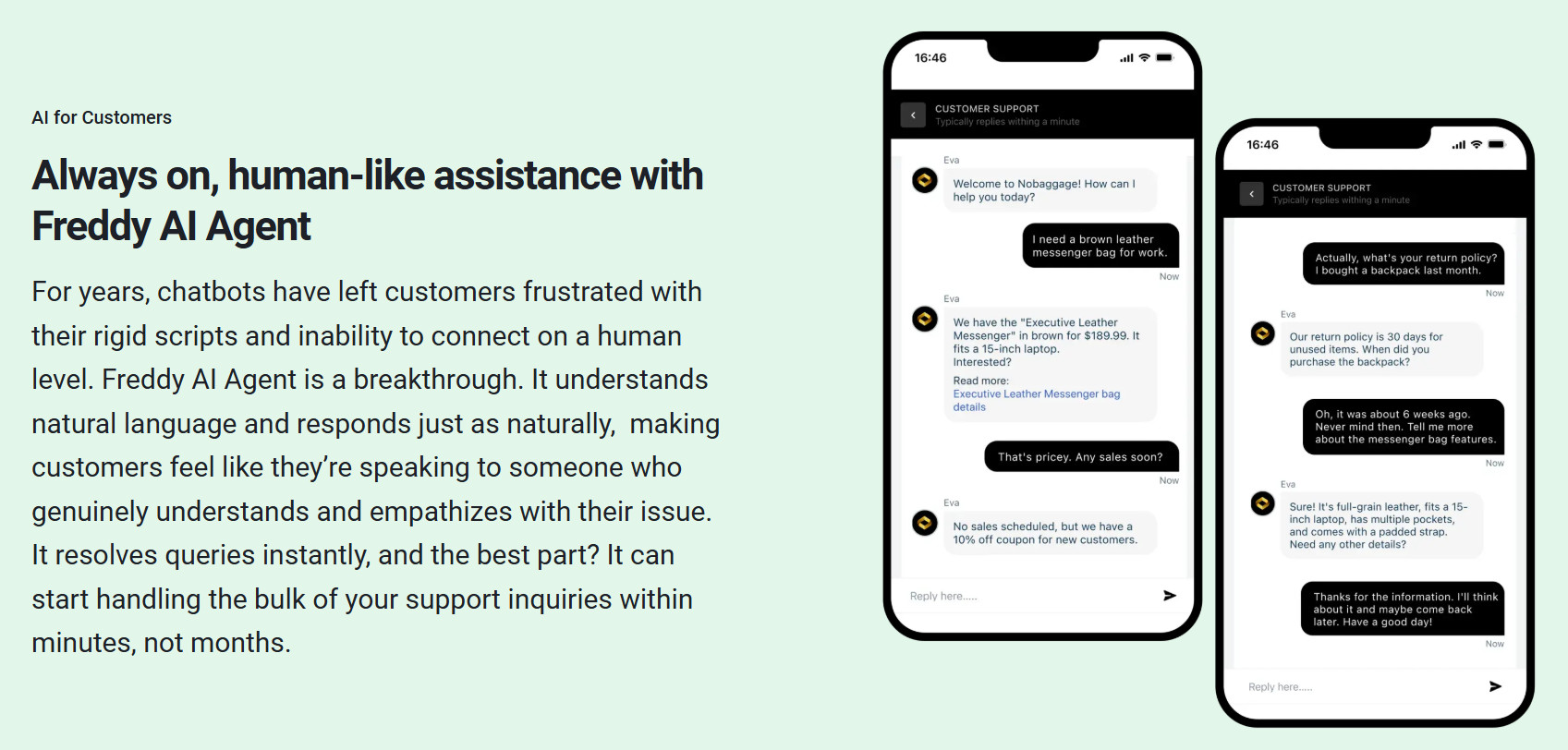
Freshdesk delivers omnichannel customer support across email, chat, phone, social media, and messaging. The support software includes ticketing, help desk management, and self-service customer service portals.
Freddy AI sits on top with three components:
- Freddy AI Agent (the bot that handles customer inquiries),
- Freddy AI Copilot (agent assist tools),
- Freddy Insights (analytics).
The AI Agent bot resolves repetitive queries without human intervention, while Copilot helps support teams work smarter.
Freddy AI features: multilingual support and agent copilot
Freddy AI Copilot delivers agent assist features that boost productivity across customer interactions:
- Live Translate provides real-time translation across 60+ languages, making every agent effectively multilingual.
- Writing assistant helps agents rephrase, enhance tone, and draft responses.
- Summary generator creates concise ticket summaries for faster customer interactions.
Automation features include AI customer service automation for ticket routing, canned response suggestions, and solution article recommendations from your knowledge base.
When Freshdesk + Freddy AI make sense vs other AI customer support tools
Freshdesk ranks among the best AI customer support tools for specific customer needs.
Choose Freshdesk when you need proven support software with a track record, handle global customer support requiring multilingual tools, want a middle-ground between budget tools (Zoho, Tidio) and enterprise platforms (Zendesk), or operate in regulated industries needing established security.
Freddy AI is an add-on for Pro and Enterprise plans, so factor that into total cost when comparing best AI customer support tools.
ProProfs Chat: AI customer service chatbot for 24/7 support and lead capture
ProProfs Chat combines AI customer service with live chat in a platform designed for small teams that need 24/7 support without hiring night shifts. It’s one of the few best AI chatbot free options that actually delivers value.
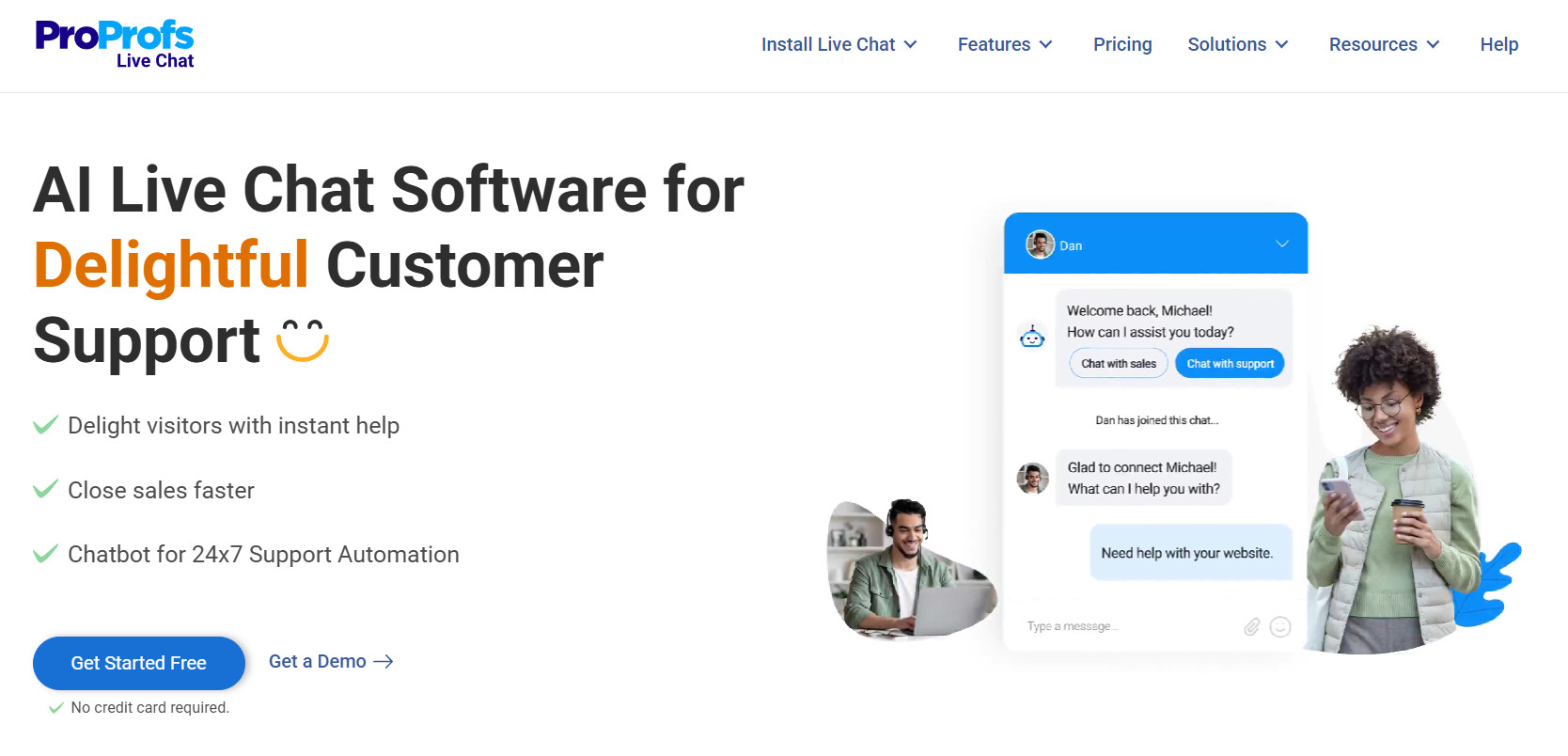
ProProfs Chat as an AI customer service chatbot and live chat tool
ProProfs Chat is an AI chatbot for customer service free (forever free plan available) that handles customer support 24/7. The platform combines AI chatbots with live chat for human handoff.
The AI customer service chatbot reduces ticket volume by 35% by automating routine customer service inquiries. When the chatbot can’t resolve an issue, it routes to human agents via live chat with full conversation context. Pre-chat forms collect customer information before conversations start, improving both chat and customer support efficiency.
ProProfs Chat features for knowledge base integration and reporting
ProProfs features focus on making AI customer service work without complexity.
Knowledge base integration lets the chatbot pull answers directly from your help docs. The AI suggests relevant articles during chat, reducing agent effort and resolving customer queries faster.
Bot performance reporting tracks which customer queries the chatbot handles successfully. Real-time visitor tracking shows customer behavior. Post-chat surveys measure satisfaction. These support tools help you optimize chatbot integration over time.
When ProProfs Chat is the best AI customer support tool for small teams
ProProfs ranks among the best AI customer support tools free for specific teams.
Choose ProProfs when you’re a small customer service team (under 10 agents), need 24/7 support without hiring, want affordable tools (free plan or $19.99/operator/month), or need simple AI customer service software without enterprise complexity. Don’t choose ProProfs if you need advanced support customization or operate at enterprise scale.
Kommunicate, Conversica, Drift, Balto, Replicant: niche AI tools for customer support teams
Some AI tools for customer support teams in specific industries or support models. Here’s what you need to know about five niche players.
Kommunicate: AI tools for customer support teams with omnichannel bots
Kommunicate delivers no-code AI chatbots with strong multilingual support capabilities. The platform automates customer support across chat, email, WhatsApp, and social channels.
What sets Kommunicate apart is omnichannel consistency. The AI tools for customer support teams maintain conversation context across every channel. Your chatbots can handle inquiries in multiple languages without separate builds. When AI can’t resolve an issue, human agents receive full context for seamless handoff.
Conversica and Drift: AI chatbots for customer service with a revenue focus
Conversica and Drift aren’t pure customer service tools. They’re revenue-focused AI customer engagement platforms that include support capabilities.
Conversica specializes in automated lead follow-up and qualification. Its chatbots handle customer interactions that blur the line between sales and customer service.
Drift positions itself as conversational marketing and sales software. The tools excel at qualifying inbound traffic and routing high-intent leads. If your support team handles pre-sales questions, Drift’s chatbots bridge that gap.
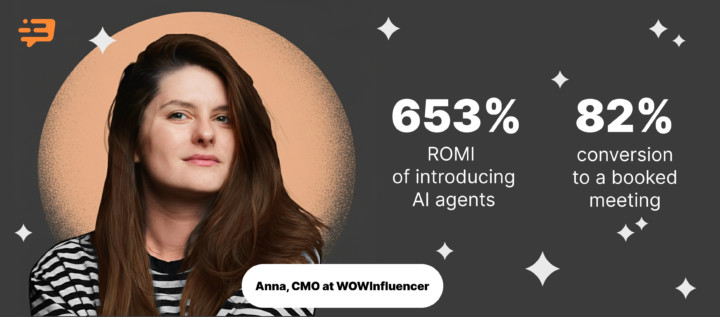
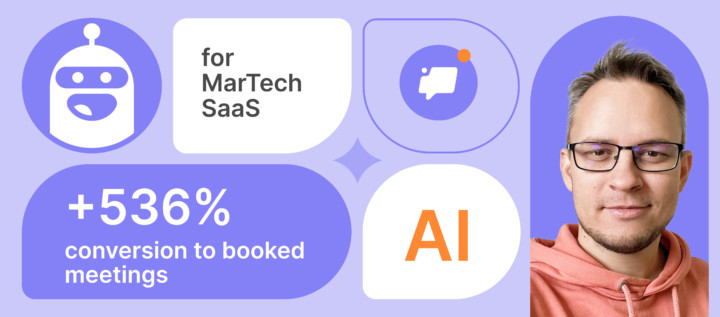
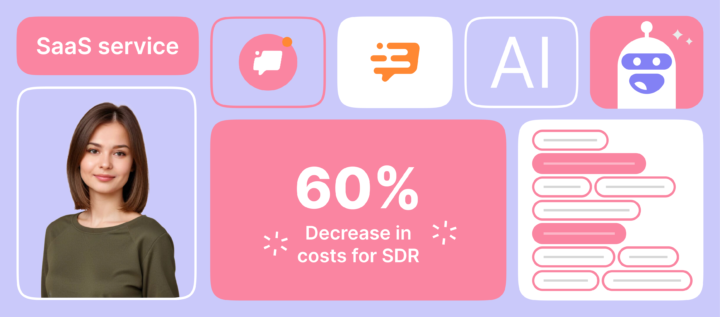
Dashly is also similar to this platforms. In addition to AU support, you also can empower your inbound funnel with an AI SDR.
Find out more:
Balto and Replicant: voice-first AI support tools for contact centers
Most AI customer service platforms focus on chat. Balto and Replicant specialize in voice for contact centers.
Balto provides real-time guidance for customer support agents during phone calls. The AI bot listens to live conversations and surfaces prompts, compliance checks, and objection-handling scripts. It’s AI customer service that augments human voice agents, not replaces them.
Replicant goes further with fully autonomous voice bot conversations. The platform resolves up to 80% of customer support calls without human intervention across phone, SMS, and chat. For high-volume contact centers, Replicant handles tier-1 voice support at scale.
How to navigate “best ai customer support tools reddit” and other reviews
Searching “best ai customer support tools reddit” surfaces real user opinions but requires critical reading.
Reddit reviews reveal pain points enterprise vendors don’t advertise: hidden pricing, poor support, integration issues. But remember: software complaints often come from frustrated users, not satisfied ones. Balance Reddit feedback with G2, Capterra, and vendor case studies when evaluating best AI customer support tools for your customer needs.
How to evaluate AI customer interactions and keep quality high
Deploying automation isn’t the finish line. Measuring and improving customer interactions determines whether your AI customer service actually works.
Measuring success: from resolution time to CSAT and customer effort
Track these metrics for customer interactions: resolution time (how fast issues close), CSAT scores (satisfaction ratings), customer effort score (how hard customers work to get help), and automation coverage rate (percentage AI handles without escalation).
Compare AI customer service performance against human baselines. If your customer support AI resolves tier-1 queries in under 2 minutes but humans took 15, that’s measurable value. If CSAT drops post-automation, your AI needs tuning.
Reviewing AI chat and live chat transcripts to improve the knowledge base
Review chat and live chat transcripts monthly. When chatbots fail to answer customer queries, you’ve found knowledge base gaps.
Look for patterns: repeated questions, escalations, and dead-end conversations. Add missing content to your knowledge base. When customer queries change seasonally, update articles proactively.
Building a QA process for AI chatbots and human agents together
QA shouldn’t treat AI chatbots and human agents separately. Build a unified process: sample customer service conversations from both, score accuracy and tone, and identify coaching opportunities. When AI chatbots and agents collaborate on support, your QA process should too.
Bottom line…
The best AI customer support tools don’t replace your customer service team. They empower it. AI tools for customer support teams handle repetitive customer support tasks so your agents focus on complex problems requiring human judgment. AI customer service eliminates busywork. Smart support software scales your team without burnout.
FAQ on AI tools for customer support teams
The best AI customer support tools depend on your team size and needs: Dashly excels for B2B SaaS teams needing data-driven AI customer service, Zendesk works for enterprise-scale customer support, and HubSpot Service Hub is ideal if you already use their CRM. For small teams on a budget, Zoho Desk and Tidio offer affordable yet powerful AI customer service capabilities.
Start by implementing AI tools for customer support teams to handle tier-1 queries through automation, freeing your human agents for complex issues that require empathy and judgment. Connect AI to your knowledge base, CRM, and communication channels to deliver seamless customer service across email, chat, and messaging. The key is gradual rollout: automate simple support tasks first, measure results, then expand automation to more complex customer service scenarios.
When asking which CRM has the best AI, HubSpot and Salesforce Einstein lead for customer service teams. HubSpot’s Breeze Customer Agent resolves 50%+ of inquiries with native CRM integration, while Salesforce Einstein delivers enterprise-grade AI across sales, marketing, and customer service. Both platforms excel because their AI accesses complete customer data without separate integrations.
While ChatGPT offers conversational AI capabilities, it’s not designed as a dedicated AI customer service solution and lacks essential features like CRM integration, ticket routing, and customer data access. The best AI customer service chatbot platforms (Intercom Fin, Dashly, Zendesk AI Agents) are purpose-built for customer service, offering knowledge base integration, escalation rules, analytics, and seamless handoff to human agents. For professional AI customer support, choose specialized AI customer service platforms over general-purpose chatbots.