How Dashly’s AI support agent helps you deliver faster, smarter customer service at scale
 10 minutes
 19.12.2025
Customer expectations have never been higher. People expect near‑instant answers anytime they reach out for help and they won’t hesitate to abandon a brand that keeps them waiting. Around 90 % of buyers say an immediate response is crucial when they have a support question (SuperOffice Research), and many expect responses within minutes or less rather than hours.
Speed isn’t the only demand: 76 % of customers expect personalization in every interaction, and more than half expect support to be available around the clock, 24/7 (Zendesk benchmark data).
At the same time, poor or slow service drives customers away. Shopify research showed that nearly one‑third will leave a brand after a single bad experience. The Zendesk benchmark data says this number is even higher: more than half of customers will switch to another service after 1 bad experience.
For support teams, these trends create a tension: how do you provide faster, more personalized, always‑on service without simply adding more staff and cost?
That’s exactly why Dashly developed an AI support agent. By automating routine responses, handling inquiries across channels 24/7, and seamlessly escalating complex issues to humans, the AI support agent helps teams keep pace with rising expectations while freeing human agents to focus on high‑impact conversations.
What is Dashly’s AI support agent?
Dashly’s AI support agent is a conversational AI trained specifically on your company’s data like help center articles, website pages, and internal documentation. Instead of relying on generic scripts, the agent uses this tailored knowledge to respond accurately and naturally to customer questions in real time.
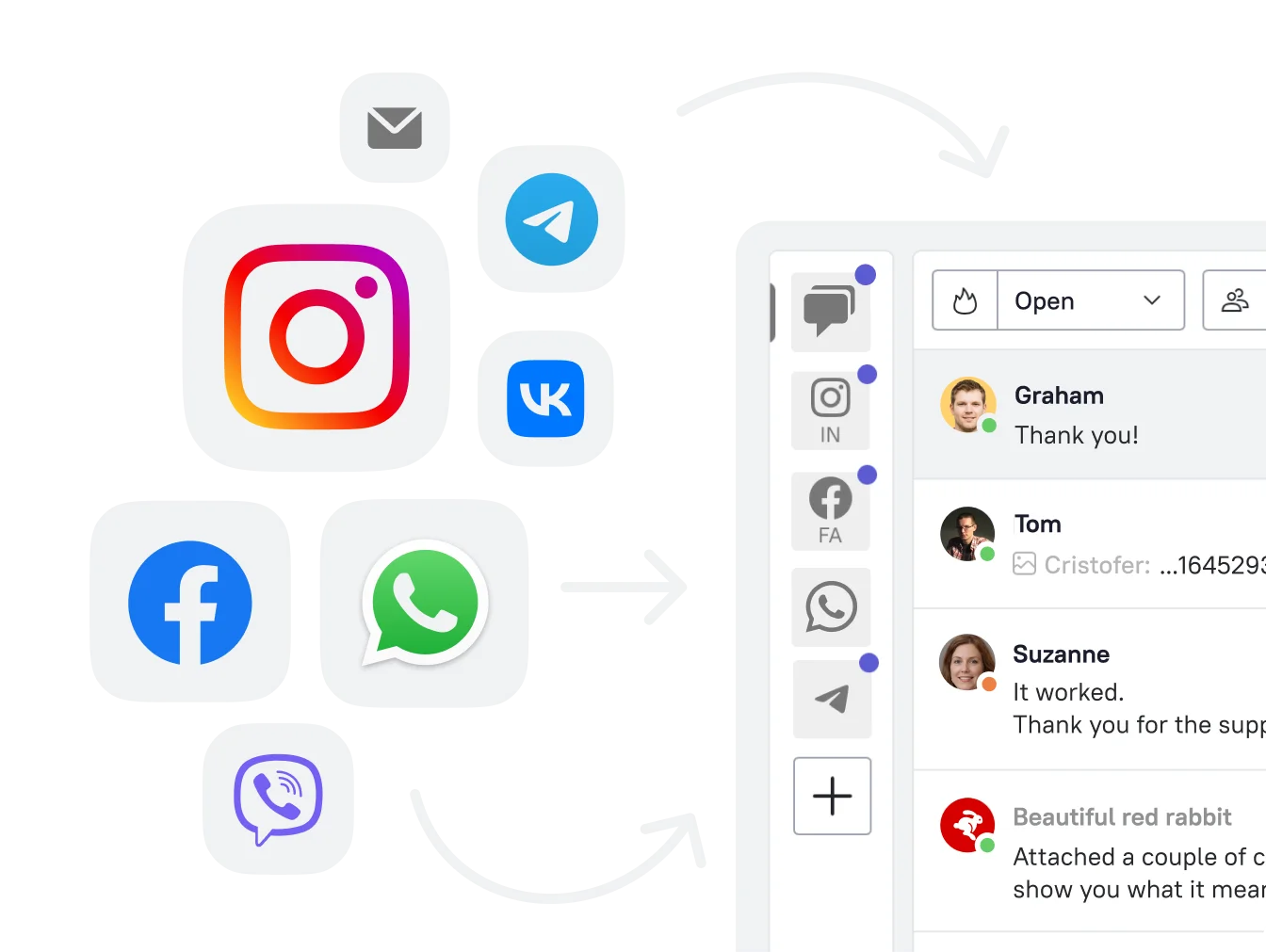
The agent operates across the same channels your customers already use to get in touch:
- your website chat widget,
- messengers like WhatsApp,
- social platforms.
That means your customers can get instant, helpful responses wherever they reach out without needing to wait for a human rep.
What’s crucial: this isn’t a replacement for your support team.
Dashly’s AI support agent is designed to work alongside your human agents, taking on repetitive or time-consuming inquiries so your team can focus on complex, high-stakes cases. And when a handoff is needed, the transition to a human happens smoothly with full conversation context preserved.
This makes it easier to deliver fast, consistent support without sacrificing quality or overloading your team.
How AI agent helps your support team
Adding Dashly’s AI support agent to your workflow means multiplying the impact of your existing team.
Increase capacity without hiring
The agent can independently handle repetitive, time-consuming inquiries that make up a significant portion of most support loads. Instead of hiring more team members to manage growing volume, you can scale your capacity with an AI-powered frontline that’s always on and always ready.
Deliver faster, 24/7 responses
Customers expect answers immediately, even outside of working hours. The AI support agent can provide consistent, accurate responses around the clock. That means reduced Response Time, fewer abandoned conversations, and higher satisfaction scores across the board.
Free up your human agents for what matters most
By taking care of the predictable and repetitive questions, the agent allows your human team to focus on what they do best: resolving edge cases, handling emotional conversations, and building relationships. It reduces burnout, improves service quality, and gives your team room to breathe and grow.
How the AI support agent works
Dashly’s AI support agent is designed to be fast to launch and easy to adapt to your brand and processes. Here’s how it works behind the scenes:
1. Trained on your data
The agent doesn’t rely on generic knowledge or predefined scripts. It’s trained on your own content: your help center, website pages, blog articles, and any other resources you choose to connect.
Your data gives the AI agent a deep understanding of your product, policies, and customer context.
Once you add your data sources, the agent automatically crawls both main and nested pages to build a complete knowledge base. Updates are easy to push live: as soon as you change something in your documentation, the agent can reflect it in future conversations.
2. Customization to match your tone and process
You can set up the AI support agent to seamlessly blend in with your human support team and your brand. From tone of voice and communication style to how detailed or concise responses should be, the agent can be configured to sound and behave like a natural extension of your existing support experience.
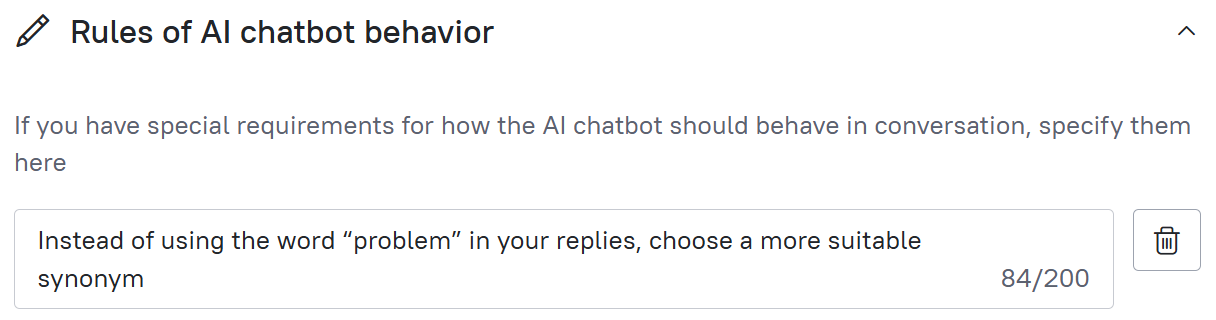
You also control how the agent handles edge cases. You can set specific phrases that trigger escalation to a human, or define limits around topics the agent should avoid. This ensures it never goes off-script or mishandles complex or sensitive issues.
3. Smooth handoff to human support
When a conversation needs a human touch, the agent doesn’t leave your customer hanging. It hands over the conversation to a live agent with full message history intact, so there’s no need for customers to repeat themselves.
This transition is seamless for the user and efficient for your team.
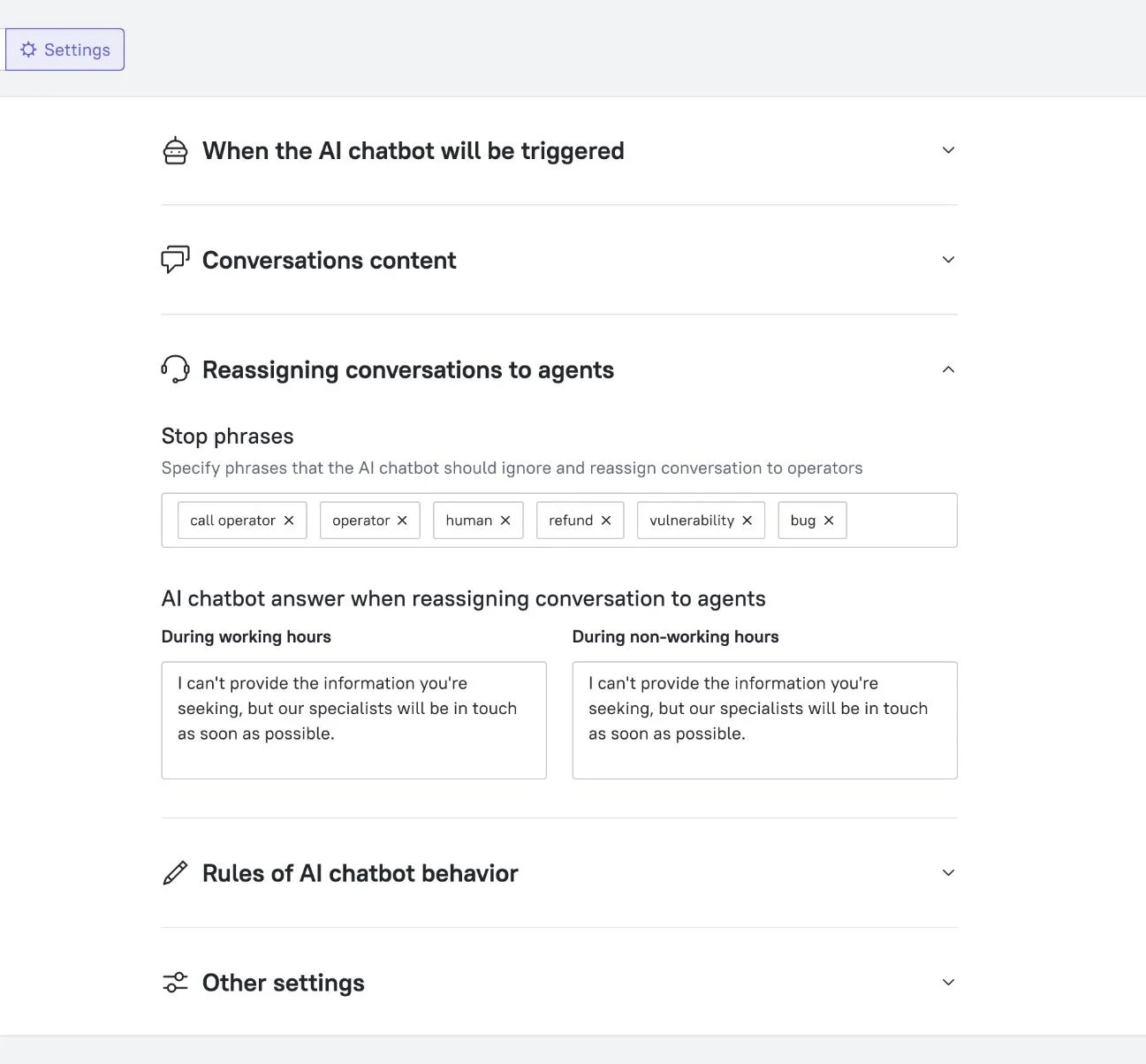
Combined, these features let Dashly’s AI support agent act as a first line of support that’s always on, always aligned with your brand, and always ready to escalate when needed.

AI support agent case study: how BizBots scaled support without scaling headcount
To see the AI support agent in action, let’s look at BizBots, a SaaS platform for automating sales tasks. They used Dashly to scale their customer support without increasing their team size.
The challenge
As BizBots grew, so did their support load. Their small team was overwhelmed by repetitive questions that accounted for an estimated 30–40% of all incoming inquiries. These were mostly simple, predictable queries: “How do I reset my password?”, “Where can I find integration docs?”, and so on.
While these questions were easy to answer, they consumed valuable time. Time their team wanted to spend helping users with more complex needs. Hiring more agents wasn’t in the budget, so they turned to Dashly’s AI support agent.
Implementation journey
The rollout was quick. The agent was trained using BizBots’ existing knowledge base.
Initial results weren’t perfect — about 50% of the answers needed improvement.
But the BizBots team used that feedback to tweak their knowledge base, add missing context, and adjust the agent’s tone of voice to match their brand.
The improvement was fast and noticeable. Within days, the agent was delivering accurate, confident answers in a tone that felt native to their support team.
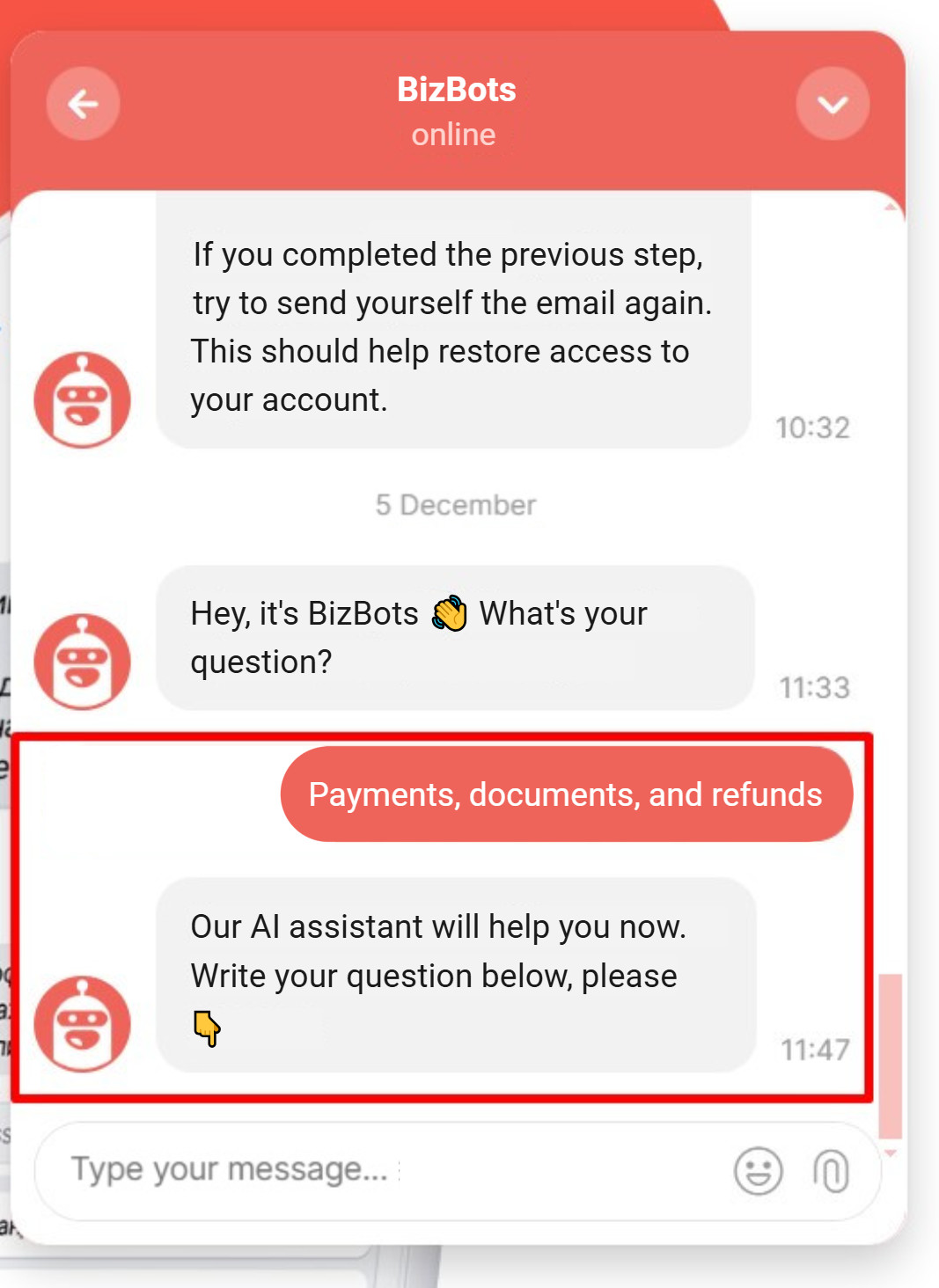
Results after launch
With the AI support agent in place, BizBots saw a meaningful shift in how their team operated:
- The agent resolved around 40% of all chat inquiries independently, without human involvement.
- This freed up their team to focus on the remaining, more complex tickets.
- They saved an estimated $40,000 annually by not hiring additional agents.
- First-response time improved dramatically — now it’s ~30 seconds per conversation.
- And most importantly, customer satisfaction stayed high, even with an AI agent handling a large share of the volume.
So introducing AI into their processes allowed BizBots to grow sustainably without compromising service quality.
Read the full case study:
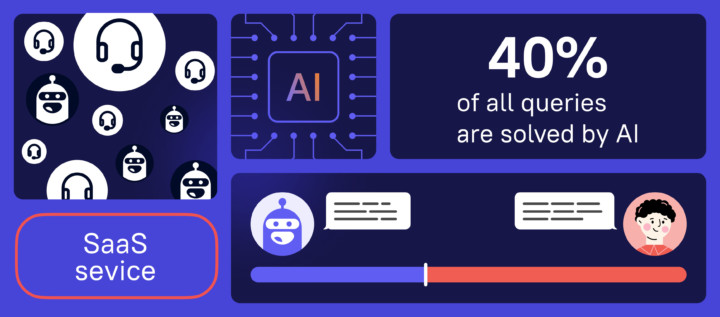
Best practices for rolling out an AI support agent
Launching an AI support agent is simple. But making it effective takes a bit of thoughtful setup. Based on real customer results and what we’ve learned from early adopters, here are four key steps to getting the most out of Dashly’s AI support agent from day one.
1. Refine your knowledge base first
The quality of your agent’s responses depends on the quality of the data it’s trained on. If your help center is outdated, thin on detail, or missing key topics, the agent won’t have much to work with. Before launch, take time to:
- Audit your most common support questions;
- Fill in missing help articles;
- Add real examples, screenshots, and step-by-step instructions.
The richer and more structured your knowledge base, the more accurate and helpful the agent will be.
2. Monitor and iterate post-launch
The first version of your AI support agent won’t be perfect. And that’s okay. What matters is how you improve it. Use built-in Dashly analytics to track:
- Which questions the agent is answering confidently;
- Which conversations are getting escalated;
- Where customers drop off or express frustration.
Each of these is an opportunity to strengthen your help content or adjust the agent’s behavior. The more feedback loops you build in, the smarter your agent gets.
3. Prepare your team and customers
Make sure your team knows how the AI support agent fits into your workflow. Who handles escalations? When should humans jump in? What should they watch out for in post-conversation reviews?
At the same time, it’s helpful to set the right tone with customers. You don’t need to make a big announcement, but subtle transparency builds trust, especially if you also make it easy to reach a human when needed.
4. Match the agent’s personality to your brand
One of the strengths of Dashly’s AI support agent is how flexible it is. You can adjust:
- Tone of voice (friendly, formal, neutral),
- Answer length and complexity,
- Use of emojis, humor, or technical terms.
This means the agent won’t just sound like a robot with canned answers. It will sound like you. Just a faster, tireless version of your team. And that consistency goes a long way in keeping customers happy.
And you’re never left to figure this out alone. Dashly’s support team is always ready to help you with setup, answer questions, or troubleshoot any issues that come up along the way. Whether you’re fine-tuning the tone or updating your knowledge base, real people are there to help you make the most of your AI support agent.
Measuring success: how to know your AI support agent is working
Once your AI support agent is live, it’s important to track how it’s performing and impacting your customer experience. Here are the key metrics that Dashly customers use to measure success:
1. Resolution rate
This is your north star: what percentage of conversations is the agent resolving on its own, without needing human involvement? A steadily increasing resolution rate shows that your knowledge base is strong and that the agent is confidently handling routine questions.
2. Escalation volume
Monitor how often and why conversations are being escalated to human agents. If escalation volume is high, it might mean your content needs expanding, or that you need to adjust the agent’s stop-phrases and escalation triggers. If it’s low and customer satisfaction remains high, you’re on the right track.
3. First response time (FRT)
The agent can often reply instantly, meaning faster first responses even during off-hours. Compare your FRT before and after launch to see how much time the agent is saving your team and how quickly your customers are getting answers.
4. Customer satisfaction (CSAT)
Automation shouldn’t come at the cost of quality. Run quick satisfaction surveys after resolved conversations to gauge how customers feel about the experience. A steady or rising CSAT score confirms that the agent is doing its job well.
5. Unresolved queries and content gaps
Review conversations that didn’t end in a resolution. These are great opportunities to spot missing content in your help center or identify edge cases that need clearer guidance. Over time, this feedback loop helps you continuously improve both the agent and your self-service resources.
Bottom line
Dashly’s AI support agent gives you a smarter way to scale: by using the content you already have to deliver fast, consistent, always-on customer service. It handles repetitive questions with confidence, gives your human agents breathing room, and keeps the customer experience sharp around the clock.
With the right setup, the agent takes on repetitive tasks and helps your whole team focus on what really matters: solving complex problems, building relationships, and driving value for your customers.